Up next in 10

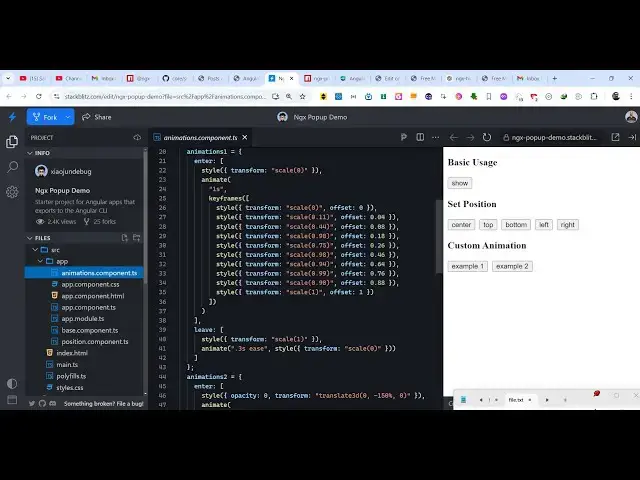
Angular ngx-popup Example to Build HTML Popup Animated Menu in Browser Using TypeScript
Jan 30, 2025

Get the full source code of application here:
https://codingshiksha.com/angular/angular-ngx-popup-example-to-build-html-popup-animated-menu-in-browser-using-typescript/
Hi Join the official discord server to resolve doubts here:
https://discord.gg/cRnjhk6nzW
Visit my Online Free Media Tool Website
https://freemediatools.com/
Buy Premium Scripts and Apps Here:
https://procodestore.com/
Show More Show Less View Video Transcript
0:00
uh hello guys welcome to this video so
0:02
in this video I will show you a angular
0:05
package where you can actually show
0:08
animated popup dialogue boxes inside
0:11
your application so if for any reason
0:13
that you want to show a popup dialog box
0:16
IM modal window inside your angular
0:18
application you can use this module so
0:21
you can see the demo here as I click the
0:22
button the demo dialog box will show
0:26
holding some content we have you can
0:28
show any anything you can show text
0:31
image anything in this PO window you can
0:33
even control the position as well you
0:36
can show it in the center from the top
0:39
going down from the bottom up from the
0:42
left position right position so you can
0:44
control all these positions here and it
0:46
also having some kind of Animation also
0:49
happening at the same time so as the
0:51
popup window is
0:52
showing and then you can even have
0:54
custom animation as well so this is you
0:57
can see the custom animation happening
0:59
so this module supports all these
1:02
parameters and obviously you can even
1:04
change the background color as well of
1:06
the model dyo
1:09
windows so if you go to npmjs.com there
1:13
is this package here ngx popup this is
1:16
actually the name of the
1:19
module uh the command is simple uh this
1:22
is actually the
1:24
command it's a fairly new package
1:27
and you can go to the description link
1:30
where I have given all the source code
1:32
step by step inside my blog
1:35
post so first of all you need to import
1:39
this module so you need to go to this
1:41
file ab. module. typescript file and
1:44
just import this
1:46
package so we just write import popup
1:50
module and it will be coming from this
1:52
package at the
1:53
rate so this is actually the name of the
1:56
package
2:03
so you simply import this line and this
2:06
actually is your module and then you
2:08
Imports go to the Imports array and
2:10
simply paste this module what you
2:13
imported this is just this configuration
2:16
that you need to do and then you need to
2:18
go to the wherever you want to display
2:21
this proper
2:23
window so essentially we are writing it
2:26
in this template here and then we use
2:28
this directive here and GX Das popup and
2:32
this is actually the opening and the
2:34
closing
2:38
tag and here it takes an argument here a
2:42
Boolean
2:44
parameter true or
2:47
false so whether it will be visible or
2:50
not so if this value is true then the
2:53
model window will show if it is false
2:55
the model window will hide and inside
2:57
this you can actually show what whatever
3:00
that you want to show in the window so
3:02
it can be any text or image as well
3:06
so here you can control the background
3:09
color of the window so I'm just giving a
3:11
hexad decimal code which is white color
3:13
and you can even control all the CSS
3:15
properties so we have given a background
3:18
of white and padding of 50 pixel and
3:20
inside this we are showing a simple
3:22
message hello world this is a message so
3:26
now if you click the button right here
3:30
you will see this window will show we
3:32
just need a simple
3:34
button after this
3:39
so you need to declare this button
3:41
outside
3:45
this so now you will see this button
3:47
appearing and as soon as you click this
3:49
button this window will show holding
3:51
this message hello world this is a
3:54
message and now you can even control the
3:57
color as well so if I change this color
4:00
from white to
4:01
Red so now you can see the color has
4:04
changed right here and you can even
4:06
control the text color as well let's
4:09
suppose I want the color text to be
4:11
yellow so now the background color is
4:14
red the color of the text is yellow so
4:16
you can control all these
4:18
properties using this package so it's
4:21
configuration is very easy and then you
4:24
can show this model window inside your
4:26
angular
4:27
application and you can even show images
4:31
so if you want to show a image let's
4:33
suppose I go to unsplash.com and copy a
4:36
image address and instead of text you
4:39
also want to show images you just need
4:41
to have a image
4:45
tag so now what happens you will also
4:48
see this image let me control the width
4:51
and the
4:56
height so you will also see this image
4:59
appearing you can align this image
5:01
perfectly how you want to do using the
5:03
CSS but this is actually the power of
5:06
the module uh you simply able to show
5:08
these model Windows containing images
5:10
and text and then there are some
5:13
Advanced examples as well this is a very
5:15
simple example where the model window
5:17
just
5:18
shows and then there are slightly
5:21
Advanced example coming to the position
5:23
as well so here if I click the center
5:26
one from top to bottom left right so
5:30
then you also we have the parameters for
5:32
controlling the position so there is a
5:34
second parameter position here so here
5:37
you can pass in which position you want
5:40
to show
5:41
the model windows
5:44
so this is actually the parameter here
5:48
it takes here position so now let's
5:51
suppose I don't want to show it in the
5:53
center position I want to show it at the
5:55
top position so now what happens it
5:58
shows it at the top here
6:00
so you can have this position attribute
6:03
here you can show it at any position so
6:07
in this
6:17
way and then we also have some more
6:19
advanced examples if you want to do
6:21
animations as well alongside with
6:23
showing the popup
6:26
window so you can have this
6:30
animation happening as well so you can
6:33
put the scaling animation here using the
6:35
scale
6:37
filter passing these
6:40
animations so in this way you can use
6:42
this module inside angular to show model
6:45
windows
6:47
with animations and uh custom positions
6:51
so thank you very much for watching this
6:53
video and also check out my website as
6:55
well free mediat tools.com uh which
6:58
contains thousands of tools regarding
7:00
audio video and image and I will be
7:03
seeing you guys in the next video