Up next in 10

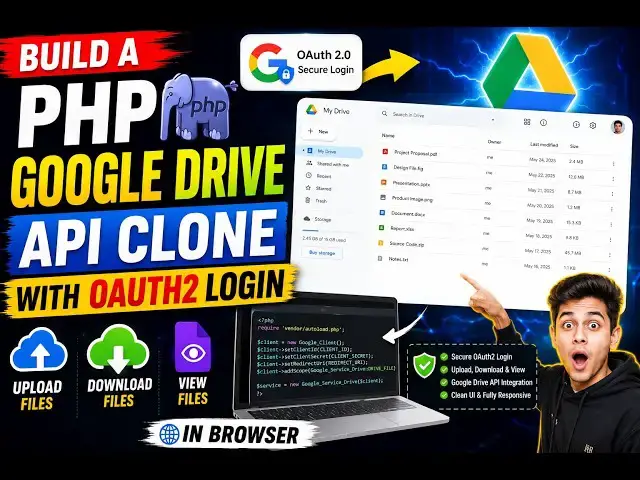
Build a PHP Google Drive API Clone With OAuth2 Login to Upload,Download & View Files in Browser
Aug 31, 2026

Buy the full source code of application here:
https://procodestore.com/index.php/product/how-to-build-google-drive-api-clone-with-oauth2-login-in-php-to-uploaddownload-view-files-in-browser/
Watch My Visual Studio Code IDE Setup Video For Fonts,Themes & Extensions
https://youtu.be/Bon8Pm1gbX8
Hi Join the official discord server to resolve doubts here:
https://discord.gg/cRnjhk6nzW
Visit my Online Free Media Tool Website
https://freemediatools.com/
Buy Premium Scripts and Apps Here:
Show More Show Less View Video Transcript
0:00
Hello guys, in this video I'll actually
0:02
show you I built out this PHP script
0:05
which allows you to directly download,
0:07
upload, view your files in a tabular
0:10
like structure.
0:11
It's a complete Google Drive clone
0:13
script. And I'm running this project on
0:17
exam control panel. It's
0:19
actually built in PHP, HTML, CSS, and
0:21
JavaScript. So, as you see we are
0:23
running this on localhost.
0:26
So, first of all it has you need to
0:28
connect your Google Google Drive
0:30
account. So, once you click the connect
0:32
button,
0:33
it will redirect you to the login
0:35
screen. So, you need to select your
0:37
account to which you need to
0:41
So, click on continue. So, as we are
0:44
simply
0:45
building it locally.
0:48
So, you just need to grant the
0:49
permissions. So, it will ask you to it
0:52
will see, edit, create, and delete all
0:54
your Google Drive files.
0:56
Simply grant these permissions, click on
0:58
continue.
0:59
And after that you will be redirected to
1:01
the dashboard area. So, it will show you
1:03
your account. You also have the
1:06
disconnect button. And right here it
1:08
shows you all your Google Drive files.
1:12
Total number of files, total size,
1:14
number of folders.
1:16
You also have the ability to search
1:19
for a particular file.
1:21
Just type the
1:23
keyword. And basically as soon as we are
1:26
typing it, as you see
1:28
the files are simply opening.
1:31
And for each file we have the open
1:33
button.
1:35
So, you can directly open the file. Once
1:37
you click the open button,
1:39
you will be able to see the file
1:41
directly inside Google Drive.
1:45
And we also have the download button as
1:47
well. To click once we click the
1:49
download button, your file will be
1:51
downloaded
1:53
inside your local machine.
1:56
So, we are using Google Drive API to
1:58
directly communicate all these features.
2:01
We also have the delete button as well
2:03
to actually move the file into trash.
2:06
You can click the delete button and that
2:09
file will be deleted. You will get a
2:10
notification.
2:12
This is a premium script, guys. If you
2:14
are interested in this, I've given the
2:16
link in the description, so you can
2:17
directly purchase the source code.
2:20
So, once you purchase it, you will
2:21
automatically get the full PHP script
2:24
this project
2:25
from Google Drive automatically.
2:28
And
2:29
these are all the files as you see. I
2:31
built it from scratch.
2:33
This is the main file Google Drive
2:34
Manager where we are communicating with
2:36
Google Drive API.
2:40
This is the API folder. These are
2:42
different files, PHP files, for deleting
2:45
files, for downloading files, for
2:47
listing out all the files, for uploading
2:49
files.
2:50
So, it is present in the API folder.
2:53
In the assets folder, we have the CSS
2:55
file.
2:57
We have the JavaScript file. So, you can
2:58
easily customize the source code, add
3:01
additional features as well. This will
3:03
save you a lot of time. This is the main
3:05
file index.php.
3:07
So, this is your home page
3:10
as you see.
3:13
This is the config.php file. So, here
3:15
you will configure all your entries. So,
3:18
you just need to configure these two
3:20
things, Google client ID and Google
3:22
client secret. So, you can
3:24
get these both these things
3:26
from Google Cloud Console. So, just
3:29
create an account right here and just
3:31
enable this API, Google Drive API, in
3:34
Google Cloud Console. I've already
3:36
enabled this, so just need to enable
3:38
this.
3:39
And just create these
3:42
OAuth client ID.
3:45
And simply select application type to
3:48
web application. And in authorized
3:50
JavaScript origins, you need to paste
3:52
the URL.
3:54
If you're developing it locally, so you
3:56
just need to paste HTTP localhost.
4:00
And for the redirect URI,
4:03
this is the actual environment variable
4:05
that we configured, so need to paste the
4:08
same redirect URI as you see.
4:10
We have this.
4:13
Simply paste this redirect URL and click
4:16
on create.
4:17
This will give you your client ID and
4:19
client secret, so just need to paste
4:21
this. That's all the configuration which
4:24
is needed.
4:25
And after that, you can
4:27
start the app locally as well, or you
4:29
can deploy this as well. So, it's very
4:31
easy.
4:33
Coming back to the application, as you
4:35
see, we can even filter out
4:38
files, images, videos, PDF, document,
4:41
docs, folders. So, if I only want to see
4:43
images, I will simply
4:45
see, and now it will only show the
4:47
images to me.
4:49
As you scroll down, we also have the
4:51
button.
4:56
As you see, we are scrolling down.
5:02
Uh I have also opened it in a different
5:06
files.
5:07
You also have the load more button as
5:08
well.
5:09
You can click the load more button. It
5:11
will load all more files if you have
5:13
more files as well.
5:15
Again, you click the open button. It
5:17
will directly open the file for you.
5:19
To see the live preview. And you can
5:22
even download the file.
5:24
So.
5:28
It's very easy, so
5:31
the link is given in the description,
5:32
guys. You can directly purchase the
5:34
source code
5:36
if you're interested.
5:41
You can also click the disconnect
5:43
button. Again, you can connect with your
5:45
Google Drive account.
5:48
Simply select your account here and
5:51
simply grant the permission. So, this
5:52
you need to do for the very first time
5:54
if you are
5:56
simply logging
5:58
and grant the permissions. So,
6:04
So, once you have connected, you will
6:06
see total number of storage it will show
6:08
99% used. You also have the ability to
6:12
upload files as well. So,
6:14
you can click the choose file button.
6:16
From here, you can upload a file to your
6:18
Google Drive.
6:20
Simply select the file
6:22
and it will show you a notification once
6:25
the file is uploaded. You will see the
6:27
file is successfully uploaded
6:29
and then you can search.
6:31
You can see the live preview. As you
6:33
see, the date is also shown when the
6:36
file was uploaded, the size, everything,
6:38
whether it's a image or not. So, you
6:40
click the open button. It shows you the
6:42
actual file that you uploaded.
6:48
So, it will save you a lot of time,
6:50
guys. It's a fully functional Google
6:52
Drive API clone.
6:55
It supports all the options. You can
6:56
download, delete, everything.
7:00
So, I think
7:01
you can click the download button. So,
7:03
this will download
7:05
the image,
7:07
video, PDF, anything.
7:10
So, you can configure the maximum number
7:12
of size that you want to upload in the
7:14
config.php file. So, max upload size is
7:18
set to 100 megabytes.
7:20
How many images, how many items which
7:22
are shown per page, you can even change
7:24
that as well. So, default number is 50.
7:27
So, all these settings you can change it
7:29
inside config.php. So, I made this very
7:32
user-friendly. So, once you purchase the
7:34
source code, it's very easy for you to
7:36
configure all these settings inside
7:38
config.php.
7:39
So, first of all, you will paste your
7:41
Google client ID, Google client secret.
7:44
These two details you need to fill out
7:46
and then you can change all these
7:47
settings as well.
7:52
So,
7:53
you can filter out
7:55
images, videos. So, it has also this
7:58
filter option as well. So, this will
8:00
only now show the videos to you.
8:02
Like this, as you see.
8:06
Same goes with PDF as well. So, now it
8:09
will only show you the PDF.
8:17
And if you select folders right here, it
8:20
will only select
8:21
the folders. If you want to open this
8:23
folder and see what what is the content
8:25
inside it, it will show you right here
8:28
as you see.
8:31
And you can click the delete button to
8:33
delete this folder if you don't want
8:35
this.
8:36
And this pop-up window will show. We'll
8:38
move this folder into trash.
8:41
So, all the features are there, guys.
8:43
Upload, delete, download, searching
8:46
functionality is also there. It's a
8:48
complete Google Drive API clone in PHP,
8:51
HTML, CSS, and JavaScript. I showed you
8:54
the full live demo.
8:56
And if you still face any issues after
8:59
purchasing the source code, you can
9:00
contact me. All my information is there
9:03
inside the website, procodestore.com.
9:07
And
9:08
it's completely responsive as well. So,
9:11
it will
9:12
also look quite good on mobile phone as
9:14
well. So,
9:16
it's a complete application.
9:19
And the thing about this, it's built in
9:22
PHP, so it makes it easy for you to
9:24
deploy this application as well on
9:26
shared hosting, cloud hosting, any kind
9:29
of hosting.
9:31
And it's easy for you to customize the
9:33
source code and also see how I uh,
9:35
written this code to communicate with
9:37
Google Drive API.
9:40
It has all the features, upload, delete,
9:43
download, about listing out files.
9:47
So, if you're interested in this, the
9:49
link is given in the description.
9:51
Definitely visit, uh,
9:53
purchase the source code.
9:55
As you see, we are running it locally.
9:59
So,
10:00
please hit that like button, subscribe
10:02
the channel, and I will be seeing you in
10:04
the next video.
#Jobs & Education