Up next in 10

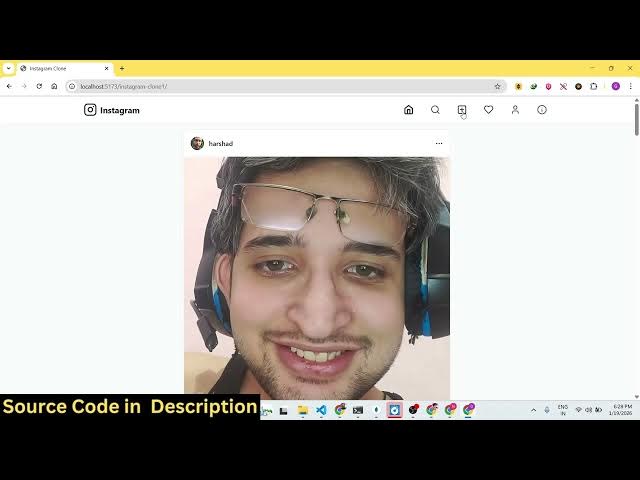
Build a React.js Instagram Clone Web App in Browser With Authentication & Database Using TypeScript
Mar 5, 2026

Buy the full source code of application here:
https://procodestore.com/index.php/product/build-a-react-js-instagram-clone-web-app-in-browser-with-authentication-database-using-typescript/
Show More Show Less View Video Transcript
0:00
Uh hey guys in this video I'll show you
0:02
I built out a full stack uh Instagram
0:05
clone inside ReactJS
0:08
with full authentication as well. So
0:11
this project is actually developed in
0:13
latest version of React as you can see
0:15
we are using and this is a full
0:17
directory structure. Each component is
0:19
coded directly inside TypeScript. So
0:21
everything is customizable. You can
0:23
actually customize it or add additional
0:25
features as well. You can directly
0:27
purchase the source code. The link is
0:29
given in the description. After you
0:30
purchase it, automatically all the
0:32
source code will be downloaded from
0:34
Google Drive. Let me show you the demo
0:36
of the application. We are running this
0:38
application locally as you can see. MPM
0:40
rundev. It's very easy for you to run
0:42
this or even deploy this as well. So, uh
0:45
the interface looks something like this.
0:47
First of all, as soon as you open the
0:49
application, you see this login page.
0:52
So, if you already created account,
0:54
there is also the sign up option as
0:56
well. You can create a new account. I
0:58
already created one account. So I will
1:00
simply put the username and password and
1:03
click on sign in. And basically you see
1:06
this is actually the feed that you see
1:08
inside Instagram. So this is our account
1:11
page. We have this profile picture,
1:13
username, number of post, followers,
1:16
following. You can edit your profile as
1:18
well. Make some changes as well.
1:21
And now to actually upload, you
1:24
basically have some options here. This
1:26
is actually the here you will upload
1:28
your image. Simply upload the image.
1:31
Just write a caption and share and your
1:34
image will be shared here. You can see
1:36
that you can refresh. All these things
1:39
are stored in the database internally.
1:42
So
1:43
basically you can close this window once
1:45
again. You can come back open the same
1:50
all the data will be you can see
1:52
automatically it will detect you are
1:54
logged in. So it will uh log you in
1:57
automatically. So it's also come with
2:00
the authentication as well. So now I can
2:02
create a new account as well. I can open
2:05
in a new tab to create a new account. So
2:08
what will happen here? You can click on
2:10
the sign up button to actually create a
2:12
new account. So here you just mention
2:14
the
2:16
email address,
2:20
the [snorts] username and password
2:24
and click on sign up and your account
2:26
will be created and this is your profile
2:29
screen. Here you can see zero post are
2:30
there. You can even search for uh
2:33
different accounts as well. You just
2:34
need to enter in the search bar.
2:39
So you can just see all these accounts
2:41
will be present here
2:45
and what you need to do here you can
2:47
edit your profile. You can actually
2:50
upload the
2:56
so it's very easy for you. You can see
2:58
that how easy it is to
3:02
so
3:07
so it's very easy. You can just see it's
3:10
have the same interface of Instagram. So
3:13
you can
3:15
likewise just upload the image, write
3:18
the caption, click on share.
3:21
So we have now multiple accounts here.
3:23
As you can just see this is one account,
3:25
this is second account here.
3:35
So this is a search page. You can search
3:38
for any account here if you so the thing
3:40
is that uh it's you can just see
3:43
authentication page login form register
3:45
form. So I coded this from scratch. So
3:48
it will save you a lot of time. If you
3:50
want to get started you can directly
3:51
purchase the script and after purchasing
3:54
it if you still face any issues I will
3:56
you can email me. I will definitely help
3:58
you to run this project or deploy this
4:00
as well. You can even easily deploy
4:03
this. So this is a development script
4:05
build script. So it's very easy for you
4:07
to build out this complete project as
4:09
well. And also you can add additional
4:12
features as well if you like. And you
4:14
can just see how I coded this from
4:16
scratch. So this will save you a lot of
4:19
time here because you can just see all
4:21
the interface looks quite the same as uh
4:25
Instagram. So
4:31
[snorts] this is a you can like the post
4:33
as well. So,
4:38
so you can just see can like it can also
4:41
add a comment as well.
4:48
So these things are stored inside the
4:50
database. So that's why it's uh
4:52
everything is stored the like comment
4:54
image everything. So we have this
4:56
internal database which is actually
4:59
inside the storage one. So everything is
5:01
captured directly internally inside the
5:04
application. So
5:06
everything is stored in the database. So
5:08
you can just see here authentication is
5:10
also there. So we are using the latest
5:13
version of react as well. So each and
5:15
every component is customizable. You can
5:18
add additional features as well. So we
5:20
are the profile component post
5:23
everything. So it will be easy for you
5:26
to customize any of these components and
5:29
uh
5:31
make your own Instagram clone. So this
5:33
will be a great starting point because
5:36
uh the base functionality I have already
5:38
coded. So the minimal functionality
5:42
basically where you simply share the
5:44
image
5:46
capture it inside the database section.
5:48
This is your account page login sign up
5:51
functionality is also there. So if you
5:54
are looking forward for purchasing it,
5:57
the link is uh given in the description.
6:01
You can directly purchase this