Up next in 10


Buy the full source code of application here:
https://procodestore.com/index.php/product/build-a-angular-instagram-ui-clone-web-app-in-browser-using-typescript/
Show More Show Less View Video Transcript
0:00
Uh hello guys, in this video I'll show
0:02
you how how I built a Instagram UI clone
0:04
inside Angular. So coming back to the
0:07
project here, this is actually the full
0:08
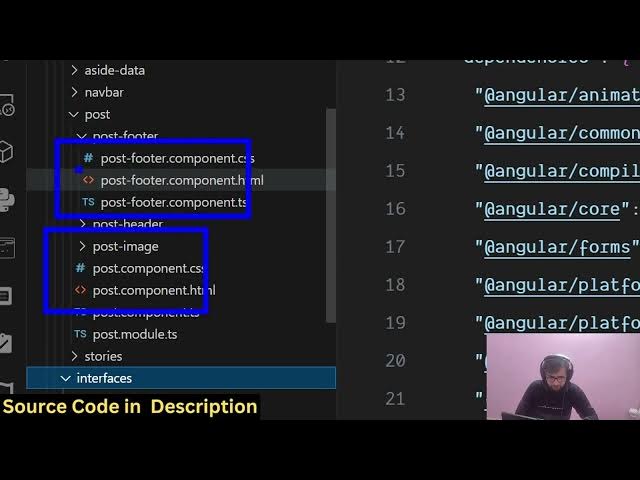
directory structure of that Instagram UI
0:11
clone. Each and every component is
0:13
divided into its appropriate TypeScript
0:15
file. It's fully customizable and if I
0:18
show you the package.json file, we are
0:20
actually using the latest version of
0:22
Angular. So you can just see here it's
0:25
built inside Angular and we are running
0:28
this application locally. So
0:31
this application is listening on
0:33
localhost 4200.
0:36
So if I try to open this, this is
0:38
actually a clone of the Instagram UI
0:41
homepage.
0:44
So it has all the sections out there. We
0:47
have the search field. We have all the
0:49
accounts page here. This is actually the
0:51
post here. You can see we have all these
0:54
buttons out there. The sidebar section
0:56
which contains all the accounts here.
0:59
This is a follow button. So here you can
1:01
click any of these buttons. This is a
1:03
profile. So this is the overall
1:05
homepage. It's fully responsive. You can
1:08
just see how it looks on mobile phone as
1:11
well.
1:13
So you can directly purchase the source
1:16
code. The link is given in the
1:18
description. So after that you will be
1:19
redirected to Google drive. So all the
1:22
pages are there. you will see that the
1:25
homepage, the footer, the sidebar
1:28
section, the post header.
1:32
So, this is a clone of the it's not
1:36
connected to anything, but you can
1:37
safely purchase it and then customize it
1:40
to add a backend to it to add a
1:42
database. It will save you a lot of
1:44
time. So, if you're looking forward for
1:46
building out Instagram in Angular,
1:49
this is a readym made clone which is
1:50
ready. I built it from scratch. Each and
1:53
every section you will see this is the
1:55
search bar. This is the account section.
1:58
This is actually the post section. You
2:00
can actually like
2:04
comment everything. So this is the
2:06
actual.
2:09
So you just need to connect it with any
2:10
database. You basically get the data and
2:13
uh you can connect it with this user
2:15
interface clone of Instagram. So the
2:18
link is given in the description. So
2:21
everything is customizable.
2:23
So we are using the angular framework
2:26
here for this. We are also using angular
2:29
animations for this for building out
2:30
this.
2:33
So we are also using angular router for
2:36
specific pages.
2:38
So this is a header section.
2:41
So each and every file is customizable.
2:43
So once you get the source code, it will
2:45
be very easy for you to deploy this and
2:48
run this application and add more
2:52
features to this project. So this is a
2:55
readymade project. The link is given in
2:57
the description. So it's inside
3:02
angular here. So
3:05
as you can see we are running it on
3:07
local
3:17
all the elements are clickable. So you
3:19
can just see here
3:26
this if you're interested in this guys
3:27
the link is given in the description. If
3:29
you still face any issues, I will
3:31
definitely help you in deploying and
3:33
running the application.
Jobs & Education