Up next in 10

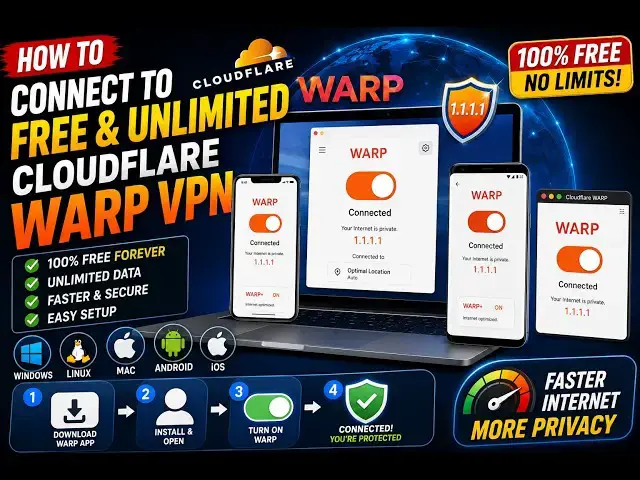
How to Connect to FREE & UNLIMITED Cloudware WARP VPN in Windows,Linux,Mac & Mobile
Aug 28, 2026

Buy the full source code of application here:
Watch My Visual Studio Code IDE Setup Video For Fonts,Themes & Extensions
https://youtu.be/Bon8Pm1gbX8
Hi Join the official discord server to resolve doubts here:
https://discord.gg/cRnjhk6nzW
Visit my Online Free Media Tool Website
https://freemediatools.com/
Buy Premium Scripts and Apps Here:
https://procodestore.com/
Show More Show Less View Video Transcript
0:00
Uh, hello guys, in this video, I will
0:02
actually show you a free unlimited VPN
0:05
which is available for Windows, Linux,
0:07
Mac.
0:08
It can even be used on a mobile phone,
0:10
Android devices,
0:12
Apple devices.
0:14
The name of the VPN is Cloudflare
0:17
Warp.
0:18
If you directly write this, it's a very
0:20
popular free software which is offered
0:22
by Cloudflare. There is no limit. It's a
0:25
trusted company. It's a trusted software
0:28
and I have using it for past
0:31
5 years.
0:33
So, basically, if you type Cloudflare
0:34
Warp, the very first link which appears,
0:38
this is actually the 1.1.1.
0:41
It also makes your internet faster as
0:43
well.
0:44
So, essentially, what it it does,
0:46
basically, when you toggle this on, it
0:48
changes your IP address. So, nobody can
0:51
track you.
0:52
Your real IP address is actually hidden.
0:55
So, once you go to this, you will see
0:57
this. It's also available on Google
0:59
Play, App Store, Mac operating system,
1:02
Windows, Linux. Depending upon your in
1:05
the operating system,
1:07
let me install it for Windows.
1:09
The size is just 56 MB.
1:13
So, just run the setup file. It will be
1:15
installed. I've already installed it.
1:17
So, once you install it, simply
1:20
search for the program Cloudflare Warp.
1:24
So, click on open.
1:25
The software will launch in the task
1:27
manager and it will run in the
1:29
background.
1:30
So, right here, it will come.
1:33
So, now you start the VPN, it's very
1:36
simple.
1:37
It's completely free and unlimited.
1:39
There is no subscription. You can use it
1:41
for lifetime.
1:44
So, once you launch it, it will be
1:46
launching right here.
1:50
You just need to toggle this.
2:03
>> So basically now you will be able to see
2:04
Cloudflare Warp.
2:06
You simply toggle this
2:08
and this interface will come.
2:11
So you basically toggle this to on.
2:14
And as soon as you do this, your IP
2:17
address will be changed. It will secure
2:19
your connection, internet connection,
2:21
and build a tunnel.
2:23
And after that,
2:26
now as you see, your internet is fully
2:28
private. Nobody can track you. You can
2:31
easily browse your internet. This also
2:33
actually speeds up your process. It
2:36
changes your DNS address.
2:38
Uh if you have a slow internet, then I
2:41
will highly prefer that you install this
2:43
VPN inside your local machine
2:45
and simply toggle this to on.
2:48
If you want to disable this, you can
2:49
turn this to off as well.
2:51
But I'm using it for past 5 years, guys.
2:54
I
2:55
I'm using it for completely free and
2:56
unlimited.
2:58
And
2:59
the process is very simple. You come to
3:01
the website, download this for your
3:04
respective operating system,
3:06
then simply launch it and toggle this to
3:08
on.
3:10
And if I try to see my IP address, you
3:12
will see
3:16
If you go to a website to track your IP
3:18
address,
3:24
it's changed. My IP address is changed
3:26
right here.
3:28
So if I toggle this to off,
3:32
and again try to refresh,
3:39
so now I will see my original IP
3:41
address, which is actually at site as
3:44
you see, 160.202.
3:46
So essentially what it does, it actually
3:48
changes your DNS IP address behind the
3:51
scene.
3:52
So all that you need to do.
3:55
Just toggle this to on. It will secure
3:57
your connection every time when you
3:59
toggle this to on.
4:01
Uh now, as you see, your internet is
4:04
private.
4:05
So, if you're looking forward for a VPN
4:08
which is completely free and unlimited,
4:11
consider this Cloudflare Warp. I think
4:14
it's the number one
4:16
software for VPN. It essentially does
4:20
the smarter job of changing your IP
4:22
address and DNS.
4:24
So, definitely check this out, guys.
4:26
Install it and start using it.
#Jobs & Education