Up next in 10


Get the full source code of application here:
Show More Show Less View Video Transcript
0:00
Uh hey guys, welcome to this video. So
0:02
in this video, I'll show you a Google
0:04
Chrome extension which allows you to
0:05
detect the word WordPress themes and
0:08
plugins that the use website is using.
0:10
So if you simply type on the search bar
0:13
what WordPress theme detector and
0:14
plugins detector, this extension will
0:16
come right here, it's got almost 60,000
0:19
installs.
0:20
Simply search for this Google Chrome
0:22
extension. Simply click the add to
0:24
Chrome button and simply add this
0:26
extension. So after adding this
0:28
extension, this extension will show
0:30
right here. You just need to pin it. And
0:34
now if you visit any website.
0:40
So let me open my own website where I
0:43
sell source code procodestore.com. This
0:45
is a WordPress website. I simply click
0:48
on that and now it will exactly tell me
0:51
what theme that this website is using
0:53
which is correct which is ocean WP which
0:56
has the theme version WP version every
0:59
sort of information will be displayed
1:01
right here itself in the sidebar. So in
1:03
this easy way you can actually try this
1:06
with any website.
1:08
So
1:10
if you just write this if you visit any
1:13
website you simply click this Google
1:16
Chrome extension
1:18
just click it and automatically it will
1:20
detect.
1:23
So you will see that. So again it is
1:25
using ocean WP.
1:40
So again if you see just click on that.
1:46
So now you can see it is exactly telling
1:48
me which WordPress theme this website is
1:50
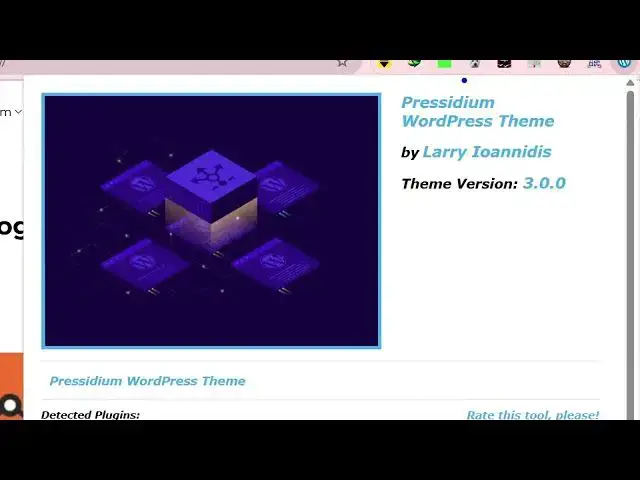
using. So this is using this uh theme
1:53
right here precedium WordPress theme. So
1:55
you can copy the name and simply search
1:58
this on Google. So in this easy way guys
2:01
you can actually get access of which
2:04
themes and plugins a website is using.
2:06
Simply visit the website and this
2:09
plug-in will allow you to simply
2:13
so again this is another different
2:15
website. You simply click the Chrome
2:18
extension and automatically it will
2:20
detect the WordPress theme which is this
2:22
one WP Beginner.
2:25
So it's completely free guys. You can
2:27
see it doesn't cost you any money.
2:30
Simply install this and start detecting
2:32
which themes the websites are using for
2:35
WordPress.
2:37
So this is the extension
2:43
WordPress theme detector and plug-in
2:45
detector. So definitely
2:47
uh do this and it also shows you the
2:51
plugins that it uses as well.
2:59
You simply click on that and also it
3:01
will load the plugins as well. So which
3:04
plugins it is using as well. So
3:06
definitely try this.
#Internet Software