Up next in 10

Why Pay for Canva Subscriptions?? I Build This INSANE Canva Clone Editor in React Full Tutorial
Mar 13, 2026

Buy the Full Source Code of Application here:
https://procodestore.com/index.php/product/why-pay-for-canva-subscriptions-i-build-this-insane-canva-clone-editor-in-react-full-tutorial/
Show More Show Less View Video Transcript
0:00
Uh hello guys, in this video I'll show
0:02
you uh the Canva clone that I created
0:04
inside React. So if you're tired of
0:07
paying Canva subscriptions, then you can
0:10
actually use my free editor that I
0:13
created inside React. It directly runs
0:15
in inside as you can see I'm running it
0:17
on local host. It doesn't cost you any
0:20
subscription. So it's completely free to
0:22
use and uh it has all the options that
0:25
Canva supports. So as you can see, we
0:27
have the template support. You can
0:29
simply select any of the template, edit
0:31
the text.
0:33
All these options are available. You can
0:35
animate
0:36
disposition. All these properties are
0:39
similar to this of Canva. And then we
0:41
also have support for exporting this to
0:43
a image file, PDF file or GIF file. So
0:46
say simply click on that and then it
0:49
will export this to a PDF file. So uh
0:52
this is I created this inside react. So
0:55
this is the overall structure of the
0:57
project here. Each component is divided
0:59
into its own JavaScript file here. I've
1:02
given the link in the description. If
1:03
you want to purchase it, the link is
1:06
will be given in the description. So, as
1:09
you can see, it's coded inside ReactJS
1:12
latest version 18.2.0
1:15
and we have just used third party
1:16
dependencies. It's completely free to
1:18
use. And once you open the project, you
1:22
simply run the command npm run start.
1:24
And for this you just need one you
1:28
should have at least NodeJS installed.
1:30
So I'm just running the latest version.
1:32
After that you simply say npm run start.
1:35
So this will start the local development
1:38
server at localhost 3000. So once the
1:41
application start here it will look
1:44
similar to canva Canva clone. So we have
1:47
this canvas editor where you can add
1:49
pages remove pages as well. So
1:52
everything you can customize it. You can
1:54
change the background color. You can add
1:55
your own text as well like this. As you
1:58
can see that you can change the size,
2:00
alignment, everything you can customize
2:02
it.
2:04
So now if you want to remove this, you
2:06
can simply remove it.
2:12
So all the text types uh these fonts,
2:15
custom fonts, you can even upload your
2:17
own custom font as well by uploading the
2:20
TTF file here.
2:23
So you can just see here how easy it is
2:25
to do this. You can just select itallic
2:30
underline everything you can do. Change
2:32
the font size, color of the font here,
2:36
icons, shapes, you can draw, you can
2:39
also upload your own custom images as
2:41
well. Simply select it, add this to the
2:44
canvas.
2:47
Then you also have the option to animate
2:49
this image. So animations are also
2:51
supported. As you can see, you can also
2:53
animate text as well. So this can be
2:56
used to create thumbnails, social media
2:58
post, everything you can create using
3:00
this editor. You also have support for
3:02
embedding videos as well. So
3:06
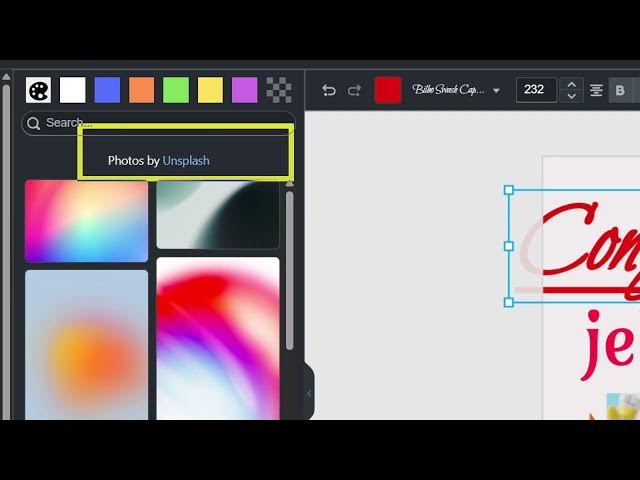
these photos are coming through unsplash
3:09
API. So which is a free website for
3:11
integrating.
3:13
So if you're interested in purchasing
3:15
it, the link is given in the
3:16
description. So you also have options
3:19
for creating different kinds of social
3:22
media post here. So if you're creating a
3:24
Instagram post,
3:26
you click on resize, it will resize it
3:29
to different kinds of Instagram,
3:31
Facebook.
3:33
So instantly you can create for multiple
3:36
social media networks. Simply select the
3:38
template and then it will automatically
3:40
resize it to if you're creating a
3:42
thumbnail. Here you can just see you can
3:44
also print it invitation card.
3:49
So various template sizes are supported.
3:51
So it will automatically resize it. So
3:55
all these options. So you don't need to
3:58
pay for Canva subscriptions. You can
4:00
actually purchase this React project
4:04
and it's a free React project. There is
4:07
no need for paying any fees to Canvas.
4:11
So
4:14
all these options are supported here. As
4:16
you can see,
4:21
you can embed the images everything.
4:25
You can even draw something here. Adjust
4:27
the size here
4:31
and then you can export this. So if you
4:33
want to export this to a image file
4:35
simply select
4:38
and then it will export this to a image
4:41
file. Here you will see that.
4:44
So this is a demo of this react
4:46
application. So the link is given in the
4:48
description. So you can directly
4:50
purchase it.