Up next in 10


Get the full source code of application here:
Show More Show Less View Video Transcript
0:00
Uh hello guys, welcome to this video. So
0:02
in this video, I'll show you a VS code
0:04
alternative which is called as new vim.
0:07
It's a very good very fast
0:11
uh IDE. I personally tried this and uh
0:15
it's based upon the very famous editor
0:18
which is Vim.
0:20
As you can see this is the parent editor
0:23
and it's built on top of it. It's called
0:25
as new vim. And uh once you go to the
0:28
website you will have this function
0:31
install now and it's very faster than VS
0:35
code. Uh once you do this you will land
0:38
on this interface of releases. Simply
0:40
select your operating system
0:42
and it's a very minimalistic ID. You can
0:46
see 11 MGB the size of it. Click on
0:49
start download.
0:52
So simply
0:55
run the setup to install this. So once
0:59
the installation completes you will see
1:02
automatically it will open and you can
1:04
actually write code in this.
1:10
So you'll get this popup simply accept.
1:21
So once it finishes the IDE will launch
1:24
and uh
1:33
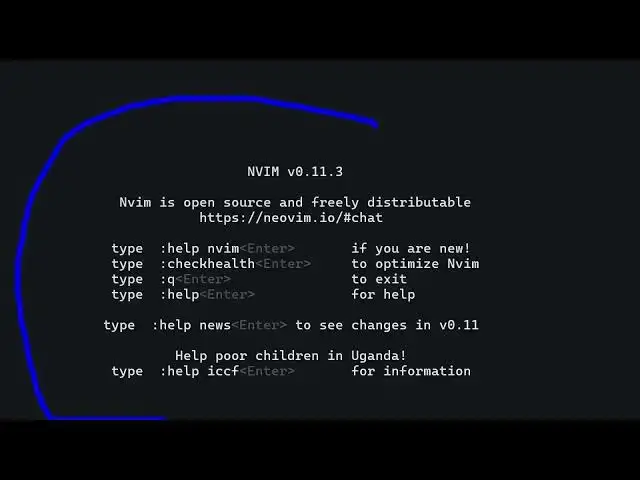
you see this is the ID and basically it
1:36
runs directly in the terminal itself.
1:38
It's an open-source and freely
1:39
distributable.
1:42
It's based upon Vim as you can see. So
1:45
here you can have keyboard shortcuts.
1:49
So
1:51
if you these are the basic things if you
1:55
are new just type help
1:58
check
2:00
Q to exit help for help
2:06
just write here
2:13
so
2:17
you also have the tutorial 10 minute
2:19
video you can watch on YouTube as well.
2:22
So
2:29
to exit.
2:40
So this is a terminal based editor guys.
2:42
You can see it's very easy to do this.
2:53
So definitely check out this, install
2:55
this inside your system and uh also
2:58
check out my website
3:00
freemediatetools.com
3:02
which contains thousands of tools.
#Software
#Development Tools
#Open Source