0:00
uh hello guys welcome to this video so
0:02
in this video I will just show you a
0:04
simple software that you can install on
0:06
your machine to create the keyboard
0:08
sounds special effects so whenever you
0:10
type inside vs code you can actually uh
0:13
hear these effects so let me just turn
0:16
on the volume here so as I type here you
0:19
will see the key stropes have sound
0:26
here so as you can see here we have a
0:29
special sound effect of whenever you
0:31
type here whenever you code here you
0:33
will see the sound effects so some
0:35
people like these sound effects so there
0:37
is a special software which is there Mac
0:39
wipes it's an open source software you
0:41
can install this inside your machine and
0:44
then it has various effects as you type
0:48
this is one of that effect you can see
0:50
that so as I'm typing here you can drop
0:53
down you can select any effect from here
0:56
and adjust the volume as well using the
1:00
as I'm typing here you will see that so
1:03
so this makes a little bit cooler here
1:05
you can see the as I type here you will
1:07
see the sound effect will there you can
1:20
so so now to install this it's very easy
1:23
you just need to go to Google and just
1:27
download Mech wipes this is actually
1:34
here and the very first link which comes
1:37
this is actually the download page
1:40
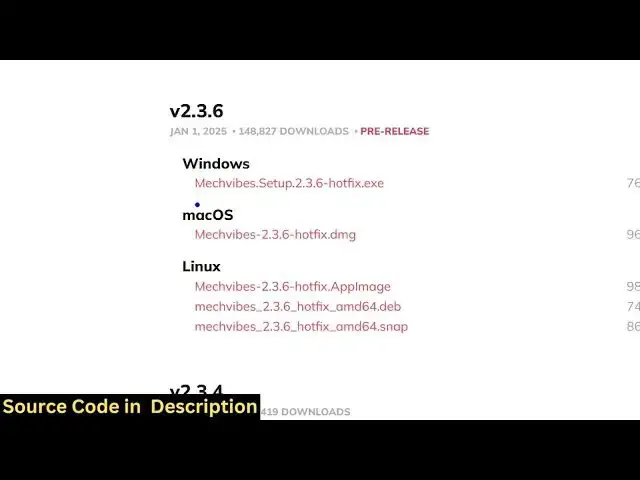
simply go to this page and uh it's
1:42
available for all operating system you
1:45
can select your operating
1:47
system either Windows Mac or Linux so
1:50
I'm there on windows so I simply select
1:52
this exe file uh this is simply a setup
1:58
76 so once you download this it will
2:01
install and now you can actually install
2:04
this by running the setup
2:08
file so it will store this inside your C
2:14
users so it will actually create this
2:19
this just stick with the default option
2:22
just so you will see I've already
2:24
installed it so I will not install it
2:26
once again so you just need to make sure
2:29
that you open this software just from
2:34
type and keep running the software in
2:36
the background so while you're coding
2:38
here you will just don't close it if you
2:42
see it will still run because I'm
2:45
running this in the background here you
2:46
will see it is running it but if you
2:49
close this you will see now you it will
2:52
be normal no sound effects will be there
2:55
so you just need to turn on the software
2:58
while you are actually doing your work
3:00
so just run it in the background and you
3:03
will see the sound effect so you can
3:04
adjust the volume here you can see
3:07
that and from the drop down you can
3:10
select all these keyboard effects sound
3:25
effects so in this way guys you can do
3:27
this in vs code or any code editor with
3:29
you're typing so just install this it's
3:32
completely free and thank you very much
3:34
for watching this video and also check
3:36
out my website free mediat tools.com
3:39
which contains thousands of tools
3:41
regarding audio video and image and I
3:43
will be seeing you in the next video