0:00
uh hello guys welcome to this video so
0:02
in this video I'll show you a very
0:04
popular vs code extension uh which
0:06
actually makes indentation quite easy to
0:09
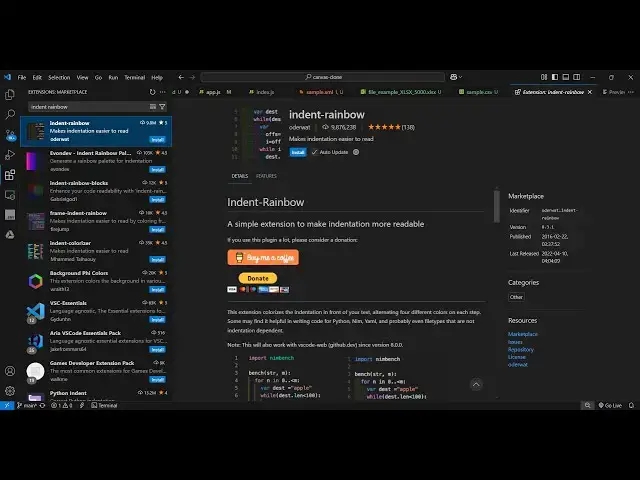
recognize so if you go to extensions
0:12
just type this extension indent
0:14
rainbow and this extension will come
0:17
right here it's used by almost 9 million
0:19
people so what this extension does it
0:22
actually changes your indentation with
0:24
colorful colors of rainbow so you can
0:28
easily recognize the indentation
0:30
so simply install this and activate this
0:34
extension and as soon as you activate
0:36
this all your code you will see it will
0:39
add this nice little background color to
0:44
indentation and you can see that
0:47
so you can easily recognize the starting
0:50
bracket and the ending bracket using the
0:54
this you can see this is a JavaScript
0:57
function right here so anytime if you
1:00
want to access the starting and ending
1:02
bracket it will highlight this portion
1:05
indentation you can see that so it
1:09
highlights with different colors so
1:11
that's why it easy to recognize which
1:15
where so if you're missing a bracket it
1:22
by and same goes with the python code as
1:25
well so this is actually a python
1:28
function which the indentation is quite
1:33
so so this plug-in will solve a lot of
1:37
problem you'll see that's why it's used
1:39
by 9 million people so you can see it
1:41
actually created this nice little
1:44
sections of colors which highlights the
1:48
indentation and with this you can
1:50
clearly see how you can read the
1:53
indentation quite easily with these
1:57
combinations so once you activate this
1:59
it will automatically be enabled on all
2:02
your project so simply click the install
2:04
and activate this and you will
2:06
see this will look something like this
2:09
so thank you very much for watching this
2:11
video and also check out my website free
2:14
mediat tools.com uh which contains
2:16
thousands of tools regarding audio video
2:18
and image and I will be seeing you in