0:00
uh hello guys welcome to this video so
0:02
in this video I'll will show you
0:04
extension which allows you to edit or
0:06
render your CSV files directly inside vs
0:09
code so by default if you try to open
0:12
the CSV file in vs code you will see no
0:15
highlighting no rendering it appears as
0:18
a simple file CSV files as you all know
0:21
it's a comma separated value so we
0:23
Define these three columns name Age
0:25
Country then we have different rows out
0:26
there there you will need an extension
0:29
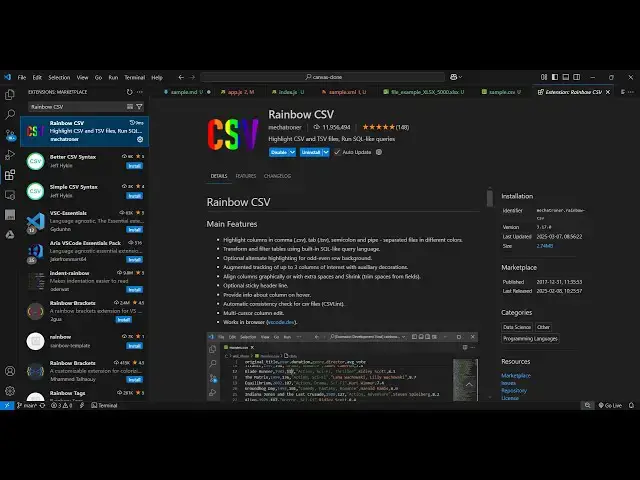
for this simply go to extension and just
0:31
type this extension which is Rainbow
0:36
CSV this is actually the extension it's
0:39
a fairly popular extension almost having
0:41
11 million installs so it actually
0:49
files and it's a complete editor as well
0:52
so you can even edit your CSV files
0:54
directly inside vs code so simply click
0:57
the install and activate this extension
0:59
and now if you try to open that
1:01
file you will see the highlighting will
1:06
there syntax highlighting so this is
1:12
files and you can actually change the
1:15
file as well so just put the column
1:26
name so there is this option here open
1:30
preview as soon as you activate this
1:33
extension so if you try to open the live
1:35
preview it will show the live preview
1:38
here you will see that so this is your
1:43
can directly cut this value or change
1:51
it so let me delete this you will see
1:54
the it will be activated you will see
2:03
so you can toggle this so to make it in
2:06
the ascending or descending order just
2:09
click the column name right here you'll
2:11
see here you can able to select
2:16
ascending so this is actually the live
2:32
so you can use this extension guys which
2:35
to actually preview your CSV files
2:42
code and thank you very much for
2:45
watching this video and also check out
2:48
my website free mediat tools.com which
2:50
contains thousands of tools regarding
2:52
audio video and image and I will be
2:55
seeing you in the next video