0:00
uh hello guys welcome to this video so
0:02
in this video I'll show you how to
0:04
format or beautify your Json files so if
0:07
you if your Json file is unformatted
0:10
there is an extension in vs code you can
0:12
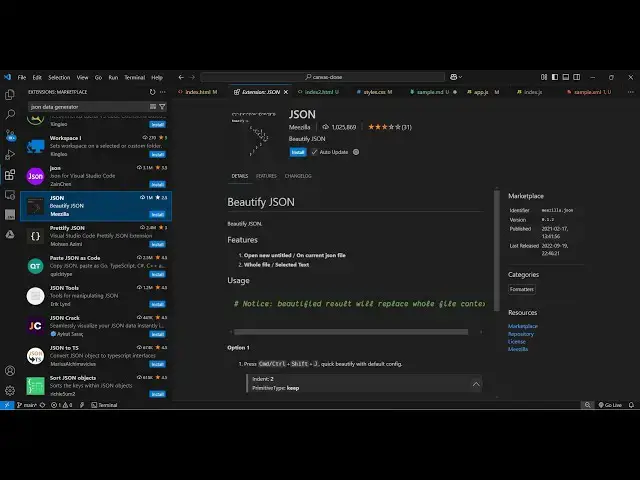
directly use so if you go to extensions
0:14
just type here Json and the very first
0:18
extension this will be the extension
0:20
here quite a number of extension comes
0:23
right here so these are the two popular
0:24
ones first of all let me show you this
0:26
one it's got almost 1 million installs
0:30
and so simply click the install button
0:33
and just activate this extension so as
0:35
soon as you activate this extension you
0:42
uh now we have this simple Json file
0:46
here sample. Json so if I make some kind
0:48
of formatting mistake right
0:52
here and then format document you will
0:56
see as soon as I say format document
1:00
the Json file will be beautified you
1:03
will see so if I make any sort of un
1:05
formatting let's suppose I change the
1:07
formatting of this file and just right
1:09
click and this option which comes right
1:11
here format document and you will see
1:14
automatically all the spacing will
1:19
and if you make any sort of mistake you
1:22
will see after activating this extension
1:25
if you right click this option will
1:27
appear that format document and all your
1:36
be you can even toggle this by using a
1:39
shortcut key control shift p and then
1:43
here this option which is beautify Json
1:48
option and here you need to select the
1:54
suppose so now it is doing it and it
2:00
automatically beautified or formatted
2:03
the Json so you can go to command pilot
2:06
control shift p and then just say
2:10
Json just select the ination
2:15
level and then automatically your Json
2:18
will be beautified so there is also this
2:21
extension as well which you can use it's
2:24
little bit more popular which is having
2:26
3 million installs so simply click the
2:29
install button and also activate this
2:31
extension so as soon as you activate
2:33
this now if you make any sort of
2:35
formatting mistake right here again you
2:38
type the shortcut key control shift p
2:51
here there will be this format document
2:54
option added so these are two popular
2:57
extensions you can definitely use it for
3:00
beautifying or formatting the Json files
3:03
so thank you very much for watching this
3:05
video and also check out my website
3:07
freem mediat tools.com which contains
3:10
thousands of tools regarding audio video
3:12
and MH and I will be seeing you in the