Up next in 10

Visual CSS Editor Google Chrome Extension – Live Edit and Customize Website Styles
Aug 18, 2025

Get the full source code of application here:
Show More Show Less View Video Transcript
0:00
Uh hey guys, welcome to this video. So
0:01
in this video, I'll show you a visual
0:03
CSS editor Chrome extension for your
0:06
Google Chrome browser. So this extension
0:08
is very useful if you are a programmer
0:10
or developer or designer just want to
0:13
edit websites on the go. So this
0:16
extension will help you a lot visual css
0:18
editor and they do offer their own
0:20
website as well visual csseditor.com. So
0:24
no coding is required. You can customize
0:26
and change website visually using their
0:29
editor and then you can export the CSS
0:32
code that you edited. So the pricing is
0:35
limited to 100 designs edit per month in
0:38
the free plan and you can even pay this
0:41
onetime fee inside $30 yearly to get
0:45
unlimited access.
0:47
And uh now to get started right here you
0:50
simply click the add to Chrome button.
0:52
So once it is installed,
0:55
you will be able to
0:59
pin this extension right here. So visual
1:02
CSS editor. So the icon will show right
1:04
here. So now if you visit any website,
1:09
you will be able to edit that website.
1:13
Simply activate this. So now it is
1:16
loading the editor inside this page
1:18
here. So just wait for some time.
1:23
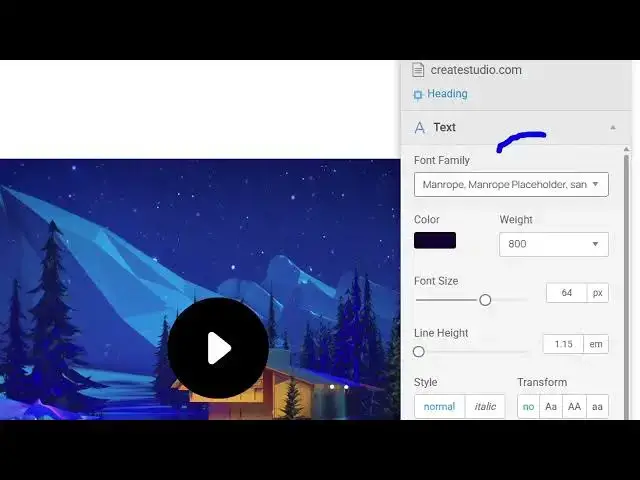
So now it comes with its own editor
1:25
right here. You can edit any element
1:27
right here. You simply select that. As
1:30
you can see this is an heading right
1:31
here.
1:33
And here you can change the text. This
1:36
also detects the font here. Which font
1:38
it is using.
1:41
You can basically change the font right
1:43
here itself. And you will see the live
1:45
preview.
1:49
So after changing the font, you can even
1:51
change the color as well.
2:03
You can even change the boldness as
2:05
well, line height. So in this easy way
2:08
you can customize websites guys using
2:10
this visual CSS editor. You can align
2:13
all these properties that you see and
2:16
then
2:20
again you select
2:24
you come to this button right here and
2:27
again you can
2:30
just select the element and then edit
2:32
them. So all these can see this is your
2:36
background here. So you can change this
2:42
everything you can control. So this is
2:51
so in this easy way this is your visual
2:54
CSS editor.
2:58
It shows you the overall CSS code right
3:00
here. Then you can click the export
3:02
button. So this will give you the CSS
3:04
code right here which you have edited.
3:06
You can copy paste everything from here
3:09
as well. So it's a very good tool for
3:10
designers and developers guys. If you
3:12
just want to edit websites on the go
3:15
without coding, you can definitely try
3:18
this extension. It's very simple. It
3:21
works right right here in the browser
3:23
itself. So simply select the element and
3:25
after that you edit them right here. So
3:29
definitely try this.
#Software