0:00
uh hello guys welcome to this video so
0:02
in this video I will show you how to
0:04
turn your vs code in a PDF reader there
0:07
is a extension which is specifically
0:09
built for reading PDFs directly in vs
0:12
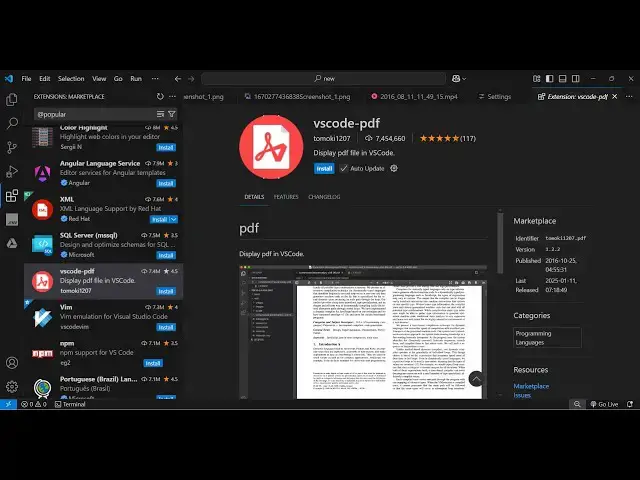
code so this is actually the extension
0:14
uh it's almost called 7.4 million
0:17
installs so vs code-pdf so if you
0:21
directly go to extensions just type this
0:23
the very first extension which comes
0:25
it's developed by this person tomoki
0:30
simply click the install button and
0:34
uh if you open your PDF file here you
0:37
will see it will now actually you can
0:40
read your PDF documents with all these
0:43
custom controls out there you can zoom
0:45
it you can zoom out you can go to the
0:48
next page by all these controls we can
0:51
search any text right
0:54
here so it will if you search any text
0:57
it will highlight this text right here
1:01
and we also have all these options right
1:03
here for printing purposes if you want
1:05
to download if you want
1:13
print if you want to rotate your
1:16
clockwise anticlockwise you can rotate
1:23
document so all these if you want to
1:25
show the document properties here you
1:27
can even see that as well so it this
1:29
plugin provides you with all these
1:31
properties so if I disable this VSS code
1:34
do have a default PDF viewer but it
1:37
doesn't support all these custom options
1:39
so if I disable this plugin and by
1:42
default if I open this PDF you will see
1:45
the file will not open because it's a
1:47
binary file so by default vs code
1:50
doesn't have a PDF viewer so for this
1:53
purpose I use this plugin a lot because
1:56
I do need to read a PDF documents so if
1:59
you just activate this and just open
2:02
document you can go to the next page
2:05
then previous page you can zoom
2:09
in you can just activate the hand tool
2:12
as well so if you want the hand tool
2:14
just activate the hand tool and now you
2:17
you you can just move inside the PDF
2:21
document just by using touch control
2:25
something like in Mobile so you use your
2:31
rotate clockwise and counterclockwise
2:40
see you can even input right here
2:43
directly just type one and it will
2:46
simply navigate to the first page and it
2:49
also have this nice little it shows you
2:52
live preview of each page this is second
2:56
first so it's a quite a good plugin guys
2:59
that's why it is having a lot of
3:01
installs so I will highly recommend that
3:04
you install this if you want to view PDF
3:06
documents and also check out my website
3:09
free mediat tools.com which contains
3:11
thousands of tools regarding audio video
3:13
and image and I will be seeing you in