Up next in 10


Get the full source code of application here:
Watch My Visual Studio Code IDE Setup Video For Fonts,Themes & Extensions
https://youtu.be/Bon8Pm1gbX8
Hi Join the official discord server to resolve doubts here:
https://discord.gg/cRnjhk6nzW
Visit my Online Free Media Tool Website
https://freemediatools.com/
Buy Premium Scripts and Apps Here:
https://procodestore.com/
Show More Show Less View Video Transcript
0:00
uh hello guys welcome to this video so
0:02
in this video I will show you a vs code
0:04
extension which is quite used by
0:08
developers which lets you paste your
0:10
Json in different languages so let's
0:14
suppose you're working with
0:15
nodejs or PHP or react or larel so it
0:22
will convert the selected Json into
0:25
different
0:27
interfaces so you will see the this is
0:30
actually the extension if you go to
0:31
extensions T just type this extension
0:34
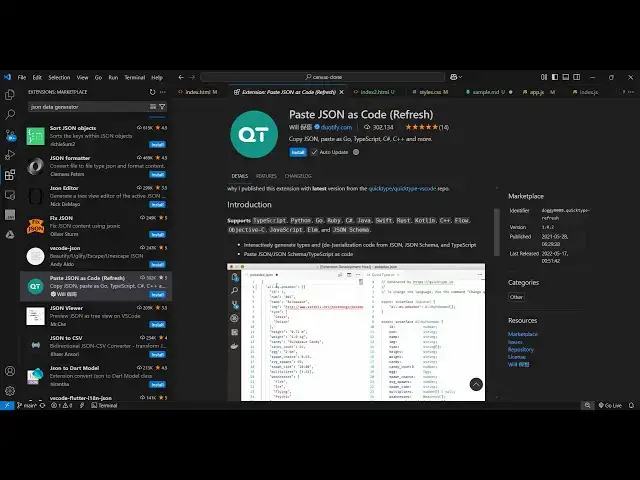
name which is paste Json as code so this
0:38
extension which comes the very first one
0:42
so it's got almost 2.5 million installs
0:46
so it supports all the languages you
0:49
will see the languages are mentioned
0:51
right here c c c Shar C++ dot cotlin
0:57
JavaScript Java Ruby rust so all the
1:00
popular languages are supported so you
1:03
need to Simply click the install button
1:05
and just activate this extension and
1:07
after activating this extension now if
1:10
you have any sort of Json file right
1:12
here if you're working with so simply
1:15
select this Json file and just simply
1:18
type the shortcut key control shift p to
1:20
open the command pallet and just write
1:23
here write paste Json as
1:26
code so we have a lot of options
1:30
available to us first of all if you
1:32
select paste Json as
1:35
code and here you need to from the drop
1:38
down you need to select the language so
1:40
whichever language you're working so let
1:43
me select JavaScript here so what it
1:45
will do it will copy to
1:49
clipboard
1:51
everything so you can select this one as
1:57
well so whatever Json you want
2:00
simply select and then just type paste
2:03
Json as code and then
2:13
just so you can see it's very easy so
2:17
you select the Json and then just type
2:19
paste Json as
2:23
code if I select Java
2:27
here there is also a second extension
2:29
which is is the updated one if you see
2:32
the second one paste Json s code but
2:35
it's it is saying
2:36
refresh you can even try this as well if
2:39
the previous one doesn't work for you so
2:41
you can install the second one which is
2:44
the updated
2:46
extension so once you enable this so
2:50
again repeat the same process you select
2:53
your Json
2:55
so and then just type here paste Json
3:01
as
3:06
schema and then select your language
3:09
right
3:17
here I think it is giving me this
3:20
warning that clipboard doesn't contain
3:22
valid J so I think the Json right here
3:25
is not valid let me just fix
3:28
it yeah so I think it's these special
3:32
characters are there yeah so now this
3:34
Json is valid so if
3:37
I select this and then say paste Json
3:41
has code and select your
3:43
[Music]
3:46
language just make sure that your Json
3:49
is valid so let me just go to a Json
3:52
placeholder
3:53
API so copy this
4:01
so now it is valid so there
4:10
is vs code
4:15
J can say unescape
4:46
let me just declare some properties
4:56
here so we have this array of object if
4:59
you have two objects we simply select
5:01
this and then just type paste Json as
5:04
code and then just type
5:07
JavaScript top level name so you can
5:09
give any name let's suppose I sample so
5:12
it will actually convert your Json to
5:14
this uh working code right
5:19
here so you can see that so it will give
5:22
you all
5:24
this so in this way you can use this
5:28
extension
5:29
with any language right here simply
5:32
select this and then just paste Json
5:35
schema as code
5:48
or so you can use this extension guys
5:52
paste Json as code and thank you very
5:55
much for watching this video and also
5:57
check out my website free media tools .c
6:00
which contains thousands of tools
6:02
regarding audio video and image and I
6:04
will be seeing you in the next video
#Software
#Scripting Languages