0:00
uh hello guys welcome to this video so
0:02
in this video I'll show you a vs code
0:04
extension which can actually start a
0:07
real HTTP server from only a Json file
0:11
so if you have a Json file available
0:13
inside your vs inside your project you
0:16
can directly start a HTTP server so
0:19
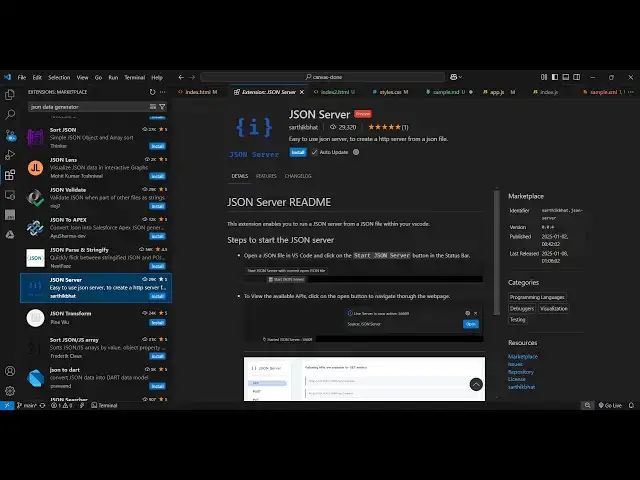
there is an extension right here go to
0:21
extensions and just type here Json
0:24
server so this will actually this will
0:28
be the extension right here uh
0:31
you can directly start a simple mock
0:33
HTTP server from a Json file so it's got
0:37
32,000 install so simply install this
0:41
activate this extension uh as soon as
0:44
you in you will see Json server is now
0:46
active so without having to build your
0:49
backend you can actually use this
0:51
extension to create a fast back end so
0:55
now we have a Json file so now to
0:58
activate this you simply go to command
1:00
prompt control shift p and then simply
1:11
server or you can right click right here
1:17
say we'll see Json server is now active
1:34
so there will be this I think yeah so at
1:38
the bottom side so whenever you activate
1:41
this extension just check your status
1:43
bar so there will be this option
1:45
appearing start Json server so whenever
1:49
you are there inside your Json file so
1:51
right at the bottom side this option
1:53
will appear start Json server simply
1:57
select so it is saying that error in
2:16
default it will start your server uh
2:21
5669 so if you go to Local
2:27
56 09 so I think this is actually the
2:51
6692 there will be this option appearing
2:54
in the Json file if you see
3:03
let me just uninstall
3:25
this you'll see this notification Json
3:30
so you can actually see
4:05
there will be this settings you can even
4:20
control for my computer it is why I
4:25
think the port number is taken that's
4:27
why it is not running but you will see
4:28
this option appearing at at the bottom
4:30
side simply select the start Json server
4:34
and you will be able to start your Json
4:37
server from a Json file so definitely
4:42
extens and try to activate this and you
4:45
will see this option appearing and
4:48
simply start the Json server and thank
4:51
you very much for watching this video
4:53
and also check out my website free
4:55
mediat tools.com which contains
4:57
thousands of tools regarding audio video
5:00
and image and I will be seeing you in