0:00
uh hello guys welcome to this video so
0:02
in this video I will show you a vs code
0:04
extension which will save you a lot of
0:06
time because majority of the time we
0:08
need to open the terminal in vs code
0:10
whenever you are depl uh coding whenever
0:13
you are coding a project you need to
0:14
open the terminal and run the project so
0:16
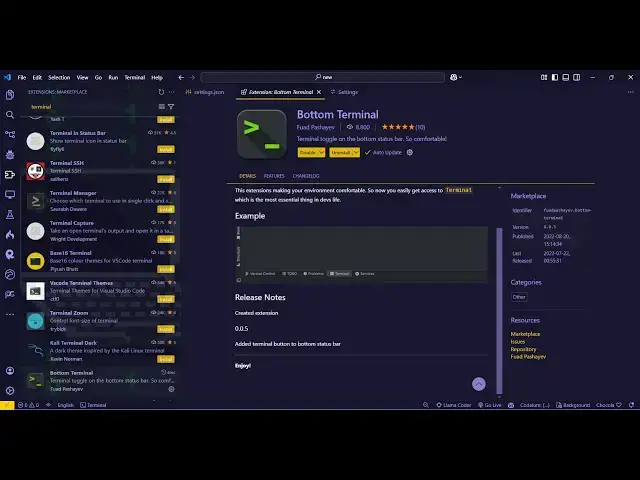
there is a extension in vs code just go
0:19
to the extensions type just write here
0:21
bottom terminal and just activate this
0:24
extension so what this extension does it
0:27
actually adds the terminal in the status
0:30
bar of your vs code so you can directly
0:32
toggle that you can hide this or show it
0:36
it will actually save you a lot of time
0:39
so just click the install button and as
0:42
soon as it installs and activates it
0:45
actually adds the terminal right here if
0:47
you see the status bar let me show you
0:51
here so right at the bottom side in the
0:54
status bar it will add this option to
0:56
toggle the terminal so you click this
0:59
and your terminal will open and again if
1:01
you click it it will hide so you can
1:04
toggle the status of terminal you don't
1:06
need to uh go to control shift p and
1:16
terminal or right right
1:18
click there are quite a few ways by
1:22
which you can actually open Terminal so
1:24
one such way is right clicking and going
1:31
this is command pallet not terminal so
1:33
if you want to open the terminal simply
1:36
click this and your terminal will open
1:39
and this is actually a nice little
1:41
extension which adds this option to the
1:43
status bar of your vs code so directly
1:46
it's a shortcut you just need to click
1:48
it it will open the terminal and then if
1:52
this so there will very good extension
1:57
will actually add this to this
2:00
status bar here and personally I use
2:04
this extension a lot and because I need
2:06
to open the terminals so from my
2:09
personal experience it actually saves a
2:11
lot of time because I don't need to just
2:15
remember the shortcut key of opening the
2:16
terminal I can just click this and it
2:19
will toggle the terminal it can show and
2:23
hide by just clicking it if you
2:26
see so just use this extension
2:31
and thank you very much for watching
2:32
this video also check out my website
2:34
free mediat tools.com uh which contains
2:37
thousands of tools regarding audio video
2:38
and image and I will be seeing you in