0:02
Uh hello guys, in this live stream I
0:05
will show you yet another AI coding
0:07
builder and agent. It's called as YFlow
0:11
If you simply type this on YFlow AI, the
0:14
very first result which comes
0:17
it's called as this one, YFlow AI.
0:20
Full stack app builder with visual
0:24
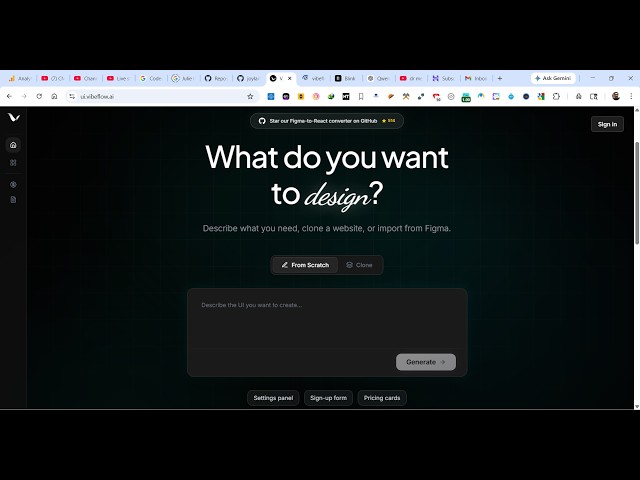
So, once you go to this website, it will
0:26
look something like this.
0:28
Click on start building.
0:30
Um you can get started for completely
0:34
And you simply type inside the chat
0:37
prompt what sort of application you want
0:40
You can sign in with your Google
0:42
account. It's totally free.
0:44
Or you can use your GitHub account as
0:52
you will be redirected to the landing
0:55
You specifically tell what sort of
0:57
application. So, I can simply say I want
1:10
just I need a UI. So, yeah.
1:17
So, after you select that
1:19
now the AI will start developing this
1:23
So, you just need to wait for some time.
1:26
So, once it finishes, you will get the
1:30
I really love this platform. I built out
1:32
so many applications using this
1:39
It has its own code editor.
1:43
So, it writes all the files step by
1:47
So, once it finishes, you will see the
1:49
live preview as well.
1:52
you can even export all the code,
2:01
You can even compile it to code as well.
2:13
So, it's actually thinking deeply. So,
2:16
once it actually So, let's try out this.
2:18
Simply type the prompt.
2:21
And then it constructs a visual
2:23
representation of the code editor.
2:25
How it will looks like this.
3:08
>> So, you can see it's creating the
3:10
necessary items for the application.
3:19
it created this YFlow.
3:39
So, I really love this platform. It
3:41
actually creates a full stack
3:45
visual flow of the application, which
3:47
components are connected to which one.
4:14
So, definitely try this guys. It's
4:17
really simple. Simply submit the prompt
4:20
and automatically you can compile this
4:24
By compiling it, it will convert this