Up next in 10

This Verdent AI Coding IDE Builds Full Stack Apps From Prompt Destroys Claude & Cursor??
Mar 31, 2026

Get the full source code of application here:
Show More Show Less View Video Transcript
0:00
Hello guys in this video I will show you
0:02
I actually find a very
0:06
important AI coding IDE which is called
0:09
as word.
0:11
If you simply search for this on Google
0:14
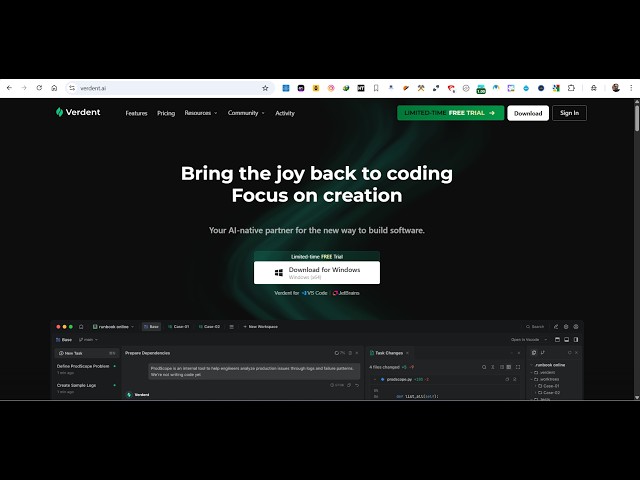
Word AI coding IDE uh this is their
0:17
official website word.ai.
0:20
So this is similar to claude cursor
0:22
GitHub copilot chat GPT to build out
0:26
fullstack application from a single
0:28
prompt. So it's actually a desktop IDE.
0:32
It doesn't offer you on web. You do need
0:34
to install this. So once you visit their
0:37
official website, you will see the
0:38
download button. So it's similar to
0:41
cursor or visual studio. It's a
0:43
completely IDE. You click the download
0:46
button.
0:49
So the .exe file is round about 311 MGB.
0:54
So you click on start download. It will
0:56
actually download this exxe file. So you
0:59
just need to download and install this
1:02
inside your system. It has all the
1:03
features of VS code cursor
1:08
actually code completions from the AI.
1:11
You can build out any sort of AI
1:14
application.
1:15
So the free plan gives you the 7 days
1:18
free trial with 100 credits with all the
1:21
AI models claude, Opus, GPT, Gemini,
1:25
Mini Max. The paid plan start with $19
1:28
per month. You actually get 640 credits
1:31
per month and all the AI models. Then we
1:34
have $59, $179
1:38
per month.
1:40
So you can even search I think there is
1:42
an extension that you can install in VS
1:45
Code. Simply search word.
1:49
Yeah. So there is this extension is also
1:52
available for you in VS Code. If you
1:54
don't want to install that, you can
1:56
install this extension if you are
1:59
working in VS code.
2:01
So in that way as well you can install
2:04
this.
2:09
So you basically have this .exe file.
2:12
You do need to run this exe file to
2:14
actually install this.
2:24
So the space must be around 810.
2:58
So absolutely new users get 100 free
3:01
credits for 7 days all free.
3:04
Uh so then you can actually upgrade as
3:06
well if you want to.
3:12
So just sign up using your Google or
3:14
GitHub account and you can directly
3:16
upgrade.
3:21
So
3:23
you can try this. It's similar to plot
3:26
cursor Gemini GitHub copilot. Simply
3:29
install the .exe file and start using
3:32
it. So this is actually the screenshot
3:34
of it. uh you basically give it a task
3:39
inside the chat prompt whatever
3:41
application you want to develop uh one
3:43
by one it will create all the
3:44
applications for you. It will also show
3:47
you the live preview as well what
3:49
applications what files it will
3:52
generate.
3:55
So
3:58
you can see that so as soon as you write
4:00
the prompt it will start developing out
4:02
this actual application for you.
4:06
We also review your code, checks out if
4:09
any potential errors are there.
4:16
So definitely check this out.