Up next in 10

This Teta.so AI App Builder is INSANE to Build Full Stack Apps From Prompt For FREE Destroys Claude
Apr 17, 2026

💡 Try it here: : https://groq.com/
Show More Show Less View Video Transcript
0:01
Uh hello guys in this uh live stream I
0:04
will show you yet another AI coding
0:06
builder or editor. Uh it's called as
0:10
ta.so.
0:12
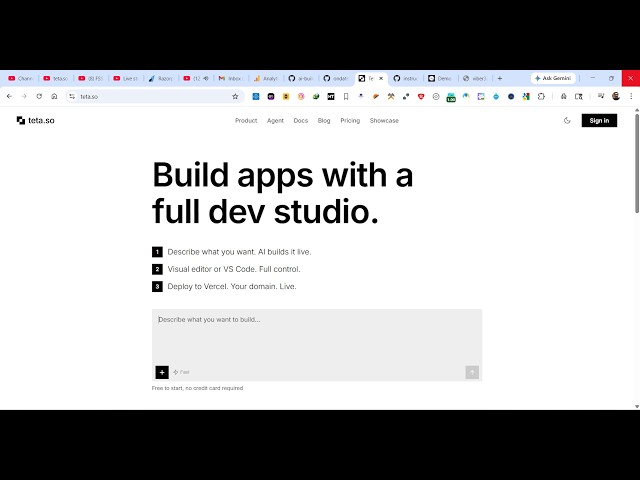
So if you directly type this on Google
0:15
simply search this ta.so.
0:17
Uh this will be the first link which
0:19
come right here. So it's an AI app
0:22
builder similar to cloud chat GPT. It
0:25
has its own visual studio code like
0:28
editor directly. So once you land on
0:30
this page, the interface looks something
0:32
like this.
0:35
You also have option to continue with
0:37
your Google account. Here simply sign up
0:41
and it also provide you with the option
0:43
to create full stack coding application
0:45
with the simple prompts and also have
0:48
ability to deploy the application as
0:49
well. So once you log in with your
0:51
Google account, you actually are
0:54
redirected to this screen right here. So
0:56
inside the chat prompt you specify what
0:59
sort of application you want to create.
1:04
So I simply say that I want image to PDF
1:07
web app in browser. So exactly you tell
1:11
and tell the AI what sort of application
1:14
you want to develop and simply send out
1:16
the request and after that the AI will
1:19
start developing the application for
1:20
you. It has its own code editor similar
1:24
to VS code.
1:29
It has also the code window as you see
1:32
and also it has a deploy button as well.
1:34
So once it finishes deploying your
1:37
application you also get the deploy
1:39
button as well.
1:41
So we also have live preview button.
2:30
So for some reason it is not working. So
2:33
this is a website. It's also available
2:36
on
2:38
GitHub as well. So it's completely open
2:40
source as well. You can even run this
2:43
locally inside your own machine as well.
2:45
So
2:47
this is the official GitHub repo. So
2:49
specifically you tell what sort of
2:51
application you want to develop. You can
2:54
build a mobile application as well by
2:57
simply describing it what sort of.
3:02
So this is actually the screen here
3:04
basically you exactly tell what sort of
3:08
application mobile application you want
3:10
to develop. The AI simply develop all
3:12
the source code files all the source
3:15
code screens.
3:18
You can even locally run this
3:19
application as well. Simply cloning this
3:21
GitHub repo and running this locally as
3:24
well.