Up next in 10

This Mistral Codestral AI Coding Builder & Studio is INSANE to Build & Deploy Full Stack Apps FREE
Apr 10, 2026

Watch My Visual Studio Code IDE Setup Video For Fonts,Themes & Extensions
https://youtu.be/Bon8Pm1gbX8
Hi Join the official discord server to resolve doubts here:
https://discord.gg/cRnjhk6nzW
Visit my Online Free Media Tool Website
https://freemediatools.com/
Buy Premium Scripts and Apps Here:
https://procodestore.com/
Show More Show Less View Video Transcript
0:01
Uh, hello guys, in this live stream I
0:03
will show you yet another AI coding
0:06
builder and IDE agent which allows you
0:09
to build out full stack coding
0:11
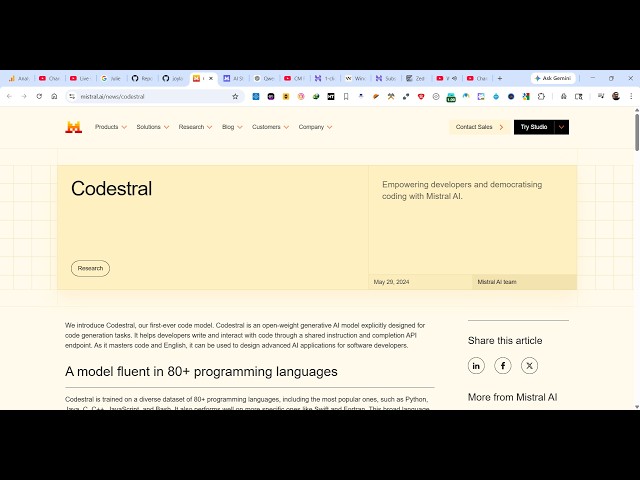
application. It's called as Mistral
0:13
Codestral AI.
0:15
If you directly type this on Google, the
0:17
very first result which comes
0:19
uh, Mistral AI. This is a really uh,
0:22
popular AI agent for specifically for
0:25
coding and development full stack coding
0:27
application from prompt.
0:29
So, this is their official website. Uh,
0:32
it has all the models you can try for
0:34
coding. Codestral, this is their main
0:36
model. Deep Seek Lama.
0:40
So, this is the website Mistral AI. It
0:42
has this course Codestral model.
0:45
You can try their own studio which
0:48
allows you to build out applications.
0:51
So, now to get started you can directly
0:53
log in with your Google account
0:56
to actually log in inside this platform.
0:59
So, this takes just 2 minutes to log in.
1:01
After that,
1:05
so once you are authenticated, you will
1:07
be redirected to this screen. So, just
1:09
name your organization.
1:17
So,
1:20
now inside right here in the left hand
1:23
corner you can chat.
1:39
Mistral AI, this is actually
1:43
you click on start building.
1:45
And from here you can click on create.
1:50
You can whatever you want to create.
1:55
You can also do that. So, this is their
1:57
playground section where you can try out
1:59
different models.
2:00
So, this is a model Codestral, Devstral.
2:05
All these models you can control it.
2:07
From here you can type the message.
2:11
From here too, you need to
2:14
just experiment for free. You can
2:15
activate the free plan.
2:23
So, I think you do need to verify your
2:26
phone number as well.
2:28
Which is required for getting the full
2:30
trial. So, just enter your phone number
2:33
to actually
2:35
activate the trial.
2:49
So, it will send you a SMS.
2:52
So,
2:53
OTP code will be sent.
3:00
So, let me just see the code and write
3:03
it.
3:22
So, once you authenticate you will see
3:24
this message subscription successful.
3:27
And now you can go to the playground
3:29
section.
3:30
And
3:32
right here you can simply say, I want a
3:36
image to PDF
3:38
web app
3:40
in browser. So, send out the request.
3:43
And instantly as you see, after you
3:45
write the prompt, a full stack coding
3:47
application will be created for you. You
3:49
can just see the speed here.
3:52
How fastly the app is generating.
3:55
So, as you write it, automatically
3:59
everything is generated for you.
4:02
You can even create a agent as well.
4:04
Just give it a name, description.
4:07
Click on create agent.
4:10
Your agent has been successfully
4:12
created. So, in this easy way you can
4:15
create agents as well. You can change
4:17
the model from here.
4:19
Whatever model you want to use.
4:31
You can see that. So, as soon as you
4:32
type the prompt, automatically the
4:35
source code will be generated. So, you
4:37
can actually try this for completely
4:39
free. Just add your phone number and you
4:41
can try this playground section
4:44
very easily. You can simply ask any
4:46
question, top 10 frameworks
4:50
of Node.js. So, automatically it will
4:53
try to tell you the top 10 frameworks of
4:55
Node.js
4:56
at this moment of time.
4:58
So, you can just try out this playground
5:01
section
5:02
and just ask any question.
5:06
So, definitely try this.