0:01
Hello guys, in this live stream I will
0:04
actually show you yet another AI coding
0:09
It's completely open source. It's called
0:14
If you simply type this on Google silly
0:17
tavern AI, the very first website which
0:20
comes this is their GitHub repo and this
0:25
official repository. So it's actually a
0:28
LM front end for power user.
0:31
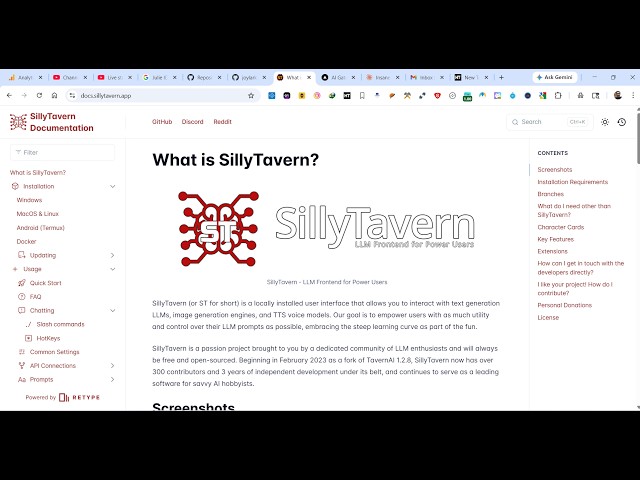
So this is their documentation. It's
0:33
actually a CLI tool which you can
0:35
directly inside inside your machine.
0:38
So for different operating system
0:42
So if you are on Windows, you can
0:44
directly install this using Git.
0:47
So just clone that this repo
0:49
step-by-step instructions are given. So
0:56
So right here clone this repo.
0:59
It will directly you can see cloning it
1:07
And then just click just type start
1:23
You can also install this through GitHub
1:25
desktop as well. So it's kind of coding
1:29
which actually installs this application
1:36
So you can see that there is this
1:40
launcher file which is there.
1:42
Yeah, so this installer file.
2:14
So you can even connect all the
2:16
supported APIs which are there.
2:24
it's also available on GitHub. So it's
2:26
kind of a locally installed user
2:29
interface that allows us to interact
2:30
with text generation, LLMs, image
2:33
generation, TTS voice models.
2:36
So once you install this, you will be
2:38
able to actually interact with any other
2:41
AI provider. So these are some of the
2:43
screenshots as you see that you can
2:45
connect to different AI models hosted
2:47
locally inside your system.
2:50
You can see using Ollama you can
2:54
So it's a very useful app.
2:56
This is you can see you can chat with
2:59
this directly asking questions.
3:02
So I built a lot of applications using
3:05
this tool. So that's why I'm sharing
3:09
So these are some of the screenshots
3:16
So for different operating systems we
3:18
have different thing.
3:21
this is their documentation given. So
3:22
definitely check this out.