Up next in 10

This Aider CLI is INSANE Code & Deploy Unlimited Full Stack Apps in Terminal With Any AI Models
Apr 6, 2026

Watch My Visual Studio Code IDE Setup Video For Fonts,Themes & Extensions
https://youtu.be/Bon8Pm1gbX8
Hi Join the official discord server to resolve doubts here:
https://discord.gg/cRnjhk6nzW
Visit my Online Free Media Tool Website
https://freemediatools.com/
Buy Premium Scripts and Apps Here:
https://procodestore.com/
Show More Show Less View Video Transcript
0:02
Hello guys, in this live stream [snorts]
0:04
I will show you a all-in-one extension
0:07
for developers and programmers.
0:10
So, if you simply go to Google, simply
0:12
type aider
0:13
a i d e r c l i.
0:16
So, once you search this the very first
0:19
extension which comes, it's actually
0:22
this
0:23
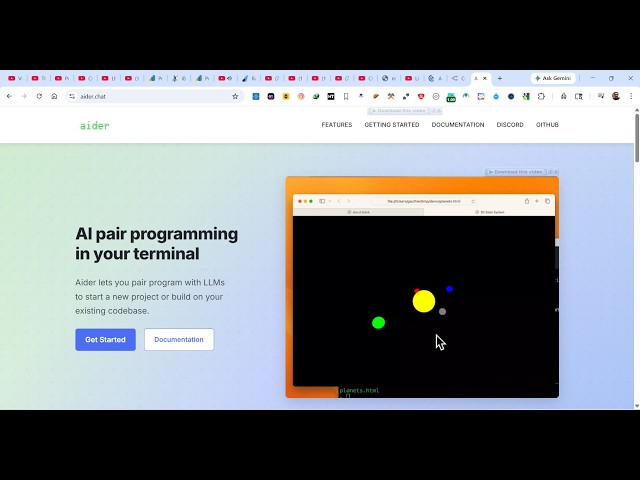
aider.chat.
0:25
So, this can be a programming agent
0:27
similar to Claude, Code, ChatGPT, Gemini
0:30
which directly runs inside your
0:32
terminal.
0:33
Through that you will be able to code
0:35
full-stack application using different
0:38
AI models. This is their official
0:41
website. You can connect to any AI model
0:45
directly in the terminal. So, from here
0:47
you can develop coding application.
0:49
Simply provide the description what sort
0:51
of application you want to generate, and
0:54
instantly it will
0:56
run and create those applications.
0:59
So, it's officially open source. It's
1:01
also available on GitHub as well. So
1:04
you can easily see the source code as
1:06
well.
1:08
So, it's a
1:09
coding agent directly inside your
1:10
terminal.
1:12
It's got almost uh
1:14
43,000 GitHub stars.
1:17
So, it's really popular.
1:18
And now to get started, you click get
1:21
started. And for this you should have
1:23
Python installed.
1:25
So, it gives you this command here.
1:30
pip install aider install. So,
1:33
go to the terminal, simply
1:37
pip install aider install. So, it will
1:40
install this as a Python package.
1:45
And then once it get installed, you can
1:47
use it
1:48
with any model such as DeepSeek,
1:52
Sonnet, many. You just need to provide
1:54
the API key
1:55
whichever AI model you are using. So,
1:58
you just need to provide the API key for
2:00
that.
2:02
So, once it gets installed, you will get
2:05
this notification that it has installed.
2:08
So
2:10
it becomes easy for you to use this.
2:16
So, this is their official documentation
2:18
which is given. So, it's easy for you.
2:21
It's also available on Mac and Linux.
2:23
So, this is the command for that.
2:28
You can even use PowerShell to install
2:30
this.
2:35
So, you can install this as a Python
2:36
module or install it by curl command for
2:40
Mac and Linux.
2:43
So, it's very easy. So, now after
2:45
installing it, you come to a directory
2:48
and simply
2:50
type aider right here. So, as you type
2:53
aider
2:54
the command will get
2:58
So, now this is a actually agent.
3:07
Now it is asking that no GitHub repo
3:09
found.
3:10
Create one to I will say
3:13
yes.
3:15
So, GitHub repository added. So,
3:17
OpenRouter provides free and paid access
3:19
to many.
3:22
So, I will say yes. So, you can go to
3:24
OpenRouter.
3:25
It will directly open this website.
3:29
You can
3:30
simply log in openrouter.ai. This
3:33
provides you with free access.
3:35
So, you can click on authorize.
3:38
So
3:44
So, from here you can now
3:46
using this DeepSeek model with the free
3:48
access. So, now it can you just need to
3:51
provide what sort of application. So, I
3:53
will simply type in the prompt build a
3:55
image to PDF
3:58
web app in browser.
4:00
So, exactly tell
4:02
and
4:06
So, just make sure that you have enough
4:08
credits available in your account in
4:10
OpenRouter
4:12
after you do the authentication. So,
4:15
then it will run.
4:21
So, once you click get API key, just go
4:23
to
4:24
and paste your API key.
4:33
Or you can click on connecting to LLMs.
4:35
So, if you're using
4:37
Gemini, you simply
4:40
first of all set your API key
4:43
from here, and then you start using
4:45
this. So, it's very easy for you to use
4:48
this.
4:50
So, you just need to paste your API key
4:52
for that to work.