Up next in 10


Get the full source code of application here:
Show More Show Less View Video Transcript
0:00
Uh hello guys, welcome to this videos.
0:02
In this video, I'll show you a Google
0:04
Chrome extension for extracting tags
0:07
from website. So it's called as tax
0:09
explorer. So you can go to any website
0:12
and extract tax. So simply search for
0:15
this extension. It's a Google Chrome
0:17
extension.
0:19
So simply click on add to Chrome. So
0:22
once it is added, so this will extract
0:25
all the tags which are there inside the
0:28
website. So once you activate this, so
0:31
just wait for the installation process.
0:34
So once it finishes, you just need to
0:36
add this extension.
0:41
So just wait for it to complete and once
0:45
it is activated, you will see this.
0:48
You can pin this extensions right here.
0:51
This will show. So now if you visit any
0:53
website, let me visit my own website
0:55
freemediatools.com.
0:57
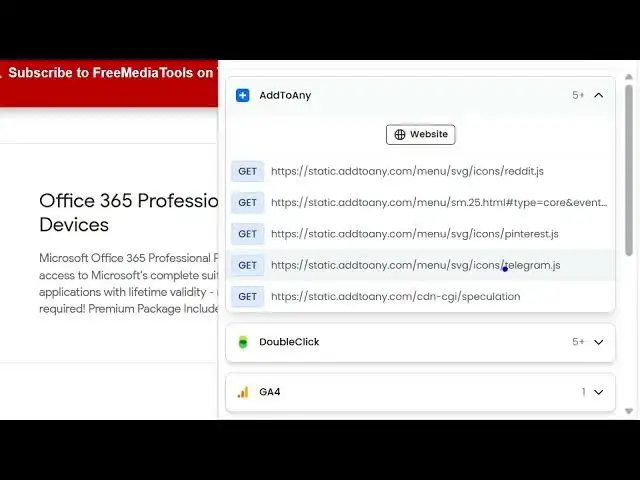
So it exactly tells you all the tags
0:59
which are there inside all the scripts
1:02
which are running. So it tells you all
1:05
this one by one. You will be able to see
1:07
the list here.
1:10
So these are all the tags which are
1:12
there. You will see this is for AdSense.
1:15
So these are ads.
1:17
You see these are Google AdSense, Google
1:19
ad traffic, Google Analytics.
1:23
So similarly if you visit any website
1:26
here
1:27
then this tag explorer will refresh and
1:31
it just you need to click this and
1:33
automatically this will show you all the
1:35
tags which are so it's called as tag
1:38
inspector. It will run a free website
1:40
audit inside here. So here you can
1:42
search for a tag parameter or URLs. So
1:46
you can even go to this website. It
1:49
shows you the details of this tag.
1:52
what's are the parameters everything it
1:54
shows you. So what is the status time
1:57
period what's the type here it's a very
1:59
useful extension for troubleshooting any
2:02
website
2:04
and keeping track of what are the tags
2:06
different tags or what this website is
2:09
using. You simply click on that and then
2:11
it shows you everything which is
2:13
required here. You will see that
2:23
So definitely install this extension
2:25
which is called as tag explorer. It
2:29
exactly tells you extracts all the tags
2:32
or all the scripts which the website is
2:35
using inside your machine.
2:38
So you can go to any website and right
2:41
here it shows you everything which is
2:43
there.
#Internet Software
#Advertising & Marketing