0:00
uh hello guys welcome to this video so
0:02
in this video I will show you extension
0:04
which will save you a lot of time when
0:07
you whenever you cording with the HTML
0:09
and CSS so we have defined this HTML
0:12
file here we have a bunch of classes
0:14
here and this is our CSS file here so we
0:19
actually style this HTML document and we
0:21
Define each class here with it's
0:24
appropriate style so now what's what
0:26
what this extension does it actually
0:28
provides you intelligence and a to
0:30
complete suggestions so if I don't apply
0:33
this extension you will actually need to
0:35
remember all these classes which you
0:38
CSS so this is actually the extension
0:42
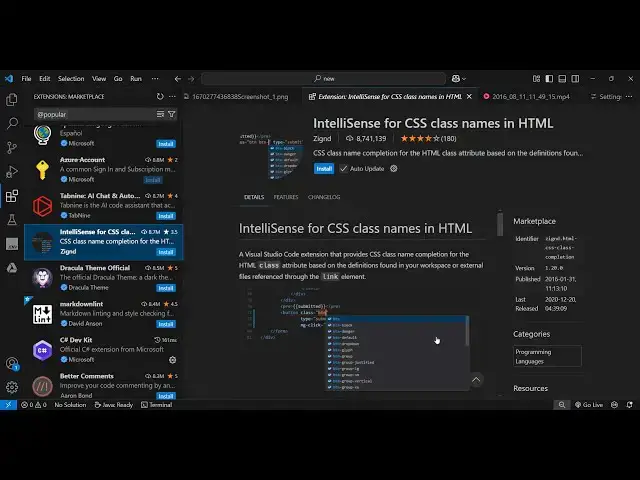
right here intelligence for CSS class
0:45
names in HTML so this is used by 8
0:48
million installs are there so it
0:51
provides you the CSS name classes
0:54
completion for the HTML class attribute
0:57
based on the definitions that you
0:59
provided in your CS s file so just click
1:02
the install button to activate this
1:03
extension so now the extension will be
1:06
enabled globally so now you will
1:09
actually see after you enable this in
1:11
know in your status bar this icon will
1:16
appear so you just need to click this
1:19
icon it will see CSS classes cached
1:23
click to catch again so just inside open
1:26
your document just click this and now
1:29
you see classes are cached so now you
1:32
will see as soon as you let me just show
1:36
you you will see as you type class is
1:39
equal to you will see these autocomplete
1:42
suggestions coming from each class name
1:44
that you define in the CSS file right
1:46
here so in this way you will find it
1:49
very easy to don't manually go to the
1:52
CSS and remember class names you will
1:54
get this intelligence or autocomplete
1:56
feature which you can directly use for
1:58
every class attribute
2:02
again you will see these autocomplete
2:04
suggestions these are the classes that
2:06
we defined right here if you
2:11
see so I personally love this extension
2:14
because it's actually saves a lot of
2:16
time and I don't need to manually go to
2:19
the CSS file to remember the class names
2:22
so I will get this autocomplete
2:23
suggestions intelligence feature inside
2:26
directly in the vs code so you can
2:28
directly install this and activate this
2:31
and just go to the status bar and just
2:33
toggle this click this and then it will
2:36
show you the intelligence for the class
2:39
names that you have defined like this so
2:43
instantly activate this extension guys
2:45
it's it's very popular extension 8
2:47
million installs and thank you very much
2:50
for watching this video and also check
2:52
out my website free Medi tools.com which
2:55
contains thousands of tools regarding
2:57
audio video and image and I will be
2:59
seeing see you in the next video