Up next in 10


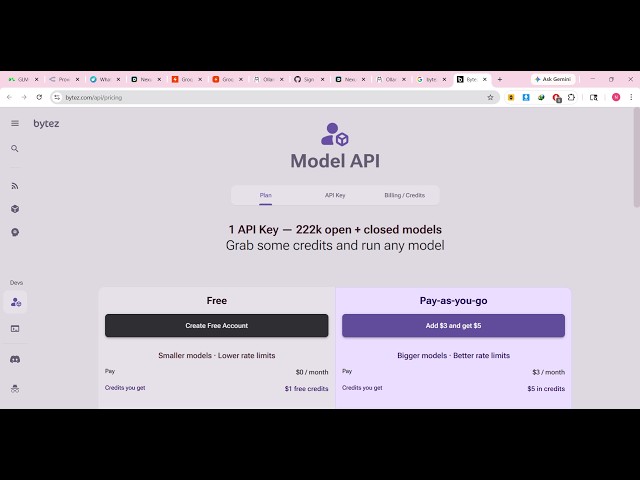
https://bytez.com/api/pricing
Watch My Visual Studio Code IDE Setup Video For Fonts,Themes & Extensions
https://youtu.be/Bon8Pm1gbX8
Hi Join the official discord server to resolve doubts here:
https://discord.gg/cRnjhk6nzW
Visit my Online Free Media Tool Website
https://freemediatools.com/
Buy Premium Scripts and Apps Here:
https://procodestore.com/
Show More Show Less View Video Transcript
0:01
Uh, hello guys, in this live stream I
0:03
will actually show you a website where
0:06
you don't need to actually pay any kind
0:09
of money and you will get a free API key
0:11
to call all the AI models. So, stop
0:13
paying for paid AI
0:15
AI APIs.
0:17
Come to this website which is If you go
0:19
to Google, simply type this
0:21
bites.com/api/pricing.
0:24
The very first website which comes, I
0:27
personally have used this website for
0:29
almost a month now. And I can safely say
0:32
that this website provides you with the
0:34
free API key.
0:36
So, it's called as bites.com/api.
0:39
So, it's a one API key and it's almost
0:42
having
0:44
2
0:45
100,000 open closed models.
0:49
So, you some grab some credits and run
0:51
any model directly.
0:53
So, it also have the free option as
0:56
well.
0:58
You can sign in for the free account or
1:00
also you can add credits as well
1:02
whenever you out of credits.
1:05
Click on create new account. You can log
1:07
in with your Google account here.
1:10
It's really easy.
1:11
And once you get authenticated, you will
1:13
be
1:14
getting some sample credits
1:17
in order to try out the platform.
1:20
It has all the AI models which is there
1:23
in a single place. So, once you get
1:25
authenticated, just answer these
1:27
questions.
1:29
>> [snorts]
1:33
>> So, this is your current plan here. You
1:35
will see run models up to 7 billion
1:37
parameters, closed models, Anthropic,
1:41
Google, Mistral,
1:42
OpenAI.
1:52
So,
1:53
from here you can search the models. So,
1:56
almost as you can see all the models are
1:58
present inside this website.
2:00
So, just select for your favorite model.
2:08
So, as you can see, I selected for
2:10
Cohere. All the models have come.
2:17
So, you can even individually select a
2:18
model and simply just see the
2:21
information about that model.
2:24
You can even run the model as well. It
2:26
is provisioning hardware. This may take
2:28
1 minute.
2:31
So,
2:32
you can directly run any model by
2:34
clicking the run model button
2:37
to actually check the model how it So,
2:40
we are unable to load the model. There
2:42
was an issue with this model's
2:43
container.
2:45
Okay, some models can not work.
2:48
It also shows you the API code as well.
2:51
But how to call these
2:53
models directly.
2:55
You can run free with Docker as well.
2:58
So, this is an ultimate website. You
2:59
basically select the model from whatever
3:02
model you want to
3:04
Let's suppose I select Claude.
3:12
This is actually the Claude Anthropic
3:15
Claude Opus model.
3:17
You can chat with this.
3:25
You can even click that button at
3:30
this button as well. So, as soon as you
3:33
click the button, you will be able to
3:35
add your credit card information and
3:37
then purchase some
3:39
credits like this as well.
3:42
You also get this option as well. So,
3:53
now to get the API key, simply go to the
3:55
login
3:56
of your account.
3:57
So, right here, just copy the API key to
4:01
clipboard. That's all that you need to
4:03
do.
4:04
Automatically as soon as you click the
4:06
copy to clipboard button, your API key
4:08
will be
4:10
copied.
4:12
So, this is really interesting website.
4:16
Provides you with
4:19
code to call any model.
4:24
Provides you with all the code as well
4:26
as you can see that.
4:28
So, definitely check this website out.