0:00
uh hello guys welcome to this video so
0:02
in this video I will show you a vs code
0:04
hack or trip trick which will
0:06
automatically save you a lot of time uh
0:09
it will automatically format your code
0:12
as you type so this requires no
0:15
extension you just need to enable one
0:18
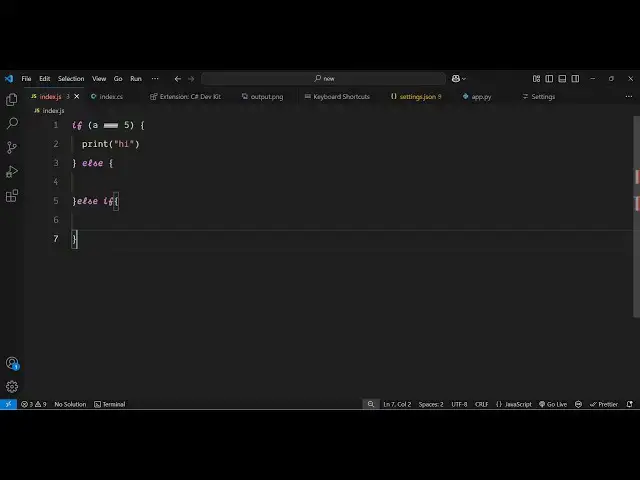
setting so as let's suppose I am writing
0:20
a if condition so I have this if
0:30
as I write this it will automatically
0:34
format if I enable this setting because
0:37
this lse statement if I just format this
0:40
it will look something like this so we
0:43
need to click on format document every
0:45
time if I write the code here but this
0:47
is actually a setting that you can go
0:50
either you can press the shortcut key
0:52
control shift p and then go to the
0:55
settings settings UI and just here you
0:58
just need to type format on typee so
1:03
this is actually a setting in vs code if
1:05
you see by default this Tech uh this
1:07
will not be checked so it basically
1:11
controls whether the editor should
1:12
automatically format the line after you
1:15
type the code so you can toggle the
1:17
setting just tick mark this option and
1:19
just restart or just you don't need to
1:22
restart now if I show you the same code
1:28
here so as soon as you can see as you
1:32
you will notice a difference right here
1:34
so as you are typing the code here after
1:37
I put this col brackets you will see it
1:39
added it formatted this code
1:40
automatically so this is actually this
1:44
setting right here and once again if I
1:46
put the else block you'll see
1:48
automatically it will format this so
1:51
This is actually meant by this and it
1:52
works with all the languages so let's
1:54
suppose I this is a simple Javascript
1:57
file but if you try to open python file
2:02
here and do the same thing so I Define a
2:10
function so it actually takes care of
2:12
the indentation so if
2:22
I so if I just write here
2:32
so basically if you Bas uh just write if
2:44
here so it basically works with
2:47
JavaScript only but uh you will see this
2:50
is the setting right here if you write
2:54
condition it will automatically add this
2:57
indentation and the formatting so as you
3:06
see so this is actually the
3:09
setting either you can just control
3:11
shift p just go to settings this is the
3:15
setting format on time by default it
3:17
will not be enabled you just need to
3:18
enable the setting so after you enable
3:21
this you will save a lot of time you
3:23
don't need to format your code so as you
3:25
type the code the code the editor will
3:28
take the will do the formatting
3:30
automatically for you so this was the
3:32
setting so thank you very much for
3:34
watching this video and also check out
3:37
my website freem mediat tools.com which
3:40
contains thousands of tools regarding
3:42
audio video and image and I will be
3:44
seeing you in the next video