Up next in 10

Steve AI Makes Professional Avatar Videos from Text in Minutes – No Camera Needed!
Aug 4, 2025

Get the full source code of application here:
Show More Show Less View Video Transcript
0:00
Uh hello guys, welcome to this video. So
0:02
in this video, I'll show you a very
0:04
popular AI platform for generating
0:06
videos from text prompt. The platform
0:08
name is Steve.AI. If you just go to the
0:11
browser, simply type steve.ai.
0:14
So this website will come right here and
0:16
it's an AI tool for generating videos.
0:19
You can see some examples which are
0:20
given. So first of all, you can simply
0:24
sign up
0:26
using your Google account here. and
0:28
simply create your account to get
0:30
started. And uh so once you log in, you
0:34
will be redirected to the dashboard
0:36
area.
0:41
So
0:43
just create a account here. Just select
0:52
a bunch of options and click submit. And
0:55
uh so once you are redirected you will
0:59
see this prompt here.
1:02
So now for generating an effective
1:05
prompt I will definitely recommend that
1:07
you use some tools such as claude AI
1:10
which is completely free and right here
1:13
you can simply generate the prompt here.
1:16
So simply
1:19
generate
1:21
a 30 secondond video related to Python
1:26
whiteboard video.
1:33
So right here as you just write this it
1:35
will generate a prompt for you 30 second
1:38
video related to Python.
1:40
So it will give you a step-by-step
1:42
prompt here which you will feed to this
1:46
tool so that the AI should clearly
1:48
understand what video you want to create
1:51
because
1:54
it has just
1:56
so the a prompt is really important. You
1:58
copy this prompt and paste it right
2:01
here. And now it give you
2:04
and click on generate.
2:07
And uh
2:09
now as soon as you click the generate
2:11
button it will try to generate the video
2:13
according to the actual script or text
2:16
that you have written and it will come
2:19
up with a very professional looking
2:22
video. So you just need to wait and
2:24
right here you simply select which video
2:27
type talking head style or 2D animation.
2:30
So you can select what sort of AI voice
2:34
you can even control male female
2:36
duration 30 second you can even control
2:38
BGM enable language category educational
2:42
videos so let me set 2D animation and
2:45
click generate script.
2:59
I think there was an option to generate
3:02
to use your script.
3:07
Yeah. So what I will do I will paste
3:10
this my own script. Yeah. So you just
3:13
need to select this option right here.
3:15
Use my script.
3:17
So
3:20
click on generate and after that you
3:23
select the video preferences option.
3:32
So
3:35
I will simply select
3:38
2D animation
3:42
or talk talking head style video as
3:43
well. So click on generate
3:48
script.
3:54
So now it will come up with this let
3:56
list of scenes right here. First scene
3:59
will be scene two, scene three. You
4:01
basically
4:02
uh
4:05
convert your script into a bunch of
4:07
scenes. And now you click on generate
4:09
video and you it will come up with these
4:11
scenes right here. If you see you can
4:14
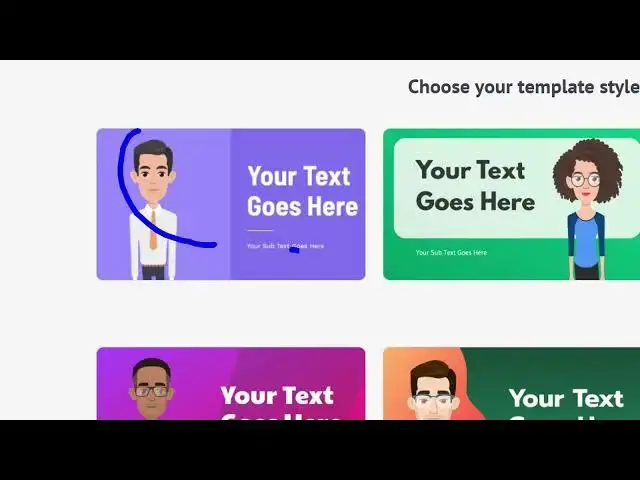
choose any sort of template. Uh let me
4:16
select uh
4:20
this template I think
4:24
this one. And here you can even select
4:27
your avatar character as well. Let me
4:29
select this one. After you select all
4:33
these options now your video will be
4:35
generated. So you just need to wait here
4:38
for some time.
4:40
So you can try this for completely free.
4:42
You don't need to pay any sort of fees
4:44
for this. So the steve.ai platform. So
4:48
once the video is generated, the speed
4:50
also is quite good. You will get this
4:52
notification and uh you will get the
4:55
live preview of the actual video which
4:58
is generated. Let me turn on the audio
5:02
and play the video.
5:02
Python list comprehension.
5:06
You
5:06
can just put it in full screen.
5:11
Let's learn Python list comprehensions
5:13
in 30 seconds. Instead of writing
5:16
lengthy for loops like this,
5:19
we can use list comprehensions. Same
5:21
result, cleaner code.
5:24
It transforms each element and creates a
5:26
new list in one line,
5:29
clean, readable, and pythonic.
5:35
So in this easy way guys you can use
5:37
this TVI to generate these avatar
5:41
related videos. You write the script and
5:43
automatically this will
5:46
generate the video for you. You can even
5:48
publish this to YouTube or any sort of
5:50
platform for completely free and they do
5:53
have paid plans as well. So
5:56
if you like this platform you can
5:58
upgrade. This is their starter plans
6:01
monthly which starts from 2,000 rupees
6:04
per month and you get 100 minutes of AI
6:08
videos.
6:10
So this is their pricing page here. It
6:12
has multiple plans.
6:16
So definitely check out this platform
6:18
guys and also check out my website
6:21
freemediatools.com
6:23
uh which contains thousands of tools.