Up next in 10

SeaArt AI is an INSANE Tool to Generate Ultra Realistic Images & Videos – Midjourney Alternative
Jul 22, 2025

Get the full source code of application here:
Show More Show Less View Video Transcript
0:00
Uh hello guys, welcome to this video. In
0:02
this video, I'll show you yet another AI
0:04
platform for generating images and
0:06
videos. And this platform is slightly
0:08
different. It's called as uh deep dream
0:11
generator. If you type this on the
0:13
search engine, the very first link which
0:16
appears, this is the seart.ai.
0:19
It is written that free forever seat
0:21
ultimate generator. So if you go to this
0:23
website and uh simply try the random
0:26
generator simply login with your uh
0:29
Google account and just create an
0:31
account right here.
0:34
So right here simply complete the
0:37
registration path and you basically get
0:39
a 3-day free trial where you can
0:42
generate
0:43
unlock advanced features. Free trial is
0:46
available only for new user who have
0:48
registered for less than 24 hours.
0:53
After that you can actually pay to 240
0:55
rupees per month 28,000.
0:58
Click start free trial and uh here you
1:02
actually enter your credit card details.
1:05
So let me just click try random
1:09
image generator. So right here you
1:11
basically
1:13
write the prompt
1:17
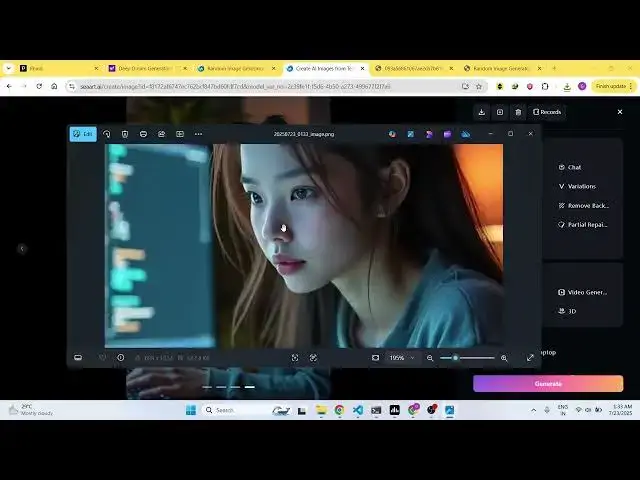
girl doing coding on a laptop. So I
1:23
written the prompt. Click on generate.
1:26
As soon as you do this you will be able
1:29
to generate the image here.
1:33
And from the left hand side you can
1:34
adjust all these options. the quality of
1:37
the image, image settings,
1:40
how much images you want to generate. So
1:42
it is automatically set to default
1:45
options. So now if you see the images
1:48
will be generated by the AI.
1:53
So it generated four images for you.
1:55
This is the first image.
2:01
So all the images look quite good. Now
2:04
if you want to download any of these
2:06
images you have the download button. So
2:08
once you click the download button the
2:10
image will be saved inside your machine
2:14
and you can simply use it for any sort
2:16
of task. It can be for thumbnail, social
2:18
media post.
2:21
So similarly we can even generate videos
2:25
as well. So simply click video.
2:32
So here we can simply say
2:36
two guys
2:38
doing coding on a laptop
2:44
and also one guy dancing in background
2:48
in desert. So I written this prompt here
2:54
and for generating the video you need 90
2:58
credits which are not available for me.
3:03
So this is for image to video but you
3:07
can select text to video as well.
3:16
So now it is generating your video. So
3:18
just wait.
3:23
So based upon the prompt here it will
3:25
generate the video for you.
3:42
So just wait for the
4:03
So this
4:05
generating this video for you.
4:20
So it basically takes longer for video
4:22
because uh using the task here it
4:25
generates the AI video for you. So just
4:28
wait for the completion of the task.
4:31
So once it is completed it will show the
4:33
video for you.
4:44
So now the video is successfully
4:46
generated and as you can see two guys
4:49
are doing coding on the laptop and one
4:52
guy is dancing in the background. So
4:54
exactly the video is generated as just
4:58
requirement according to the requirement
5:00
and you can simply download this video.
5:06
So as you can see you can simply open it
5:09
inside your local.
5:16
So this is a platform guys definitely
5:18
check out this platform C art AI
5:22
platform. Also check out my website
5:25
freemediatools.com
5:27
which contains thousands of tools.
#Online Media
#Multimedia Software