Up next in 10

RoboNeo Tutorial - 2026 | How to Generates AI Viral Videos, Emojis, Characters, and Artwork
Apr 18, 2026

💡 Try it here: : https://www.roboneo.com/
Show More Show Less View Video Transcript
0:02
Uh hello guys in this live stream I will
0:05
actually show you a very important AI
0:08
website in the field of video
0:09
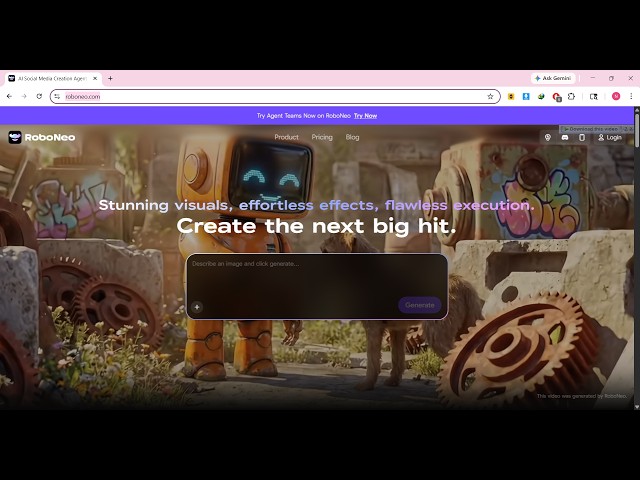
generation. It's called as robono.com.
0:12
Uh Robono is really good AI website for
0:16
generating videos. So it's a
0:18
Chinese-based website. If you go to this
0:20
directly robono.com
0:22
the interface will look something like
0:24
this. So it also
0:27
it's based upon this model which is
0:30
cedence 2.0.
0:32
So this is actually the latest model
0:34
that they use for generating your
0:36
videos. So you can simply log in with
0:40
your Google account. I've already logged
0:42
in. You can see as a free users it gives
0:44
you 70 credits which you can directly
0:47
use to generate videos.
0:50
Daily 20 free credits automatically get
0:54
every day.
0:55
You can see that
0:57
I'm a free user. So I simply log in with
1:00
my Google account. So the interface is
1:02
quite simple. You simply type the prompt
1:04
or whatever video that you want to
1:06
generate. You can generate images,
1:09
videos.
1:12
So these are some of the videos
1:15
generated by users. Right here you will
1:17
see that. So any kind of niche your
1:21
video can be generated. So once
1:24
it can be uh displayed downloaded
1:27
everything.
1:29
So let me just show you how to do this.
1:31
So you simply write the prompt here
1:35
whatever video you want to generate.
2:00
So it can be emoji, it can be stickers,
2:03
images, videos, anything. So I simply
2:06
return the prompt here and you send this
2:08
prompt directly to the AI and now the
2:11
direct AI will directly process this
2:13
prompt.
2:24
And based upon that the video will
2:26
generate and once it completes you will
2:28
get a notification that the video is
2:31
generation has been complete
2:33
and you can play the video as well. So
2:38
this is a really trendy AI in the field
2:40
of video development. Many people are
2:43
using it. So the thing about that it
2:46
does provide you with a free account as
2:49
other AIS don't provide you. So you can
2:52
easily get started. Simply log in with
2:55
your Google account and it gives you 70
2:59
credits. So
3:02
you just need to answer some questions
3:03
as it task.
3:13
answer the questions that the AI has
3:15
asked you. So
3:20
I will simply say I want normal fight
3:24
video.
3:26
So in some situations the AI will ask
3:29
you counter questions. You just need to
3:31
answer all the questions that the AI
3:33
asks you and then after that the video
3:35
will be generated
3:37
and you also get the export button as
3:39
well so that you can export the video to
3:42
a MP4 video file.
3:52
So these are their paid plans. Here you
3:54
can see in the free plan you get almost
3:56
70 free credits 20 credits added for the
4:00
first seven days and this these are the
4:03
paid plans of this Roboono.
4:06
So I've already generated some
4:13
images and videos early on that's why my
4:17
credits are gone away. So this is
4:19
actually the video that I generated. Two
4:22
guys coding on laptop. You will see that
4:24
a high professional looking video is
4:27
successfully generated
4:30
and then you also get the download
4:32
button as well. So
4:36
same goes with image as well. You get
4:38
this professional looking image
4:39
generated as well. So
4:42
you can crop, you can remove background.
4:45
each and every image editing you can do
4:47
using this AI.
4:50
So definitely check out this platform
4:52
ro.com.