Up next in 10

RestMan Google Chrome Extension – Simple and Powerful REST Client for Developers
Aug 18, 2025

Get the full source code of application here:
Show More Show Less View Video Transcript
0:00
Uh hey guys, welcome to this video. So
0:02
in this video, I'll show you a very
0:03
useful Google Chrome extension for
0:05
developers and programmers. If you want
0:07
to make a HTTP request, you basically
0:09
use tools like Postman, which is a
0:12
graphical user tool. But uh you can
0:14
install this Google Chrome extension,
0:16
which will allow the interface to make
0:18
simple HTTP requests directly from your
0:20
Google Chrome browser. So it's got
0:22
almost 50,000 installs. This is the name
0:25
of the extension. Simply go to the
0:27
extensions tab. Simply search for this.
0:30
It's a browser extension to make HTTP
0:32
request to a rest API. So click on add
0:35
to Chrome and simply install this
0:37
extension. So after installing it, you
0:40
will be pinning this extension right
0:42
here. So the name will be rest man. So
0:45
just enable this and now you will see
0:47
this icon appearing of this extension.
0:49
So as soon as you click the icon, this
0:52
window will open right here and you will
0:54
make the HTTP request. So let me just
0:57
have a
0:59
JSON placeholder API which is a rest API
1:02
for fake uh developers.
1:05
JSON placeholder.
1:08
So free fake rest API. So let me just uh
1:12
copy this link here. So this returns a
1:15
response here. So I simply paste it to
1:18
simply check either make get post put
1:22
patch delete all these things are there.
1:24
You simply send this request and then it
1:27
shows you the status which is 200 time
1:31
uh the size type every everything and
1:33
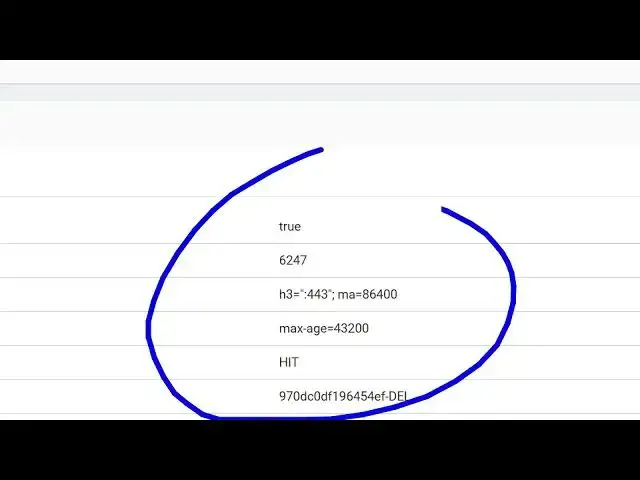
this is your response and uh header
1:37
information as well. So you get all this
1:39
information. So it's a very useful uh
1:41
extension guys. You can preview in XML
1:44
html preview and the plain text. So it's
1:47
a great alternative to tools like
1:49
Postman. If you don't like it, you can
1:51
install this extension. And you can even
1:53
make a post request as well. And uh
1:56
let's suppose
2:01
you can make any sort of request here.
2:03
Let me just pull out this get request.
2:07
Simply paste,
2:14
make a get request. And now you will see
2:16
all this JSON data will be returned to
2:18
you. So in this easy way you can make
2:20
request to a rest API using this
2:22
extension called as rest man a Google
2:24
chrome extension totally free it's uh
2:27
very popular as well 50,000 installs are
2:30
there so it provides you with a very
2:31
useful interface and this will save you
2:34
a lot of time just testing out your rest
2:36
apis simply typing the address and
2:39
sending out the request and it also keep
2:42
track of your request and maintains a
2:45
record as well so if you want to clear
2:47
it now you can click this button.
2:50
So like this. So definitely check out
2:53
this and you also get a dark theme as
2:55
well.
2:57
You save this. Now this is actually a
2:59
dark theme. So you get all these options
3:03
and you can also make this interface
3:05
side by side as well.
3:08
Right here. So totally depend upon you
3:10
how you like the interface. So
3:12
definitely
3:15
you can also add a form data as well. So
3:17
if you have making a post request you
3:19
can also drop a file as well. So uh this
3:22
is an extension guys restman definitely
3:24
check it out.
#Programming
#Software