Up next in 10


Watch My Visual Studio Code IDE Setup Video For Fonts,Themes & Extensions
https://youtu.be/Bon8Pm1gbX8
Hi Join the official discord server to resolve doubts here:
https://discord.gg/cRnjhk6nzW
Visit my Online Free Media Tool Website
https://freemediatools.com/
Buy Premium Scripts and Apps Here:
https://procodestore.com/
Show More Show Less View Video Transcript
0:01
Uh hello guys in this live stream I will
0:04
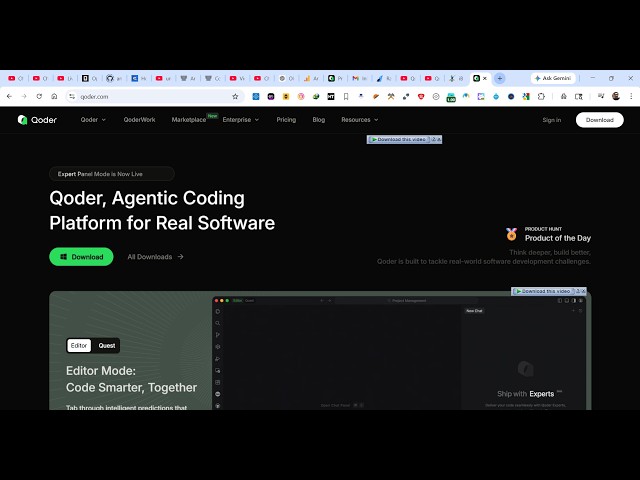
show you yet another AI coding IDE which
0:07
is released in the market. It's
0:08
developed by China Alibaba company. If
0:12
you simply type coder q o der.com AI
0:16
this is actually the very first website
0:18
which which will come. This is an AI
0:21
powered coding IDE for building
0:23
fullstack coding applications. So you
0:26
can simply download this IDE directly
0:28
inside your machine. So coder quest mode
0:32
it's called and it's completely live.
0:35
You can click on the download button and
0:37
it has its own editor quest mode as
0:39
well. So you can actually handle
0:44
everything through an agent. Simply type
0:46
the prompt and automatically it the
0:48
agent will develop all the application
0:50
for you with live to view. So you can it
0:54
has its own CLI version as well. You can
0:56
install directly on Windows by executing
0:59
this CLI command through npm. So just
1:03
open wherever you need to install this.
1:06
So just paste the command npm installed
1:09
- globally and install the CLI version.
1:13
So enter it. It will install this. And
1:16
then you can even download the IDE.
1:19
Simply select your operating system for
1:21
Mac operating system, Windows, Linux. So
1:24
everything is selected and click on.
1:33
So after that you do this the download
1:36
will start. It's just 158 MGB. So once
1:40
it completes you can install this setup
1:43
locally.
1:50
So it will also installing the CLI
1:52
version as well. So just wait for it to
1:54
complete.
1:58
So the thing about this is it's
2:00
completely free to try. It will not ask
2:04
for any subscription fees. If I show you
2:07
the pricing here, you will actually see
2:11
it has the free plan. So, you can try
2:13
this 2 week pro trial with 300 credits
2:18
and then it also has the pro plan $10
2:21
per month. You will see that
2:24
enough credits you get almost 2,000
2:27
credits.
2:32
So, once it completes just activate the
2:35
setup here, complete the steps.
2:42
So once it completes the setup here the
2:45
quest will be coder will be installed
2:48
inside your machine.
2:51
So now you can see the CLI version is
2:53
installed. So you can activate this by
2:55
simply typing quer
3:00
I think it's
3:04
if you check out their documentation so
3:08
you will actually see
3:51
So it is just installing it. So just
3:53
wait for the installation to complete.
3:55
So once it completely installed you can
3:58
simply launch. And also you can write
4:01
here how to use quad CLI after it is
4:06
installed.
4:14
So now you can actually see the
4:16
documentation. I think it is code.
4:28
Yeah. So this is actually the
4:29
documentation which is given. So
4:33
yeah, you need to run
4:36
COD
4:37
CLI. So after installing it simply run
4:40
this command and now the activation will
4:43
be activated. You'll see welcome to code
4:45
cla. So right here you simply type any
4:48
message build a image to
4:54
PDF editor in browser.
4:58
So as soon as you type this you will get
5:00
this. You first of all need to login.
5:05
So you can choose the method here. So it
5:08
will automatically prompt you to
5:09
download this. Simply authenticate using
5:12
your Google or GitHub account.
5:15
So this you need to do only for the very
5:17
first time. So once it authenticates you
5:19
will get this notification.
5:24
Click on finish. So automatically as you
5:27
can see the authentication is complete.
5:30
So now you can see build a PDF editor in
5:33
browser.
5:36
As soon as you do this now the AI will
5:39
start developing this application. So
5:41
it's actually developed by a Chinese
5:43
company Alibaba cloud here. So you can
5:46
see that now it is actually generating
5:49
this everything. It actually first of
5:52
all see all the files which are there
5:54
and you can see that CLI version is
5:56
completely free. As soon as you type the
5:58
prompt, it actually set up all these
6:01
steps and it actually creates your files
6:03
step by step. So now in the IDE version,
6:07
you actually open whatever folder. You
6:09
can even clone the GitHub repo as well.
6:12
So right here you specify what folder
6:15
you want to
6:18
open. So right here you can
6:22
you can also create a new folder as
6:24
well.
6:29
and just select that folder. So after
6:31
you select that folder you will see that
6:38
so you can see the CLI version is also
6:40
running at the same time it's creating
6:42
your files
6:44
and now here you
6:48
click on first of all by signing in
6:53
again it will activate the signing in
6:55
process click on continue so to approve
6:58
it. So once you do this automatically
7:01
this will automatically open. So right
7:05
here you specify the agent mode. You
7:08
select the agent mode simply
7:11
all the models are available. Quen 3.6
7:14
GLM Kim K2.
7:18
So right here simply specify build a
7:21
image to PDF.
7:29
So just type this in the prompt and
7:31
automatically a full stack coding
7:33
application will be created.
7:37
So same goes with the CLI here as well.
7:39
So it is creating this application for
7:41
you.
7:48
So you can see that now it is started
7:53
creating your application.
7:56
Same goes with this. So you just need to
7:58
allow the permission.
8:03
So automatically in the CLI version it
8:05
will create the file. It will generate
8:07
the code for you. And same goes right
8:10
here as well. You accept the changes.
8:14
It created the file here. This index
8:16
html file and now it will
8:20
then create the CSS and then create the
8:22
JavaScript. So this is an ultimate AI
8:26
coding tool. Definitely install this
8:28
coder and it actually creates fullstack
8:32
coding applications in a matter of
8:34
seconds.
8:37
So you can see that it's still writing
8:40
the code here for you.
8:44
You can also ask follow-up questions as
8:46
well once it completes or if if it has
8:49
any kind of error.
8:57
So it's a great alternative to tools
8:59
like plot codeex which actually ask for
9:01
money before generating anything. This
9:05
is completely free. You can try this. It
9:08
has also has a quest mode as well. You
9:10
can write here switch to quest mode as
9:12
well by clicking this. So now right here
9:16
you have the quest mode.
9:19
So you can accept the changes. This
9:21
created your style dot CSS file here.
9:30
So now it is creating the third file
9:32
here which is your script.js.
9:57
So as you see it is writing all the
9:59
files here for the PDF editor that we
10:01
ask. So once you once it completes you
10:04
will get a notification that all the
10:05
steps are completed both in the CLI and
10:08
the IDE version the quest mode that I
10:11
was talking about you can switch this.
10:14
So it now it also created this
10:16
JavaScript file as well.
10:23
So now automatically this runs the
10:26
application as well. You can click the
10:27
run in terminal. So it al also executes
10:31
the terminal commands as well.
10:34
You can view in the terminal here. So it
10:36
started this application at 8080. You
10:39
click the preview button. It has the
10:41
live preview as well where it shows your
10:44
application directly in the ID
10:47
and now it generate the description as
10:49
well. So
10:52
it also generates the free generate wiki
10:55
generation repo. Wikipedia is available.
10:58
You can also generate
11:00
to actually generate the documentation
11:02
related to the app. So
11:07
it is analyzing your project to
11:12
so now you this is your application
11:14
which is ready side by side it's
11:17
completely built a full stack coding
11:18
application
11:20
by just a prompt here and also run the
11:23
application as well. So
11:25
these are all the files created
11:28
and a completely responsive application
11:33
and same goes with the quest mode as
11:35
well. You also have the quest mode. This
11:38
is the quest mode inside your quader
11:41
CLI. You can also set up a local.
11:46
This is your all the models which are
11:47
there. You can even use your custom
11:49
model as well. can add your own models
11:52
as well right here.
11:58
So we are inside our pro trial.
12:02
We don't need to add any credit card
12:04
information. Once you download this, you
12:06
will be activating your prot trial
12:10
subscription. So
12:13
you can see you can try this for
12:15
completely free for 2 weeks. After that
12:18
it will end in 15 days. So your account
12:20
will be automatically downgraded to the
12:22
free plan. So in this easy way uh for 15
12:26
days you can totally try all the
12:28
functions for completely free. So that's
12:31
the thing about this model. So
12:34
definitely try this CLI version is also
12:36
very good automatically as you see all
12:40
the files are completed. You get that
12:51
It created this PDF editor folder. As
12:53
you see, it has all the files created.
13:06
So, this created this PDF editor for
13:09
you. So, you can see that. So,
13:22
It's a PDF editor. You can actually now
13:25
add text here.