Up next in 10

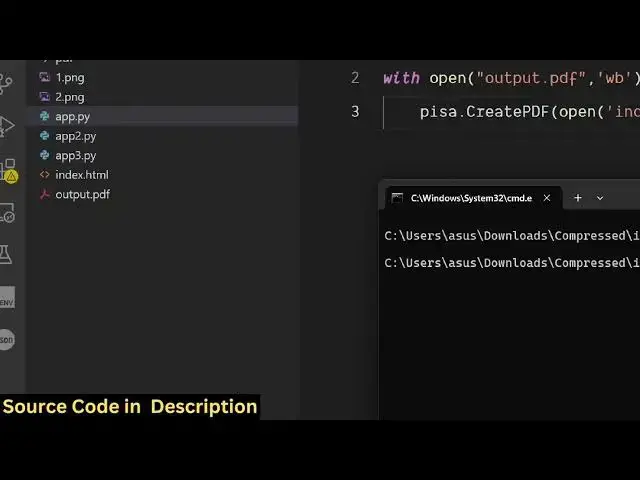
Python 3 xhtml2pdf Library Script to Export HTML With CSS Template to PDF Document in CMD
Jun 3, 2025

Buy the full source code of application here:
Show More Show Less View Video Transcript
0:00
uh hello guys uh welcome to this video
0:02
So in this video I will show you how to
0:05
actually export the HTML file into PDF
0:09
file inside Python And for this we will
0:12
be using a third party package which is
0:15
X HTML to
0:17
PDF So let me just show you the module
0:20
here If you just go to the third party
0:24
website and this is actually the module
0:27
X HTML to
0:29
PDF If you search here you will see this
0:31
is actually the module Uh it basically
0:34
converts the HTML and CSS into directly
0:38
PDF The command is very simple You
0:41
simply execute this command to install
0:43
this
0:44
module I have already installed it And
0:48
uh the process is very simple You create
0:52
the file You first of all require this
0:55
package x html to pdf From this package
0:59
we actually import pisa After
1:03
that we
1:05
provide we open
1:07
the PDF file here output
1:10
PDF in the write binary mode and as PDF
1:16
and here we simply provide the input
1:19
file here So this contains this function
1:21
which is create PDF
1:24
So right inside this function it
1:28
actually takes the first argument as the
1:31
input index HTML file So this file is
1:34
present in the same directory So we are
1:36
converting this HTML file If you see
1:39
this is our HTML file We are converting
1:42
it to the PDF file output PDF And the
1:46
second argument is take is the
1:49
destination which is actually your PDF
1:52
So that's all that is needed for this
1:54
application So it will actually convert
1:57
this index.html file to the output PDF
2:01
So if I run the script guys you will
2:02
just
2:07
see as I run the
2:11
script you will see the output PDF file
2:14
will be created If I open this file here
2:17
you will see all your
2:19
HTML is successfully converted to
2:23
PDF So this was our HTML file If I show
2:32
you this was the HTML
2:35
file and uh this is our PDF file You can
2:40
see
2:42
that these are the headings here If you
2:45
see these are the paragraph these are
2:48
tables So it's successfully converted
2:50
your HTML to PDF And the nice thing is
2:53
that you can even import CSS as well So
2:56
right in the file if I write some custom
3:01
CSS I make the paragraph color to be
3:06
green and heading color to be red
3:11
So we are basically writing some custom
3:13
CSS right here And once again if I run
3:16
this you will see it will convert CSS as
3:22
well
3:27
So you can see
3:30
that so heading is in red color
3:33
paragraph is in green color So this is a
3:37
great package guys You can definitely
3:38
use this package XHTML to PDF for
3:42
converting your HTML files with CSS into
3:45
PDF Uh thank you very much for watching
3:47
this video and also check out my website
3:49
freemediatools.com
3:51
uh which contains thousands of tools
#Software
#Scripting Languages