Up next in 10

Python 3 Selenium Google Maps & Justdial Scraper to Find Nearby Places From Address Using Places API
Dec 10, 2025

Buy the Full Source code of Application here:
https://procodestore.com/index.php/product/python-3-selenium-google-maps-justdial-scraper-to-find-nearby-places-from-address-using-places-api/
Show More Show Less View Video Transcript
0:00
Uh hello guys, today in this tutorial I
0:02
will basically show you a Python script
0:04
that I developed which is actually will
0:08
scrape all the data which is present
0:10
inside your Google map. It will list out
0:12
the nearby places uh hospitals, hotels,
0:16
restaurants,
0:18
parking lots all these information you
0:20
need to provide the address. Based upon
0:22
the address it will give you the CSV
0:24
file and Excel file and it will
0:26
basically contain all the information
0:28
from Google. it will actually scrape
0:30
this information. Let me show you a very
0:33
basic example.
0:35
So inside this Python script you will
0:37
basically see guys here we are actually
0:38
writing the queries here we are
0:41
basically saying here hotels in Lucknau
0:43
which is basically a state in India and
0:46
hotels in let's suppose Delhi
0:49
hospitals in Delhi so it will basically
0:52
give the information the number of
0:54
hotels which are present in Lucknau and
0:56
hospitals which are present in Delhi and
0:58
here basically we are actually calling
1:00
the Python script that I developed you
1:02
will see it's a complete application And
1:04
we are simply calling this Python
1:06
script. There is a method called as
1:07
places. It will scrape the information
1:09
about all the places from Google Google
1:12
SER Engine. And here we are passing our
1:14
queries. You can pass multiple queries.
1:16
And maximum value we are basically
1:18
saying that we need to scrape only the
1:20
top 50 results. So now if I run this
1:23
script guys, so what will happen? It
1:25
will actually use selenium in the
1:27
background.
1:29
[cough]
1:31
This is Python main. py. You should have
1:34
Python installed in your system guys.
1:35
You will basically see it will create
1:38
the CSV file. This is places of hotels
1:41
in Lagno CSV and JSON file. The CSV file
1:45
can be converted to Excel as well. And
1:48
you will basically get the data. So it
1:50
is just doing the processing in the
1:52
background using selenium and you will
1:55
basically get this uh in the output
1:57
folder you will see hotels in lacno and
2:00
it has created a file called as if I see
2:04
two folders have been created. First is
2:06
hotels in lucknau and hospitals in
2:08
Delhi. You will see for each one we have
2:11
a CSV and we also got a JSON file as
2:14
well. You will see that. So you can use
2:16
this uh script guys with any backend API
2:20
if you are developing an application. So
2:21
you will basically see inside the CSV
2:23
file we have various information the
2:25
place ID, name of the place link which
2:28
is the Google direct map link, main
2:31
category, categories, rating, reviews,
2:33
address, all this information will be
2:35
scraped guys. And now let me show you
2:38
these are different kinds of uh
2:40
hospitals which are present in Delhi.
2:42
You will see that
2:44
and uh you will see that so if I copy
2:47
any of the link here that you will also
2:51
see the full address where this hospital
2:54
is located. So you can print out this
2:56
information in the browser guys. You can
2:58
make this info uh automatic take the
3:00
user input and call this Python script
3:02
as well. So let me copy this link here
3:06
and show to you.
3:09
This is actual link here of the direct
3:12
Google map. So if you just uh paste this
3:14
here in the browser automatically it
3:16
will redirect you to the actual place
3:19
link.
3:22
Let me copy this link here which is
3:25
giving you in the browser. So if you
3:28
just paste this link guys. So what will
3:29
happen? It will directly open the in the
3:31
Google map. So this is actual place that
3:33
it has scraped guys. You will see that.
3:36
So you can basically print this
3:38
information in the browser and the user
3:40
will navigate to this page once they
3:41
click this link hyperlink which will
3:44
navigate to this page. Every place has
3:46
this link associated with this where the
3:48
user can this is a title of the place.
3:52
This is the number of hospitals 50
3:54
hospitals have been scraped and
3:56
similarly if I open the second folder
3:58
this is in JSON response. So if you want
4:00
to provide the if you're developing an
4:03
API then it will be a very good thing
4:06
guys you have this JSON file you get
4:08
just need to return this to the client
4:10
the client can be e either angular
4:12
reactjs javascript plain javascript
4:14
vaner javascript vuej js all the front
4:17
end frameworks you can use and there are
4:19
quite a lot of website that are doing
4:22
this thing of scraping thing and now
4:24
this is hotels in which is located in
4:26
the lacno state you will see that all
4:28
these hotels are returned into it you
4:30
will see about 50 hotels and same
4:34
basically you can also sort this we have
4:36
also the ratings as well about the
4:38
hotels rating reviews reviews are also
4:41
there this is the if you see
4:45
the full address all this thing reviews
4:49
number of reviews 11,000 9,000 you can
4:52
basically sort this guys based upon that
4:54
uh it this Python script scrapes all the
4:57
information and uh you can provide
5:00
multiple queries right here. You will
5:01
see in the square brackets you provide
5:03
multiple queries. So I've given you the
5:05
link is given guys in the description.
5:07
If you want the full source code you can
5:09
purchase it from paypal.com in United
5:12
States dollar or you can go to stripe
5:13
and purchase this full script in Indian
5:16
rupees and stripe. Both the payment
5:18
links are given in the description of
5:19
the video. After you purchase it, you
5:21
will actually get a zip file. You can
5:23
download that from Google Drive after
5:25
the payment. And this you can extract
5:27
that Google Drive. You should have
5:29
Python installed guys. This script is
5:32
compatible with the latest version of
5:34
Python at the recording of this video. I
5:36
think it is Python 3 and it is
5:38
compatible. You just need to uh install
5:42
this and just run this command which is
5:43
pip install -ash r requirements
5:49
txt. So it will basically install all
5:51
the modules which are present inside uh
5:54
your uh this file which is called as
5:56
requirements.txt.
5:58
It will basically install all these
6:00
modules and uh then you just need to run
6:03
this file main file python main. py and
6:07
uh just edit this file main py just uh
6:10
write the queries whichever address let
6:13
me change this to let's suppose hotels
6:15
in Wellington and then I will simply
6:19
write a micro address you can even write
6:21
micro addresses as well guys let's
6:23
suppose I write a very portals in
6:29
patail nagar delhi so this is basically
6:31
a district in Delhi which is patelagar
6:34
and basically here We are pinpointing
6:36
the location and now it will give me
6:39
niche results. So if I don't provide
6:41
this max parameter guys 50 then it will
6:44
scrape the whole page of Google results.
6:47
I think it contains almost 110 results.
6:50
So if you run this now it will basically
6:52
scrape all the results and now about I
6:56
think it is 120 results it will scrape.
6:58
So if you don't provide any max
7:00
parameter then you can basically it is
7:03
completely unlimited guys. You don't
7:05
need to include any API key. It is
7:07
completely free and unlimited. You can
7:10
run this unlimited number of time. You
7:12
can easily deploy this into a live
7:13
server as well. If you're developing a
7:16
very good application where you provide
7:18
nearby
7:20
places finder for the people to actually
7:23
find places based upon the address that
7:25
they give in Google map. You can
7:27
actually automate this process by
7:29
finding out the locations, hospitals,
7:32
uh, hotels, food, restaurants, any place
7:37
that you can find guys. It's a complete
7:39
script that I'm giving you. The link is
7:41
given and uh it will take some time by
7:43
because we are scraping the full page of
7:46
Google and uh after that
7:49
it will basically in the output folder
7:51
whatever it you can see it is it will
7:54
simply create
7:56
a folder. Um so basically it is using
8:00
selenium. Selenium is a web scraping
8:03
library in Python which allows you to
8:06
scrape any website. In this case we are
8:09
using uh we are scraping the Google
8:12
maps. So you will see it is scraped. It
8:16
has
8:18
created this file and you will basically
8:21
see it has scraped all this things right
8:25
here and you will basically see these
8:27
are Wellington
8:30
which is present in New Zealand. So you
8:33
can try out any location in the world
8:35
guys basically and it will give you the
8:37
results. So it's a very good script and
8:41
uh I think you should enjoy that script
8:43
uh because uh
8:49
so
8:51
I think if you provide the max parameter
8:55
then it will takes less time that
8:57
suppose you only want to scrape only 50
9:00
results at a time then it will work
9:01
faster. So I will recommend that you
9:04
provide the max parameter. This will
9:07
reduce the time that it will take. So
9:09
you will basically now see it will give
9:10
you all the hospitals which are present
9:12
in that specific area which is Patel
9:15
Nagar which is present in Delhi and it
9:17
is g you give you the CSV file and these
9:20
are all the hospitals which are present.
9:21
So you can even give you a very niche
9:24
specific address as well. So if you
9:25
don't want to provide only Delhi if you
9:28
have a full address you can al also put
9:30
that address as well. it is compatible.
9:33
So it will give you the full list of
9:35
hospitals. You can even crossverify.
9:37
Let's suppose I want to copy this
9:40
hospital link and just to check if it is
9:43
present inside that same area. You will
9:45
see it is West Patel Nangar. You will
9:47
see basically all this is located in
9:49
that area. You can see you can find out
9:53
the full address.
9:58
So the address is also returned to you
10:00
basically. You will see
10:02
these are all located in that area.
10:06
So
10:10
and basically guys uh let me show you
10:13
what how I developed and what it it will
10:16
give you. So the category basically what
10:21
will be the category? So
10:24
these are the number of places that we
10:26
are returning guys starting from Aadhaar
10:29
center uh which is uh you can see all
10:32
these are places types accounting firm
10:35
accounting school you can provide all
10:37
these as you see these are all the list
10:40
which are there
10:45
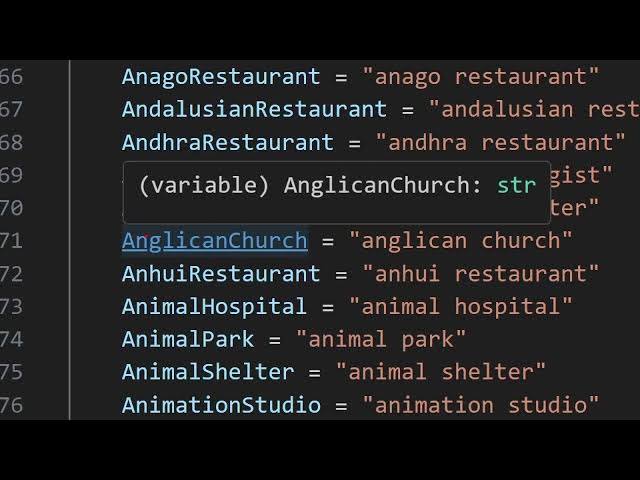
can see that [snorts] from these
10:48
categories you can provide any category
10:50
that you want to do this almost includes
10:53
all the places types. It can be either
10:56
restaurants,
10:58
uh hotels, schools, auditum,
11:02
auto broker, auto market, you will see
11:04
aviation, baby store, you will see that.
11:07
So every uh place type you can imagine
11:11
in your mind, it is present inside this
11:13
file. So it's a fully fleshed script
11:16
guys. The link is given after you
11:18
purchase it. You will can download this
11:19
from Google drive and you can simply use
11:22
it to develop very awesome applications
11:24
which allow you to basically give nearby
11:27
find places finder application related
11:30
to Google maps. It is simply scraping
11:32
the live data from Google maps. So you
11:35
are all the way updated every time you
11:39
will see blood bank board club board
11:41
dealer. So, so what what you can do guys
11:45
basically if you're developing a web
11:47
application you can have a select list
11:50
where you can put all these places types
11:53
and you can receive input from the user.
11:55
You just need to allow the user to input
11:58
the address and you will have this
11:59
inside the select list. Let's suppose
12:01
the user write only the address. Let's
12:04
suppose uh the user write Delhi. So you
12:08
can concatenate whatever the select
12:10
list. Let's suppose the user selects
12:12
blind shop. So you will concatenate
12:14
blist of blind shop in Delhi. So then it
12:17
this python script will run and return
12:19
the result for you. You can see that as
12:21
I scroll down all these py this these
12:23
are places types starting from a it's
12:26
there in alphabetical order and uh you
12:30
can see how many places types are there.
12:34
So you can see that
12:38
so it is completely scraped from the
12:39
Google maps API in the Google maps API
12:42
supported categories it is basically
12:44
scraping all that categories and uh
12:50
you can just
12:52
find your category if I search for
12:54
school
12:56
various types of schools are also there
12:58
you will see that art school ballad
13:01
school you will see barber school
13:05
you will see lot of schools types are
13:08
there business school Catholic school
13:10
CBSC charter school let's suppose I type
13:13
here hotel
13:15
you can see host host club hospital
13:18
department hospitalos you can see all
13:20
these types are present and uh
13:26
so insurance company so if I just copy
13:29
this
13:32
and uh let's Suppose I
13:38
delete this and just type insurance
13:40
company in
13:43
India. Just type here and now it will
13:46
give you all the insurance company which
13:48
are present inside Delhi. It will sorry
13:51
India and it will give you a CSV file
13:55
and a JSON file. So [snorts] you can
13:58
basically
14:00
copy this if you don't have are getting
14:02
some idea you can go to category and
14:05
copy the category jazz club jeans shop
14:07
jeans dealer you will see that
14:10
jewelry store jewelry manufacturer
14:13
exporter juice shop you can even
14:16
specific types are there guys. So if you
14:19
want the juice shops which are available
14:21
in a particular area it will also return
14:23
that also. So
14:27
if you want to drink some juice then you
14:30
can even run this Python script and it
14:32
will give you the places which shops are
14:34
present and uh it will give you sorry I
14:38
can what I can do is that I can provide
14:40
here max here maximum limits let's
14:42
suppose I only want the top 10 results
14:44
this will reduce the time so I will
14:47
simply
14:51
run this once again python manpy it will
14:54
only return the top 10 results. So if
14:56
you only want the top 10 results, this
14:58
will return quite faster because we have
15:01
put a limit maximum limit. So you can
15:04
see now it is completed. You can now
15:07
check the output folder and it will give
15:09
you this a folder has been created
15:11
insurance company in India and you will
15:14
basically see uh these are the offices
15:17
which are located and this is a name the
15:20
new India insurance best India insurance
15:22
company national insurance cooperative
15:25
limited new India assurance and
15:30
let's suppose I change this to juice
15:34
shop
15:37
in let's suppose in
15:41
I say tilak nugget juice shop this is
15:46
the area in Delhi so I'm just
15:49
specifically asking here if you just
15:51
type uh just go to your category you
15:54
will find out there is a juice shop you
15:57
just need to make sure that you write
15:59
the same here whatever is present inside
16:01
this category file just copy this and
16:04
just paste it wherever you are doing it.
16:07
So it will recognize that sort. So now
16:10
it will give you the top 10 juice shops
16:13
which are present in the that area
16:15
specific area. The selenium script will
16:18
run Python script. It will scrape the
16:20
Google map data and it will save that
16:23
data in the CSV and JSON file. Now you
16:27
can check your data and uh juice shop.
16:31
Just open it. You can see that Saba
16:34
Juice Shake Arya fruit shoes corner. So
16:38
if you check the address guys, it is all
16:40
located in Telakagar area. You will see
16:43
that you can see Torad and Telak you
16:46
will see. So [snorts] it's a very
16:49
powerful
16:51
script guys. Um there are very few
16:53
websites which are available to actually
16:55
micromanage or microsource the data
16:58
which is available in Google map. As you
17:01
know guys, many people are searching for
17:03
everything in whichever places they are
17:05
in. Sometimes they are in a very awkward
17:08
situ situation. They want to search for
17:10
places. So this script will
17:13
automatically very much help you for
17:15
developing applications related to
17:17
Google map and
17:21
there is a website called as justile.com
17:24
which is also a specific website which
17:27
allows you to find out places based upon
17:30
find businesses near you for a local
17:32
search engine. So these websites also
17:35
use or basically scrape the Google maps
17:40
to actually get these. So if you just
17:44
type here top uh let's suppose top 10
17:50
juice shops.
17:52
So if you write this query right here.
17:55
So basically this Python script is doing
17:57
the same thing just I'll have this you
18:00
will see it is also displaying this data
18:02
right here. It is having this name. It
18:05
is displaying this ratings, number of
18:08
ratings and it is displaying this
18:11
information which is phone number,
18:12
direct phone number. So basically we are
18:16
using this in a Python script. We are
18:18
also having this same data and we are
18:20
returning it in a CSV file. So this
18:23
totally depends upon you how you want to
18:25
display this data. Whenever you are
18:27
developing that application if in a any
18:30
front end you can take any full stack
18:33
nonstack any application type you can
18:36
take. So this is these applications use
18:40
these web scraping scripts to actually
18:42
scrape the data and display the data and
18:44
you [snorts] can build your own justile
18:46
clone as well using this Python script.
18:48
So the link is given guys in the
18:50
description of the video. If you are
18:52
interested, you can purchase the full
18:54
source code of the script and after that
18:57
you will get this full script and uh you
19:01
can see it is all written in Python and
19:04
uh these are the actual code is located
19:07
in the source folder and the output will
19:10
be coming in the output folder and we
19:13
are already having the latest version of
19:14
the chrome driver. This is actually the
19:17
selenium driver of the chrome browser.
19:20
So, thank you very much guys for
19:22
watching this video and please hit that
19:24
like button, subscribe the channel and I
19:26
will be seeing you in the next video.