Up next in 10


Buy the full source code of application here:
Show More Show Less View Video Transcript
0:00
uh hello guys welcome to this video so
0:02
in this video I will show you how to
0:04
detect your browser uh version inside uh
0:07
the terminal so there is a Python script
0:10
which can help you detect your uh
0:13
browser version inside Chrome so if you
0:15
basically use the Chrome browser and if
0:17
you want to know the version of which
0:19
version you are using uh you can
0:21
actually use this Python script let me
0:23
run this Python script
0:26
so as I run this here you will see it
0:28
will exactly tell you the exact chrome
0:32
version that you're using so it detected
0:34
Chrome version
0:38
136.0.7103.49 so it it will exactly tell
0:41
you the exact browser version you're
0:44
using in Google Chrome so let me show
0:46
you the script here for this there is a
0:49
module that you need to install right
0:51
here simply go to the website here and
0:55
just search for this uh module here
0:57
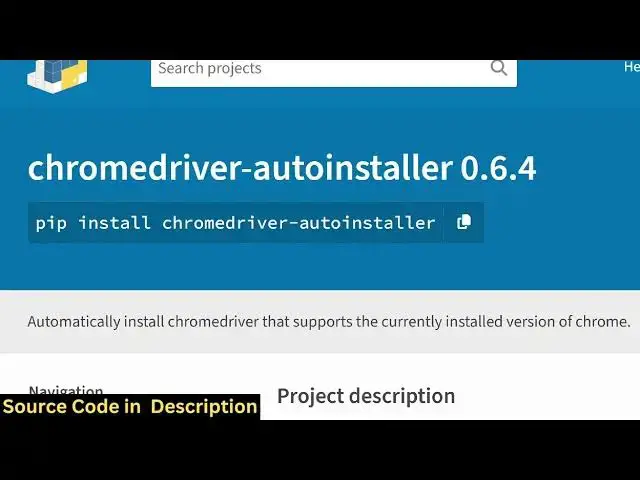
which is
1:00
chromedriver auto installer so this is
1:03
actually the module inside python which
1:05
will so simply execute this command to
1:08
ex uh to install this i've already
1:10
installed it so after installing you
1:13
just need to make a simple python file
1:15
and first of all you just need to import
1:17
the module after importing it inside
1:21
this module there is a
1:23
function which lets you actually get the
1:27
chrome version so this is actually the
1:29
function get chrome version if you call
1:32
this function it will exactly return the
1:36
it will detect which version you are
1:39
using and it will print out so just the
1:42
three lines of code first of all we
1:44
import the module then it contains this
1:46
function right here get Chrome version
1:48
and then it will exactly detect the
1:50
Chrome version that you're using and if
1:52
I execute the script here you will see
1:54
it in the terminal it will uh return the
1:58
Google Chrome version that you're using
1:59
right here and uh let me crossverify as
2:03
well so there is a website here what is
2:06
my browser.com it detects which Chrome
2:09
version you're using so you can see your
2:11
version is Chrome 136 so it is exactly
2:15
returning the correct Chrome version so
2:17
this is actually in this way you can use
2:21
this module to detect in Python the
2:24
Google Chrome browser version and thank
2:27
you very much for watching this video
2:29
and also check out my website
2:30
freemediatools.com
2:32
uh which contains thousands of tools
#Software
#Internet Software
#Scripting Languages