0:00
uh hello guys welcome to this video so
0:02
in this video i'll show you extension
0:04
which supports rendering your xml excel
0:07
files directly in vs code so by default
0:11
excel files can't be opened in vs code
0:13
if you see if you want to open it it
0:16
will show this error message that the
0:18
file is not displayed in the text editor
0:20
because it's binary or uses an
0:26
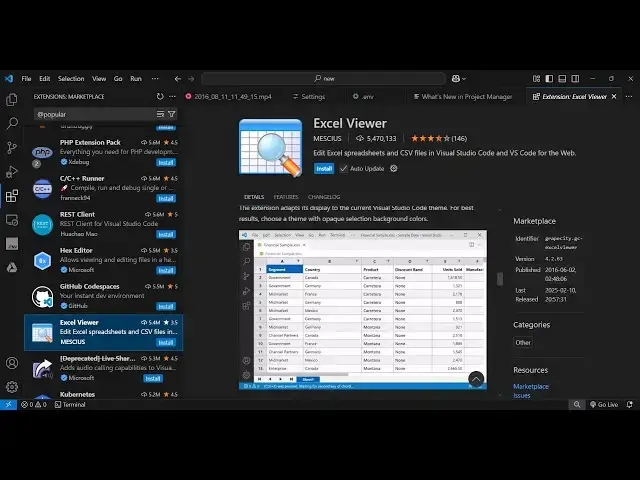
and for this reason you need to go to
0:28
extensions and just install this
0:30
extension which is excel
0:33
viewer this is actually the name of the
0:36
extension it's got almost 5.4 million
0:40
installs so it can even uh preview your
0:44
csv files as well csv excel all these
0:47
files so this is a ultimate extension
0:50
for this so simply install and activate
0:53
this so as soon as you do this and try
0:56
to open this now you will see your excel
0:58
file will open like this in a excel like
1:02
viewer you here you can see your column
1:05
names your rows and you can scroll it
1:08
and you can see how many columns it
1:11
has so it's a fairly long file so you
1:14
can see you can even see the sheet name
1:17
with this is your sheet one and it has
1:23
rows and you can simply see easily see
1:27
the column values right here
1:30
so this is one extension that you should
1:33
have because if you are working with
1:34
excel files then this extension
1:38
will help you and you can even do the
1:42
sorting as well so in the ascending or
1:44
descending order just click the column
1:46
name and let's suppose if you want it in
1:49
a descending order so now it will show
1:54
order so let's suppose i select the
1:58
names here so i want the names to be
2:01
appearing in a descending order so it
2:05
everything so you can see it's that easy
2:09
to do so with it has all the
2:11
functionality sorting searching
2:13
functionality as well
2:15
so you can even insert a row you can
2:19
delete this row as well so this is a
2:21
complete editor guys which in delete
2:25
rows we can insert a row as well so
2:30
value can see that so it also allows us
2:34
to edit your excel file server very
2:38
easily simply toggle just click the
2:46
to insert a column you can also insert a
2:57
this and same goes for i think csv file
3:00
server so sample.csv if you just create
3:03
this and then just type
3:25
and for css there is another extension
3:28
that you can install which is uh which i
3:32
will show you in the next video so but
3:34
for this video you will just need to
3:36
activate this extension which is excel
3:39
viewer which you can directly ex edit
3:42
your excel files directly and if you try
3:46
to open this you will see i showed you
3:48
all the functionality so thank you very
3:50
much for watching this video and also
3:52
check out my website freemediatools.com
3:55
which contains thousands of tools
3:57
regarding audio video and image and i
4:00
will be seeing you in the next