Up next in 10


Get the full source code of application here:
Show More Show Less View Video Transcript
0:00
Uh hello guys, welcome to this video. So
0:02
in this video, I'll show you a VS code
0:04
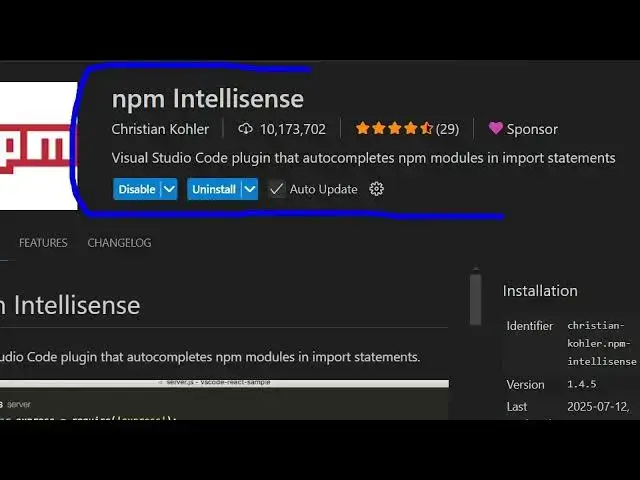
plug-in uh which provides you with npm
0:07
intellisense right inside VS code. So if
0:10
you go to npm uh extensions, just write
0:13
here npm in the search bar. So this
0:15
extension will come right here. It's got
0:18
almost 10.1 billion installs. This is a
0:21
simple VS Code plug-in that provides you
0:23
with autocompletes npm modules and
0:26
import statements. So simply install
0:28
this plug-in and after installing it. So
0:31
if you have a NodeJS project, so as you
0:35
can see we have installed these packages
0:38
here. EJS express maltter. So now if you
0:41
want to import these packages inside
0:44
your JavaScript file. So once you import
0:47
these packages, it will provide you with
0:50
this autocomplete.
0:52
So this makes it easy for you to
0:54
remember the package name that you are
0:56
importing. So right here as you start to
0:58
type here it will just provide you with
1:01
this autocomplete suggestions which will
1:03
come intellisense suggestions
1:07
right here and as you are importing the
1:10
package it will show you
1:13
the package name right here. So this
1:16
makes it easy to remember the package
1:18
name. So,
1:23
so it works with all the packages that
1:25
you have inside your package.json file.
1:28
So, you can see it is automatically
1:30
suggesting me the
1:33
uh the package name as you write the
1:35
name here. So, it becomes easy for you
1:38
to include the package. So, this is the
1:41
package name here npm intellisense.
1:44
Simply install this extension. It's
1:46
really will save you a lot of time. So
1:48
it's developed by this person Christian
1:51
Coler and it's got almost 11 million
1:53
installs.
1:55
So,
1:59
so as you can see it provides you with
2:01
this autocomplete
2:04
and you can even basically open any
2:06
package here by going to this
2:13
opening the command pallet and just
2:15
typing here npm intellisense.
2:18
Here you can it will show you the list
2:20
of all the packages that you have
2:22
installed. And here you can go to any
2:24
individual package and simply import
2:27
that package. You will see it will
2:29
automatically add this import line to
2:32
you.
2:36
So definitely install this package and
2:39
uh also check out my website
2:40
freemediatools.com
2:42
uh which contains thousands of tools.
#Programming
#Software
#Internet & Telecom