Up next in 10


Get the full source code of application here:
Show More Show Less View Video Transcript
0:00
Uh hey guys, welcome to this video. So
0:02
in this video I'll show you a very
0:03
popular Google Chrome extension which is
0:06
an open AI. It's called as Monica. You
0:09
can see it's a chat GPT AI assistant. It
0:12
supports all the models deepse GPT4
0:14
claude and more. It's a very popular
0:17
extension. Almost 3 million installs are
0:20
there. So this is their official
0:22
website. You can visit here monica.im IM
0:25
and it's allin-one AI assistant for you
0:27
and it's totally free for your uh
0:31
uh Google Chrome browser and you simply
0:38
click the add to Chrome button. As soon
0:40
as you do this, click the add to Chrome
0:42
button. Uh this will install this
0:45
extension.
0:48
So once
0:50
the extension is installed, you will see
0:53
this icon appearing.
1:04
So just wait for the extension to get
1:06
installed. So you simply activate this
1:08
extension. Uh you will see this icon.
1:12
Yes.
1:23
So if you're starting it for the very
1:25
first time, uh you can basically log in
1:27
with your Google account. Simply sign up
1:29
and it's totally free
1:36
and you can basically enroll inside
1:38
their pro plan as well. You can unlock
1:40
advanced models. But here you can skip
1:43
this and continue with the free plan.
1:45
Simply select
1:47
these questions and start using.
1:53
So this is your uh chat window will open
1:56
right here. If you see right here you
1:58
can ask any sort of question right here.
2:00
Let me say top.
2:11
So if you basically ask the question
2:12
instantly it will reply similar to chat
2:15
GPT you can see that so it has all the
2:17
access you can let me say build a
2:29
so it can even code as well. You can see
2:32
it is coding
2:34
so instantly it writes the code for you
2:37
and also shows you the live preview as
2:39
well. So in this easy way and uh you can
2:42
ask any sort of question and here you
2:45
can select models as well. All these
2:47
models are available to you. Plot lama
2:50
perplexity GPT plot
2:53
and right here you can simply say
2:55
generate.
3:04
So you write the prompt. It can even
3:06
generate images as well. So,
3:12
so now you can simply click on this
3:16
extension. Uh,
3:19
once it is added right here, you can
3:22
simply click on this button.
3:26
So once it is added, it will
3:29
automatically once you click this
3:31
automatically it will prompt you to this
3:33
website. Here you can actually try out
3:35
all these uh you can ask any sort of
3:39
question. You can even attach a document
3:41
as well and also ask question on top of
3:44
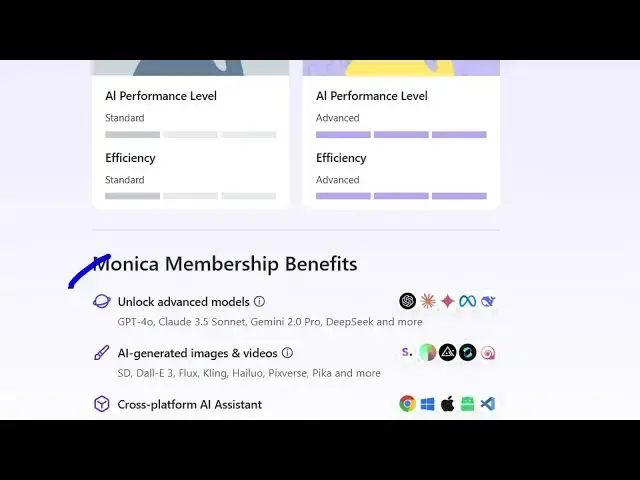
it and you can unlock all advanced
3:48
models. So click just and you can pay a
3:51
monthly fees, subscription fees which is
3:54
$49
3:56
yearly and this access to advanced
3:58
models, more queries, web access, AI
4:02
summary, image generation as well. So
4:04
allin-one AI assistant for you and it
4:07
has all the premium AI models. It just
4:10
charges a subscription fees but you can
4:12
get started here. Simply install the
4:14
extension inside your Google Chrome and
4:17
you can activate any
4:20
you can even generate images
4:23
as well. So you have this image
4:26
generator as well.
4:30
So you can have all these tools
4:33
available to you. So this is a very good
4:36
AI all-in-one AI assistant. Definitely
4:39
check out these. These are some of the
4:40
videos and images which are generated
4:42
using this tool
4:45
and you can see that. So just write the
4:48
pop prompt inside your chat window and
4:51
you will be able to see this. So this is
4:53
the extension definitely install