Up next in 10


Get the full source code of application here:
Show More Show Less View Video Transcript
0:00
Uh hello guys, welcome to this video. So
0:02
in this video I'll show you a platform.
0:04
Bing as you all know it's a search
0:06
engine but they do offer their image
0:09
creator tools. Image and video creator
0:12
tools. So their AI platform has this
0:15
tool here. If you simply type Bing image
0:17
creator, this link will come right here.
0:20
So here you can create either image or
0:22
video for completely free. So right here
0:25
you simply provide what sort of image
0:28
you want to generate. So Bing as you all
0:31
know it's created by Microsoft. So right
0:34
here you simply write the image. So I
0:36
simply write the image build a or
0:39
generate
0:42
a
0:44
coding female avatar
0:49
teaching
0:51
kids coding on laptop.
0:57
So you basically write the prompt and
0:59
then just need to sign up with your
1:05
Microsoft account. I think it is telling
1:08
me. So
1:11
you can just let me log right here. Ping
1:15
image creator.
1:21
Just need to sign up here.
1:24
It's with your Microsoft account. So,
2:08
So here you simply need to open your
2:15
mobile here. I think it is telling me.
2:21
So just wait. Let me log in with my
2:24
Microsoft account.
2:52
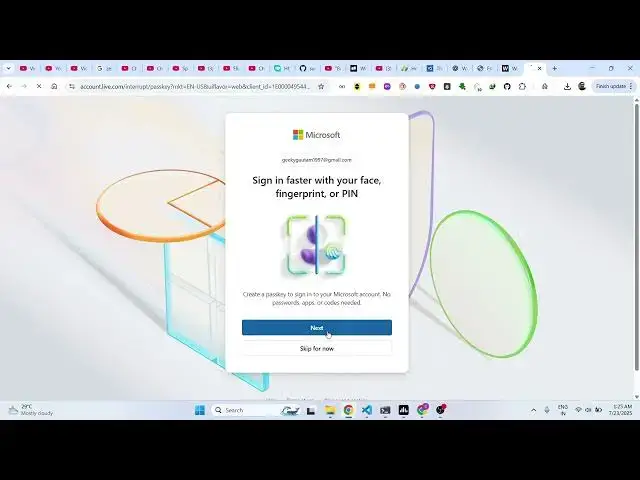
So you will get a code here right here.
2:55
If
2:57
just click
3:15
So 2 3 4 916 23 4 916.
3:23
So,
3:28
so click on next.
3:48
So, I think I finished
3:57
So if I just now try again, I did this
4:01
inside my phone.
4:09
Security key is also this option.
4:13
Set up your security key.
4:21
So essentially guys this is you you do
4:24
need to login with your
4:27
uh
4:29
Microsoft account and then you can go to
4:31
Bing image creator and this is the tool
4:35
right here. Here you can simply type
4:37
anything
4:39
and you can even generate videos as
4:42
well. So you basically write you control
4:44
the aspect ratio the duration of the
4:46
video as well and control the how much
4:51
you basically get 10 free creations to
4:54
actually create 10 videos for the free
4:56
version and same goes with images as
4:59
well. You get basically get
5:02
15 creations. You can easily write the
5:04
prompt and then click on create.
5:11
So,
5:13
thank you very much for watching this
5:15
video and also check out my website free
5:18
media tools.com uh which contains
5:21
thousands of tools.
#Online Media
#Multimedia Software