Up next in 10

Microsoft Azure AI Foundry VSCode Extension is INSANE For Coding Like Github Copilot??
Jul 24, 2025

Get the full source code of application here:
Show More Show Less View Video Transcript
0:00
Uh hello guys, welcome to this video. So
0:01
in this video, I'll show you a Microsoft
0:04
Azure Foundry platform. It's an AI
0:07
platform similar to chat GPT cloud and
0:10
cursor and it allows you to build chat
0:13
and code applications directly in the VS
0:16
code also in the cloud editor as well.
0:18
So it has all the premium models as
0:20
well. So now to get started simply type
0:23
a.zor.com azor.com
0:27
and simply click on sign in and just
0:30
sign in with your
0:33
Microsoft account here.
0:38
If you do have the Microsoft account,
0:40
simply say ai
0:42
azure.com.
0:44
So this is their web page here. If you
0:46
see
0:53
give the phone number. I already have
0:57
one account here.
1:00
So you basically enter
1:05
the password right here.
1:11
So once you log in,
1:20
if you forgot your password, you can
1:22
simply recover.
1:41
So I basically given my code here. Let
1:44
me just enter this code.
1:47
So it's a great tool. I personally tried
1:49
this tool here. So
1:52
I can simply say
1:56
to verify that it's clean the hidden
1:58
part. So yeah. So this is I know this
2:01
check.
2:23
So here you can see this is there. So
2:27
just enter this code. So just wait. Just
2:52
so once you do this now
2:57
you sign in.
3:11
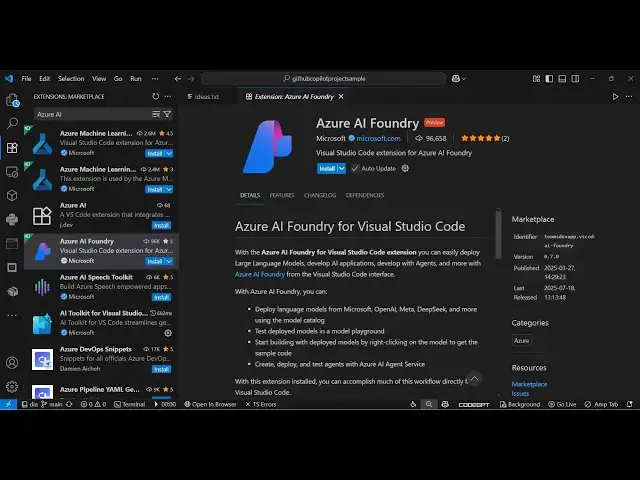
So this also provides you with this
3:13
extension right here as you can see.
3:19
So now it is enabled right here. If you
3:21
see it will appear right here. Azure AI
3:25
foundry. This is the extension
3:28
and uh it will simply say create an
3:30
Azure account
3:32
or sign into your
3:35
click on allow.
3:40
You can also sign in with your GitHub
3:42
account as well. If the Microsoft
3:45
account is not working, you simply enter
3:55
the email address and the password.
4:18
So just wait for the verification to
4:20
complete.
4:39
So after that now you will be logged in
4:45
to this you need to select
4:49
the subscriptions.
5:00
You have two options here. Deploy or
5:29
So this is the website aiso.com
5:34
and simply log in here and then you can
5:37
simply get started.
5:55
So now you'll be redirected to the
5:57
dashboard right here. So this the
5:59
dashboard looks something like this. So
6:01
here you can create a subscription right
6:04
here. Create a project, deploy this
6:06
model to GPT and then explore the
6:10
playground.
6:12
So here you have this option of creating
6:14
an agent.
6:17
So we'll see create a new subscription
6:20
and uh here you just need to sign up.
6:30
So as you can see right here it is
6:34
okay here you need to create your
6:36
account to continue with Azor AI
6:38
foundry.
6:40
So just create a full account and then
6:43
you'll be able to use this
6:46
very easily. So you do need to provide
6:50
some information.
6:55
So just I wanted to show you that this
6:57
extension exist
7:01
for coding and development and also
7:04
check out my website freemediatools.com
7:08
uh which contains thousands of tools.
#Programming
#Web Services