Up next in 10

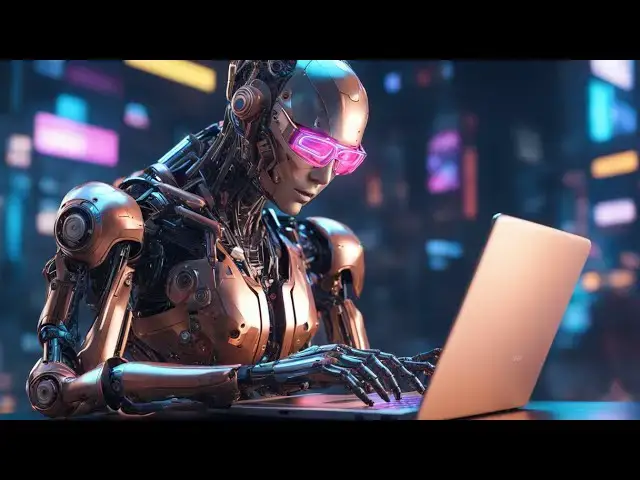
I Found a Secret AI That Creates Viral YouTube Thumbnails with Just ONE Click! For FREE Forever
Mar 12, 2025

Visit the AI Website to generate thumbnails here:
https://deepai.org/
Watch My Visual Studio Code IDE Setup Video For Fonts,Themes & Extensions
https://youtu.be/Bon8Pm1gbX8
Hi Join the official discord server to resolve doubts here:
https://discord.gg/cRnjhk6nzW
Visit my Online Free Media Tool Website
https://freemediatools.com/
Buy Premium Scripts and Apps Here:
https://procodestore.com/
Show More Show Less View Video Transcript
0:00
uh hello guys welcome to this video so
0:02
in this video I will show you a free AI
0:05
which actually generates YouTube
0:07
thumbnails which actually increases your
0:10
CTR and you can gain a lot of views and
0:12
this AI is completely free because I
0:15
recently found found out this website
0:18
the website name is deep ai.org
0:21
and uh
0:23
it's a free completely AI if you just go
0:27
to the website here this is actually the
0:29
add address I've given the link in the
0:31
description of this video so this is
0:33
actually the landing page and you can
0:35
actually generate everything you can
0:36
generate images videos voices as well
0:39
and the nice thing about this website
0:41
which differs from other AI websit is
0:43
that you don't need to create any
0:44
account here you can directly generate
0:47
images for your YouTube video thumbnail
0:49
so simply go to image menu and just here
0:54
you need to provide the prompt here so
0:56
whatever image you want to generate
0:57
simply you need to write here so let's
0:59
suppose I say a guy
1:04
doing coding in the on the laptop so you
1:09
just need to provide the prompt here and
1:11
just click this button create image so
1:13
as soon as you click this it will
1:16
generate a random image of a person
1:19
doing coding here you can see in the
1:20
background and you can see how beautiful
1:23
the image is looking and here are quite
1:26
options you can try out first of all the
1:28
option here
1:30
these are the models it uses the
1:33
standard model and the full HD high
1:35
definition quality image will be
1:37
generated and you can change it to
1:39
standard as well but I got personal best
1:42
result when I toggled this to high high
1:45
definition HD and it's completely free
1:49
to use this for commercially they have
1:51
if you drag down you will
1:53
see is commercial use allowed you will
1:56
see the answer that yes commercial use
1:58
is permitted for the generated image you
2:01
may utilize these images for any legal
2:04
purposes so you don't need to pay
2:07
anything and the nice thing about that
2:10
is there is no credit system as we see
2:13
in different AI systems that you have a
2:15
limitation that you can only create uh X
2:18
number of images and after that they
2:20
will show you you need to pay for sub
2:22
subscription but this is completely
2:24
unlimited number of AI images you will
2:27
generate you just need to provide the
2:29
prompt here
2:30
and let's suppose if I want to download
2:34
this image we have this button right
2:37
here the download button so you can
2:39
simply click the download button to
2:41
download this image inside your machine
2:44
so you will see the image will get
2:46
downloaded so you can see that easily
2:51
downloaded and now let's suppose if you
2:53
want
2:54
to if I change the prompt here instead
2:57
of one guy I will say two guys doing
3:00
coding on the laptop so it will now it
3:02
will enhance this image it will modify
3:06
it and uh then it will
3:09
generate you will see the progress bar
3:12
here so it will tell you how much time
3:14
is remaining so you will now see it will
3:16
generate this new image so instead of
3:21
one there are two persons doing coding
3:23
so you can write prompts here which will
3:26
generate thumbnails for your YouTube
3:28
video so personally use this AI for my
3:31
YouTube thumbnails and it actually
3:34
increases a CTR and get me a lot of
3:37
views as well so here if you want uh
3:40
results generated to be faster you can
3:43
instead of quality you can use speed the
3:46
preference so now if you click generate
3:49
it will take less time to generate the
3:51
image you'll see that so as soon as you
3:53
click generate so this these thumbnails
3:56
will be less in quality but uh it will
3:59
take less time time to generate the
4:00
thumbnail you will see the quality is
4:02
not good but if you want faster result
4:05
you can just toggle this speed here but
4:07
I preferred this to be quality wise so
4:09
now the thumbnails which are generated
4:12
is quite good in quality the pixel is
4:17
not
4:19
uh the pixel stays the same so this is
4:23
the standard way you just need to toggle
4:26
this to HD and then put this quality and
4:29
just just tick mark this option which
4:31
uses the old
4:33
model and there are quite a number of
4:36
styles you can use
4:37
here there are if you want let's suppose
4:42
cartoonish way of generating the
4:44
thumbnail so it has various Styles as
4:50
well so from you can see it contains 100
4:54
plus
4:56
Styles so it will now be in instead of a
5:00
human it will now be generating a
5:01
cartoon which will do all the stuff you
5:04
can see it has a laptop and these
5:09
two so you can actually select from this
5:13
so it has various Styles
5:15
here tribal art you can see you can
5:18
select any of these and then click
5:21
generate
5:24
so so here this is a very good thing you
5:28
can select which style of thumbnail you
5:31
want to generate you can select from
5:32
this and then accordingly those
5:34
thumbnails will be generated you can see
5:36
that so it is quite unique artistic as
5:38
well so it will now if you use it as a
5:41
thumbnail it will definitely increase
5:43
your click-through rate and the viewers
5:46
will try to click on your thumbnail and
5:49
try to watch the complete videos so I
5:51
personally use this Ai and you can see I
5:54
generated so many thumbnails and it
5:56
doesn't require you to sign up it's
5:59
completely completely free and you can
6:00
generate unlimited thumbnails for
6:03
completely free and you can use it for
6:07
commercial purposes you will see they
6:09
have mentioned right here that you can
6:10
use these images for commercially you
6:12
can use it for blogs videos any sort of
6:16
thing that you want to generate you can
6:17
use these thumbnails so this is actually
6:19
the address deep a.org I've given the
6:22
link in the description of this video
6:25
and uh specifically I showing you the
6:28
how you can generate IM
6:30
but you can even generate videos voice
6:32
chat as well so so you just need don't
6:35
need to create any account just just
6:38
land on this website just write the
6:40
prompt and it will just generate you the
6:44
thumbnail and it's actually takes 5 10
6:47
seconds to generate a quality level
6:49
thumbnail similar if you use canva
6:52
photosop Photoshop so it generates that
6:57
quality of thumbnails so it doesn't
6:59
require much time to generate the
7:01
thumbnail so just click the generate
7:03
button and you will see that so this is
7:06
the AI has generated the thumbnail so
7:08
it's is quite looking good and if you
7:11
want to manually design these thumbnails
7:13
it will require you to a lot of time and
7:16
you do need to have editing skills as
7:18
well but this AI solves the
7:21
problem so I've given the link in the
7:24
description of this video guys go to
7:26
this website and start generating your
7:28
video thumbnails and and also visit my
7:30
website free mediat tools.com which
7:33
contains thousands of tools regarding
7:35
audio video and image and I will be
7:38
seeing you in the next video
#Funny Pictures & Videos
#Clip Art & Animated GIFs
#Photo & Video Sharing
#Intelligent Personal Assistants
#Video Sharing