Up next in 10

I Built this React Canva PDF Form Filling Editor Passive Income App Using PDF-LIB in Browser
Mar 17, 2025

Buy the full source code of application here:
https://procodestore.com/index.php/product/i-built-this-react-pdf-form-filling-editor-passive-income-10-month-web-app-using-pdf-lib-in-browser/
Watch My Visual Studio Code IDE Setup Video For Fonts,Themes & Extensions
https://youtu.be/Bon8Pm1gbX8
Hi Join the official discord server to resolve doubts here:
https://discord.gg/cRnjhk6nzW
Visit my Online Free Media Tool Website
https://freemediatools.com/
Buy Premium Scripts and Apps Here:
https://procodestore.com/
Show More Show Less View Video Transcript
0:00
uh hello guys welcome to this video so
0:02
in this video I will show you how I
0:05
build this PDF form editor similar to
0:08
canva canva also has a PDF form editor
0:10
where you can fill out forms
0:13
programmatically in the browser itself
0:15
so I will show you I have a simple form
0:20
PDF template right here so this is a PDF
0:23
containing a simple form which contains
0:25
these number of fields out there which
0:27
is the name family name address add
0:30
house number post code country gender
0:33
you can see all these fields are there
0:35
so if you want to fill this form using
0:36
this tool that I developed in uh you can
0:40
see that so this is our form editor so I
0:43
basically developed in react Chas so I'm
0:48
running it locally here Local Host to
0:51
you can see that
0:52
so this is actually the interface of
0:55
this tool so once you come to this tool
0:57
you need to select your PDF file so once
1:00
you select the file you can see it
1:01
automatically detects all the form
1:03
fields which are present right here you
1:05
can see all these fields it detects
1:08
automatically and it provides you with
1:11
this Fields right here so here you can
1:13
edit these form Fields you can change
1:16
the values and then there is a save
1:19
button out there to save the PDF so if I
1:22
change
1:27
this fill out any address
1:43
just filling
1:54
out and then you can name your PDF and
1:57
uh then click on Save as soon as you
2:00
click the save button you will see that
2:03
the files the form has been saved with
2:05
the defined values that we defined it
2:07
right
2:08
here so in this easy way guys you can
2:12
actually save your or fill out
2:16
PDFs forms very easily by using this
2:19
tool that I develop it's a fully PDF
2:22
form editor you can even share it as
2:25
well on social media networks as well by
2:27
clicking this button so
2:30
this is actually the application guys
2:32
you can change these values
2:34
accordingly this will save you a lot of
2:36
time because using this application you
2:39
can generate multiple PDFs by just
2:42
changing the values if you see the
2:44
values have been reflected back right
2:46
here so this is actually a tool uh you
2:49
don't need to use any paid tools you can
2:51
use this web application which I
2:54
developed if you want to purchase it
2:56
guys the link is given in the
2:58
description and once you purch CH it you
3:00
will be redirected to Google Drive where
3:02
you will actually get this ZIP file uh
3:05
we need to just extract the zip file
3:07
which will contain this directory
3:09
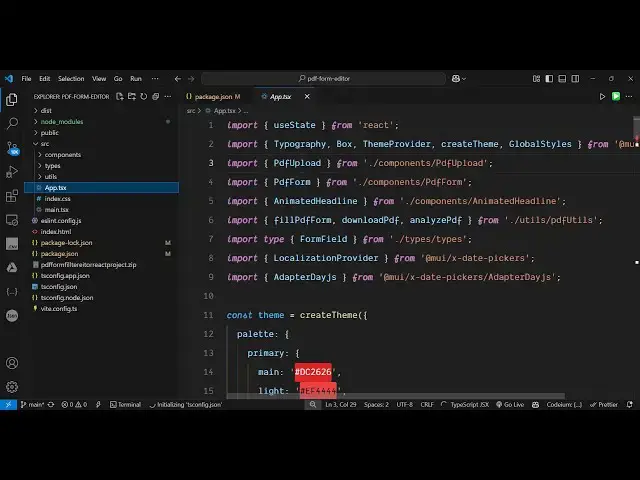
structure each component is coded inside
3:12
its respective typescript file here if
3:14
you see PDF form PDF review and for
3:18
actually building this application let
3:20
me show you the package.json file so we
3:22
are using this PDF lib Library which is
3:25
in JavaScript open source PDF processing
3:28
Library so it's a very popular and also
3:30
we are using PDF JS which is a Mozilla
3:33
based open-source package for rendering
3:35
the PDF files and you can see we are
3:37
using the latest version of react which
3:39
is 18 and if you don't know about PDF
3:42
lip it
3:46
is this is actually the libraries
3:49
official website so PDF lip it's a very
3:53
popular
3:55
library and if you want to also try this
3:58
tool guys online I I think I have
4:01
deployed this on my website as
4:03
well yeah so you can even try this
4:06
before purchasing it so if you need a
4:07
live demo you can visit this website I
4:10
also given this demo link on the
4:12
checkout page so when you go to brod
4:15
store.com you will see this application
4:18
link so you can even try this first of
4:20
all on your own system on your own
4:22
browser if you are interested just
4:25
upload a simple form and it will detect
4:28
the fields right here
4:31
and then you can fill out and then click
4:34
on save so the form will be downloaded
4:36
with the entered values so you can try
4:39
this I have given the link on the
4:42
checkout page so go to this website and
4:44
try this tool if you are interested you
4:46
can do this I also am earning some
4:48
passive income guys using this uh tool
4:51
website you can see from AdSense I've
4:53
approved this domain name and per day
4:56
basis you'll see I'm earning some
4:58
passive income you get can also deploy
5:00
this on your own domain name as well so
5:03
once you purchase it you get full
5:04
commercial right and uh then if you're
5:08
running it for the very first time you
5:09
just need to say npmi so this will
5:11
install all the nodejs modules and
5:13
create this folder for you after that
5:17
for running it locally we run the
5:18
command here npm run Dev so this will
5:22
start the development
5:24
server and if you want to deploy this
5:26
npm run build this will build out the
5:29
entire app application and it will
5:30
create a disc folder on the left hand
5:33
side which will contain the minified
5:34
code which will be required for
5:37
deploying it to any Shar hosting it can
5:39
be any basic hosting it will give you
5:42
the minified HTML CSS and the JavaScript
5:45
code so it is saying it is building for
5:48
production so after it completes you
5:52
will see a disc folder created on the
5:54
left hand
5:55
side so it's very easy to deploy this as
5:58
well so it's a single page static
6:00
website which runs in the browser it
6:02
doesn't depend upon any server so you
6:05
can easily deploy this on a static
6:07
website shared hosting you can see the
6:09
index for HTML and then inside the
6:12
assets we just need to upload this
6:14
folder to
6:16
actually
6:18
uh deploy this tool on your own website
6:21
as well similarly to this and at the
6:24
bottom side you can put advertisements
6:25
so that the user come to your website
6:27
they see the advertisements and you can
6:29
even passive income as well so this is
6:31
actually the PDF Cana PDF form editor
6:36
that I developed and thank you very much
6:39
guys for watching this video and I will
6:41
be seeing you in the next one
#Open Source