Up next in 10

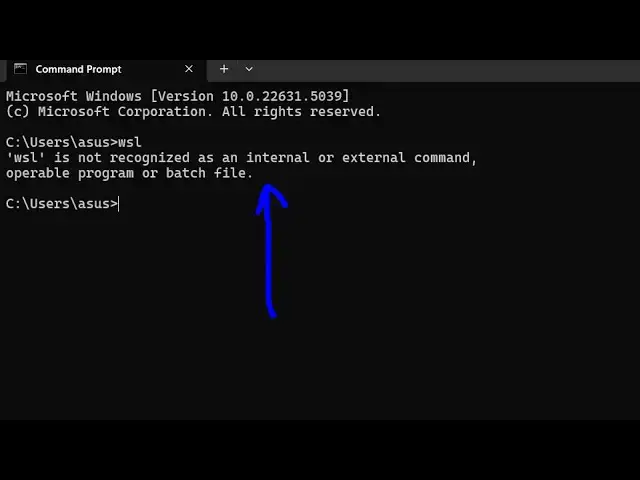
How to Fix wsl is not recognized as an internal and external Command Error in Terminal
Jun 3, 2025

Buy the full source code of application here:
Show More Show Less View Video Transcript
0:00
uh hello guys welcome to this video so
0:02
in this video I'll show you uh if you're
0:04
getting this error message while you
0:06
type uh WSL in the terminal WSL is not
0:10
recognized as an internal or external
0:12
command uh it's called as Windows
0:15
subsystem for Linux command if you want
0:19
to learn if you want to run Linux inside
0:22
your Windows machine then this command
0:25
comes into the
0:27
picture and now to fix this uh just go
0:30
to your C directory and search for the
0:33
folder
0:36
windows and inside this folder you will
0:39
find out a folder called as system 32
0:41
which
0:43
actually contains all your operating
0:46
system files and inside this we have
0:49
this WSL command if you try to open
0:52
terminal here and type the command you
0:55
will see the command will be successful
0:58
so now what we need to do is that we
1:00
need to rightclick copy this entire
1:03
path and just register it globally for
1:07
registering it we need to open
1:08
environment
1:09
variable and just go to the system
1:12
variable system path variable
1:16
click edit and just add this new entry C
1:20
Windows system
1:23
32 and just click okay okay and restart
1:26
the terminal and now execute the same
1:29
command
1:31
WSL now you will see the command will be
1:35
successful you will be able to execute
1:37
this command so it's a very simple fix
1:39
guys hopefully your problem will be
1:42
solved thank you very much and also
1:45
visit my website
1:47
freemediattools.com which contains
1:49
thousands of tools
#Operating Systems
#Windows & .NET