Up next in 10

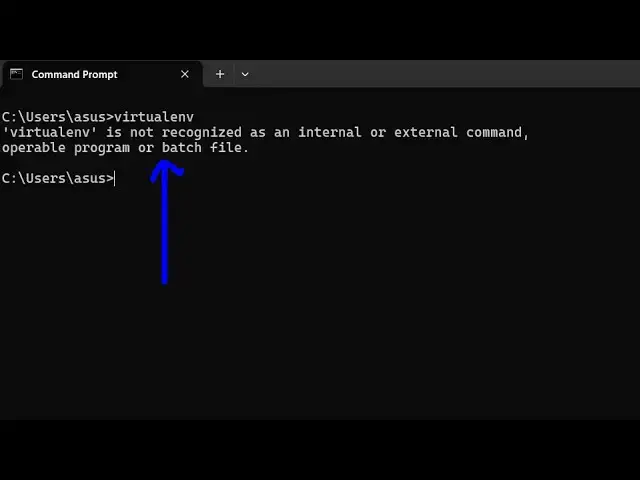
How to Fix virtualenv is not recognized as an internal and external Command Error in Terminal
Jun 3, 2025

Buy the full source code of application here:
Show More Show Less View Video Transcript
0:00
uh hello guys uh welcome to this video
0:02
uh so in this video I'll show you how to
0:05
fix this error message
0:08
virtual env if you're getting this error
0:11
message is not recognized as an internal
0:13
or external
0:15
command uh the prime reason is that you
0:18
haven't installed
0:19
this so first of all you should have
0:23
Python installed for this so it is used
0:27
inside Python application to create a
0:29
virtual
0:30
environment so first of all just execute
0:33
this command where Python so if you have
0:35
a valid Python installation then it will
0:38
give you the path where your Python is
0:42
installed so if you're getting
0:46
this then you have Python installed
0:50
so if you are not getting anything first
0:53
of all download Python just type
0:56
download Python and install a fresh
1:00
installation just install the latest
1:03
version after that just say pip install
1:07
virtual
1:09
env pip install virtual env so it will
1:12
install this
1:14
package by using this command so just
1:17
install
1:19
this so it will download the package
1:22
install it inside your
1:24
machine and now after this just type
1:27
virtual
1:31
env you can see that you can print out
1:34
the
1:36
version
1:38
20.29.3 so in this way guys you can fix
1:42
this error message first of all you
1:44
should have Python installed and then
1:47
you can use the pip command to install
1:49
this third party package and use
1:52
this and also visit my website
1:55
freemediattools.com which contains
1:58
thousands of tools
#Programming