Up next in 10

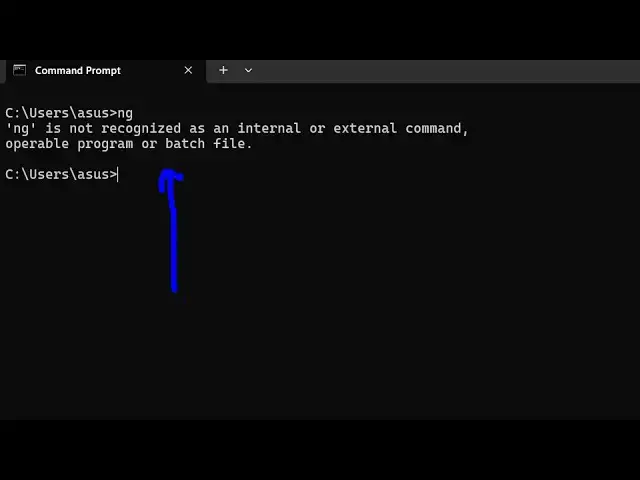
How to Fix ng is not recognized as an internal and external Command Error in Terminal
Jun 3, 2025

Buy the full source code of application here:
Show More Show Less View Video Transcript
0:00
uh hello guys welcome to this video So
0:02
in this video I show you how to install
0:05
Angular CLI inside your terminal And if
0:07
you're getting this error message that
0:09
ng is not recognized as an internal or
0:12
external
0:13
command
0:15
So the prime reason of this error you
0:18
haven't installed Angular CLI for
0:21
installing it you should have NodeJS
0:23
installed inside your m system I'm using
0:25
you can see the latest version of NodeJS
0:28
at the time of recording this video And
0:31
now you just need to execute this
0:33
command npmi - g for globally installing
0:37
Add the rate angular
0:40
cla the rate latest This is the command
0:45
guys Just pause the video
0:47
npmi-g for globally installing it and
0:50
add the rate angular / CLI add the rate
0:54
latest So we are adding this and it will
0:57
download the latest version of angular
1:00
CLI So just enter and this will install
1:04
the angular CLI So just wait for the
1:07
command to finish It will install all
1:11
the packages which are necessary and you
1:14
will be able to use Angular CLI after
1:17
this command finishes So just wait for
1:20
the command to finish You'll see it has
1:23
added these packages So now if you
1:26
execute ng you will
1:30
see the command is
1:32
successful You can list out the version
1:35
of ng by ng
1:41
version You can see that it's 19.2.5 in
1:47
2.5 and we can simply say ng followed by
1:51
new sample app So this will create a
1:55
new angular app So in this way guys you
1:59
can access angular cla very simply and
2:03
just counter that error message Just
2:06
follow the step-by-step instruction
2:08
Thank you very much for watching this
2:10
video Also check out my website
2:13
freemediattools.com which contains
2:15
thousands of tools
#Programming