Up next in 10

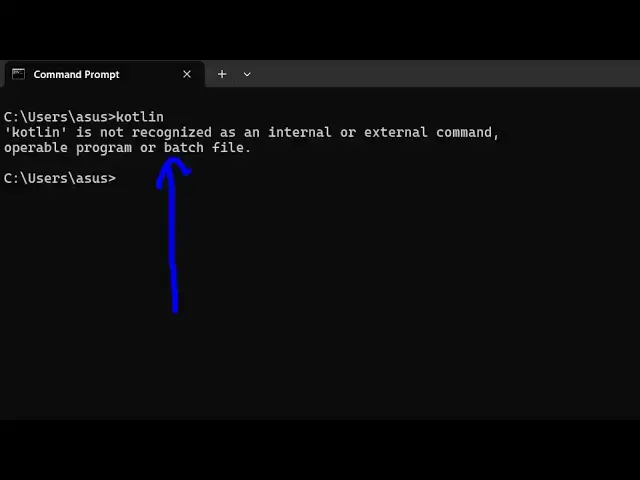
How to fix kotlin is not recognized as an internal and external Command Error in Terminal
Jun 7, 2025

Buy the full source code of application here:
Show More Show Less View Video Transcript
0:00
uh hello guys uh welcome to this video
0:03
so in this video I will show you if
0:05
you're getting this error message if you
0:07
type Kotlin in the terminal if you can't
0:11
run Kotlin in the
0:13
terminal in this video I will show you
0:15
how to fix this either Kotlin or Kotlin
0:18
C kotlin C stands for Kotlin compiler
0:22
in either of these cases if you're
0:24
getting this error just make sure that
0:27
you add cotlin inside your environment
0:29
variable so just go to the C directory
0:33
search for the folder program files so
0:36
by default Kotlin if you download and
0:38
install Kotlin it will be stored in this
0:41
directory so just search for Kotlin C
0:45
this is a folder here Kotlin
0:48
compiler and go to the bin folder
0:52
and here you will see all your
0:55
executables so if you try to open
0:57
terminal here and just type the same
0:59
command Kotlin you will see the command
1:02
will perfectly work welcome to Kotlin
1:05
version so what we need to do is that we
1:07
need to right click copy this
1:11
location copy this entire location just
1:13
open environment
1:16
variable and just go to your system
1:19
variable and just go to path here right
1:23
here and just select new and paste this
1:27
location so after pasting this
1:30
location if you restart your
1:33
terminal and just type the same
1:36
command
1:40
cotlin cotlin c this is the cotlin
1:44
compiler you will see the command will
1:47
perfectly work in this easy way you can
1:50
fix this error message and I'm assuming
1:53
that you have installed cotlin so the
1:55
first step is that you should have
1:57
cotlin
1:59
download if you haven't downloaded this
2:01
so just go to the official website and
2:05
uh download Kotlin compiler if you
2:07
haven't and after that if you're still
2:10
getting this problem you can follow
2:12
these steps and also visit my website
2:15
freemediatools.com
2:17
uh which contains thousands of tools
#Programming
#Computer Education