Up next in 10


Get the full source code of application here:
Show More Show Less View Video Transcript
0:00
Uh hello guys, welcome to this video. So
0:02
in this video, I'll show you how to
0:04
create and delete uh user profiles
0:06
inside your Chrome browser. So for
0:09
creating a new user profile, you need to
0:12
click on this uh user profile icon of
0:14
yours. So simply click on that and then
0:17
this window will open right here and
0:20
here at the last here you will see this
0:22
option add Chrome profile. This will be
0:24
the button right here to add a new
0:26
Google profile.
0:28
So simply click this button and here you
0:30
will see the screen here set up your new
0:32
Google Chrome profile. You can set up by
0:35
signing it with your Google account or
0:37
you can continue without an account
0:40
option. And then you just need to give
0:42
it a name right here. Let me give it a
0:45
name here which is
0:47
coding section. And then you can set the
0:50
color combination right here. Simply
0:52
select and click on the done option.
0:54
That's all that we need to do. And then
0:56
your you can browse the internet with a
0:59
different. So this is necessary because
1:01
you don't need to mix and match with
1:02
your default profile. For this you can
1:05
create a brand new profile and then
1:06
browse something that you want to. And
1:09
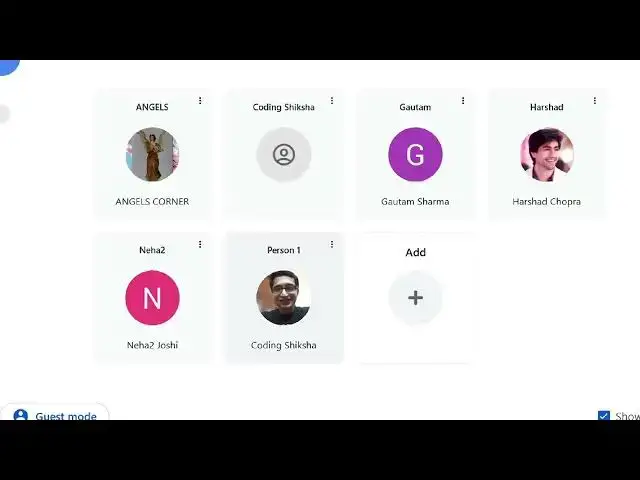
now if you want to delete that profile
1:12
again you click on that and go to manage
1:15
chrome profiles. And right here you will
1:17
see this option which is created this.
1:22
You will see this is our profile. Simply
1:25
tap on this
1:28
and you can edit as well. If you want to
1:31
customize your avatar icon, simply click
1:34
on that to customize it as well. Or if
1:39
you just want to delete this, go to
1:41
manage chrome profiles and simply tap on
1:43
this and you will see this delete
1:45
option. Simply click delete. So your
1:48
user profile will be deleted. So in this
1:50
easy way you can create or delete your
1:54
user profile in Chrome browser very
1:56
easily. And uh also check out my website
2:00
freemediattools.com
2:01
uh which contains thousands of tools.