Up next in 10


Download the tool here:
https://learn.microsoft.com/en-us/sysinternals/downloads/rammap
Show More Show Less View Video Transcript
0:00
uh hello guys welcome to this video so
0:02
in this video I will show you a new tool
0:04
inside Windows which is called as RAM
0:07
nap which is developed by Microsoft to
0:10
clear out your RAM cache inside your
0:13
Windows 10 and 11 machines so if you
0:16
basically see if you are basically
0:18
having a RAM cache just open your task
0:21
manager and here you just need to go to
0:24
performance and right in the memory
0:27
itself if you
0:28
see you will see this
0:32
cached RAM cache which is round about uh
0:35
it is increasing every time as your
0:38
system is using uh programs so whenever
0:41
it reaches a higher value there is this
0:44
tool that you can use to instantly clear
0:47
out all the RAM cache so I have given
0:50
this link in the description of this
0:52
video so simply install this application
0:54
it's really safe application developed
0:56
by Microsoft around about 671 kilobyte
1:00
simply click it i've already installed
1:03
it
1:04
so just extract all the content of this
1:07
folder it will create this RAM map
1:09
folder
1:11
and uh now just execute this with
1:16
administrator so right click run as
1:19
administrator and uh just open this
1:22
application so it will open like here
1:24
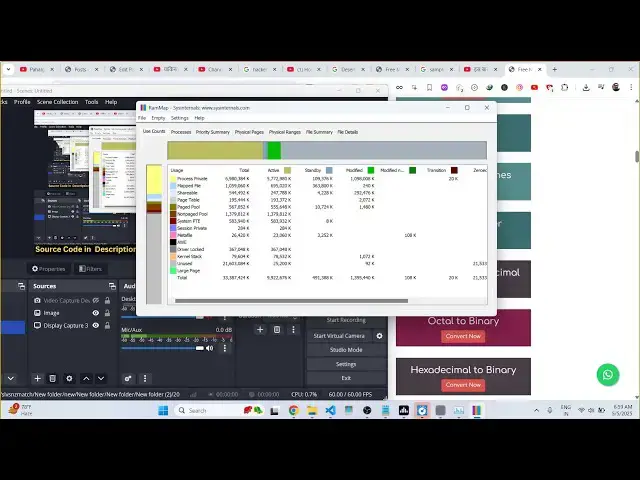
and it will show more details of how
1:27
your RAM is splitted across different
1:29
programs so now we have this option of
1:32
empty and you just need to select this
1:35
option which is empty standby list so
1:39
just select this option this will clear
1:41
out your cached memory as soon as you
1:44
select this option you will see the
1:46
cacheed memory is
1:48
decreased and every anytime this cached
1:52
memory is high value you just run this
1:55
program in the background just select
1:57
this option as soon as you select this
1:59
option you will see the memory will be
2:03
the RAM cache will be cleared out so
2:05
this is a very useful program you can
2:07
have to clear out your RAM inside
2:09
Windows 10 11 machines so this is the
2:13
thing and uh thank you very much for
2:16
watching this video and also check out
2:18
my website freemediattools.com
2:21
uh which contains thousands of tools
#Software Utilities
#Freeware & Shareware