Up next in 10


Get the full source code of application here:
Show More Show Less View Video Transcript
0:00
Uh hello guys, welcome to this video. So
0:02
in this video, I'll show you how to
0:03
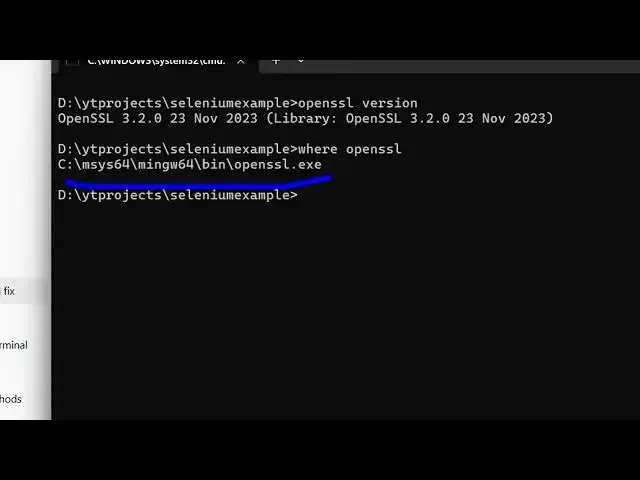
check the OpenSSL version, which version
0:06
you are using and also the location as
0:08
well. So open SSL
0:10
version. So if you just type this in the
0:12
terminal, it will tell you the exact
0:15
version you are using here. This is a
0:17
command. You will see we are using this
0:19
3.2.0.
0:22
And now if you want to also keep track
0:24
of where it is installed in your system,
0:27
you simply execute this command where
0:29
open SSL. So now it will give you the
0:32
location
0:34
where it is installed in your system.
0:36
This is your exe file. So we simply go
0:39
to this location
0:43
in the file explorer. Simply paste this
0:46
and inside this you find out this is all
0:49
your
0:56
thing. Yeah. So inside the bin folder
1:01
so all these executables are present
1:03
here. You will see one such executable
1:05
is this open SSL. So this is your actual
1:08
file. So in this easy way you can keep
1:11
track and the version as well.