Up next in 10

Google just released Google OPAL AI the EASIEST way to build Full Stack Apps From Prompt For FREE
Apr 13, 2026

Watch My Visual Studio Code IDE Setup Video For Fonts,Themes & Extensions
https://youtu.be/Bon8Pm1gbX8
Hi Join the official discord server to resolve doubts here:
https://discord.gg/cRnjhk6nzW
Visit my Online Free Media Tool Website
https://freemediatools.com/
Buy Premium Scripts and Apps Here:
https://procodestore.com/
Show More Show Less View Video Transcript
0:02
Uh hello guys in this uh live stream I
0:04
will show you uh Google has released a
0:08
platform for building out full stack
0:10
coding applications. So it's actually
0:13
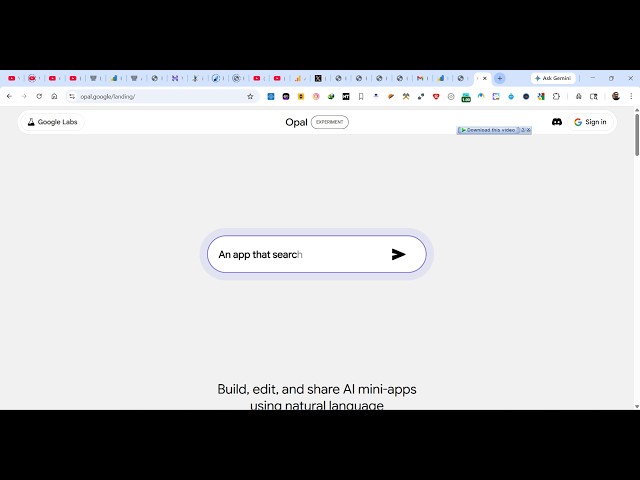
called as Google Opal.
0:16
So if you simply go to
0:19
Google the very first result which comes
0:21
Google Opal you write. So this is
0:24
actually experiment that they are doing.
0:26
They have fully released this and right
0:29
here you can build out full stack coding
0:31
applications from prompt. So this is
0:34
their landing page opal.google
0:38
and uh right here inside the chat prompt
0:40
to now to get started you can simply
0:42
login with your Google account and once
0:45
it authenticates you will be redirected
0:47
to the dashboard area. So just grant all
0:50
the permission and
0:54
so once you do this you will be
0:55
redirected right here. So you click on
0:58
confirm everything. So these are some of
1:00
the applications which are developed by
1:02
developers as you see that.
1:08
So now if you want to create a new
1:11
application you click on create new and
1:14
the interface looks something like this.
1:16
uh write in the chat prompt you specify
1:18
what sort of application you want to
1:20
develop. So let's suppose I say I want
1:23
an application which converts image to
1:25
PDF
1:27
web application and browser. So as I
1:29
write this application, it has its own
1:31
code editor as you see on the right hand
1:35
side. Once it completes automatically
1:38
the live review will be shown
1:41
and you also get the publish button as
1:43
well to actually publish the app once it
1:46
is created successfully. It has its own
1:49
console as well.
1:53
So now it is actually creating the app
1:55
here.
1:57
So thing about this platform is that
2:00
it's completely free.
2:02
So now you can see that it's actually
2:05
built out this image to PDF app for you.
2:07
Mini map mini app. So quickly convert
2:10
your images into a single sharable. So
2:19
So if you want to share this app
2:23
with others, you click the share button.
2:25
And right here you adjust anyone with
2:27
the link.
2:29
So do that and
2:34
so after you do that
2:37
uh it will give you this unique link
2:39
which you can actually share with other
2:41
people. So simply open this now. Now
2:45
it's your application successfully
2:47
deployed here. It gives you this unique
2:50
link right here. So it has its own
2:53
editor as you see uh all the console
2:56
here these are mini maps.
2:59
So these are different steps here. Uh
3:02
you can even specify which theme you
3:04
want to use.
3:06
So once it actually
3:10
deploys it successfully
3:14
click on the start button.
3:20
So it is actually you can see it is
3:22
analyzing the prompt specifying the
3:26
appropriate files that needs to be
3:29
created and uh
3:32
so I've used this platform to actually
3:34
build out quality applications with the
3:37
help of AI. So this really saves you a
3:40
lot of time if you are looking forward
3:42
for an alternative.
3:46
So right here you specify what sort of
3:48
applications you want to convert to PDF.
3:50
You can upload from device as well. So
3:57
so it's kind of a mini.
4:10
So once you select the image you click
4:12
on.
4:15
So now that image is successfully
4:20
convert it's converting to PDF. So these
4:23
are mini maps you can actually create
4:26
using this Google Opal platform. Just
4:29
write the prompt automatically.
4:32
This AI platform will build your
4:34
application. Proceed with just the
4:36
image. Click on submit. And
4:44
so now it is actually you can see it's
4:47
showing you the progress once it reaches
4:49
100%.
5:07
So this is actually the AI platform. You
5:09
can publish apps, create apps with
5:11
single prompts.
5:14
You can also read their documentation as
5:16
well. So a lot more documentation are
5:18
also given to you. So it's a no code
5:21
editor. Mini maps you can actually build
5:24
out.
5:32
So once it reaches 100% you will
5:35
actually see a PDF file created.
5:42
So one drawback of this platform is it's
5:45
really slow as compared to other AI
5:47
platforms. It doesn't build out a
5:51
instant applications like other platform
5:54
do but still it's a good platform to for
5:57
coders to build out applications. So
6:01
definitely try this.
6:04
I think they it is slow because many
6:06
people are trying the platform at the
6:08
same time. So that's why it makes this
6:10
platform slow and also it is completely
6:13
free. Anyone can try this. So that's why
6:16
also
6:18
as you see if you go to open.google
6:20
Google you have seen different
6:22
applications created
6:24
Diwali you can see But